โก Own the speed, ditch the fees, and future-proof your connection!
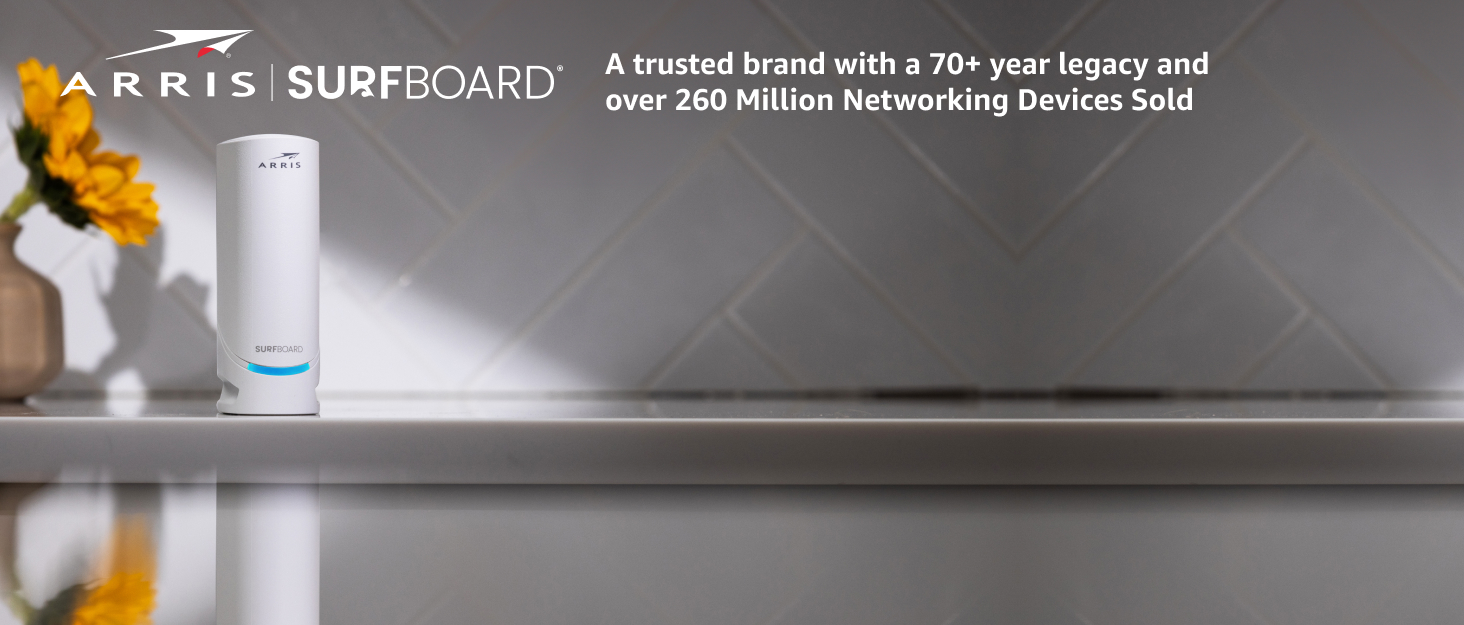
The ARRIS SURFboard SB8200 is a DOCSIS 3.1 cable modem designed for cable internet plans up to 2 Gbps. Featuring dual 1 Gigabit Ethernet ports, it supports wired speeds up to 2 Gbps aggregate. Compatible with major US providers like Xfinity, Cox, and Spectrum, this modem offers a compact design, easy setup, and the opportunity to save on monthly rental fees by owning your device. Note: Requires a separate Wi-Fi router for wireless coverage.


| ASIN | B07DY16W2Z |
| Best Sellers Rank | #320 in Computers & Accessories ( See Top 100 in Computers & Accessories ) #7 in Computer Networking Modems |
| Brand | ARRIS |
| Built-In Media | 2-year warranty card, Power Supply, Quick-Start guide, SB8200 Cable Modem |
| Color | White |
| Compatible Devices | Router, Personal Computer, Laptop gaming console |
| Connectivity Technology | Ethernet (2 - 1Gb) |
| Customer Reviews | 4.4 out of 5 stars 20,042 Reviews |
| Data Transfer Rate | 10 gigabits_per_second |
| Global Trade Identification Number | 00612572215760 |
| Internet Service Provider | Cox, Spectrum, Xfinity |
| Internet service provider | Cox, Spectrum, Xfinity |
| Item Dimensions L x W x H | 5.13"L x 1.75"W x 5.25"H |
| Item Type Name | Docsis 3.1 Cable Modem |
| Item Weight | 1.5 pounds |
| Manufacturer | Vantiva |
| Maximum Downstream Data Transfer Rate | 2000 megabits_per_second |
| Maximum Upstream Data Transfer Rate | 2000 megabits_per_second |
| Mfr Part Number | SB8200 |
| Model Number | SB8200 |
| Modem Type | Cable |
| Number of Ethernet Ports | 2 |
| Number of Items | 1 |
| Number of Ports | 2 |
| Product Dimensions | 5.13"L x 1.75"W x 5.25"H |
| UPC | 612572215760 |
| Unit Count | 1 Count |
| Warranty Description | 2 year Limited Warranty |
K**S
Reliable modem and easy setup
This ARRIS SURFboard SB8200 has been a great cable modem for my setup. I wanted a modem-only unit so I could use my own router, and this has done exactly what I needed without adding extra clutter or complicated settings. Setup was straightforward, the modem locked onto the connection quickly, and I like not having to deal with rental fees. The internet speed has been steady, pages and streaming load quickly, and I have not had random drops or restarts. It runs quietly, the lights are bright enough to read without being annoying, and the size is easy to place near the router. The status lights and basic interface are simple to understand, so it is easy to tell what is going on at a glance. Overall it feels like a reliable upgrade for the money.
S**R
Quick, easy installation on Spectrum; huge speed increase; replace Cat5 cables with Cat5e or higher
This is a review of the ARRIS (SB8200) - Cable Modem. Tip: Before selecting a new cable modem, go to the website of your ISP and review their list of "approved" cable modems. You could also call your ISP to find an "approved" modem. Your ISP may prefer that you to use one of their modems. Sometimes their modems are provided at no additional cost, so you might be able to save some money. I verified that this Arris SB8200 cable modem was on the "approved" list for my local ISP (Spectrum). While I am very happy with the Arris SB8200, you might consider finding an "approved" modem that has come out more recently (a newer model). Short review: I recently replaced my 10-year-old cable modem with the Arris SB8200 modem. I am on a 400 Mbps (megabit per second) plan with Spectrum, but I was only getting 90 Mbps. With the new modem, internet speed more than quadrupled (to 480 Mbps). I am quite pleased. I have read reviews by people who claimed to have had bad experiences using this modem on a Sprectrum system, but I had no problem whatsoever. Installation and activation were very easy and quick. The self-installation via the web did not work for me, but I easily activated the new modem with a quick phone call with Spectrum (no wait on phone; less than 10 minutes to activate). I discovered some problems with my home network that I discuss below, but these were completely unrelated to the new Arris modem Have MAC ID (from box or modem label) before you activate: You must report the MAC ID for the new modem to your ISP to activate, so have it handy before you start. Important Tip: The rest of this review concerns internet speed issues from causes other than the modem. The most important lesson learned: Make sure you replace all your old-style Cat5 Ethernet cables with newer Cat5e or Cat6 cables. Cat5 cables are limited to 100 Mbps (megabits per second) and may be โbottleneckingโ your system. My system: My home was built with an Ethernet system that supplies at least one Ethernet outlet in every room. I have been using Ethernet instead of WiFi. The Cat5e Ethernet cables supplying this system come together in a central distribution box, which houses the cable modem and a router. In some rooms, Ethernet switches (splitters) are used to share an Ethernet outlet among several devices. Of course, internet speed may drop due to any of these components. Before installation: -- Studied the Quick Start/Installation guide (available online) before modem arrived. -- Watched a 4-minute Sprectrum video on how to install a new cable modem. -- Learned what the various lights on the modem mean (including solid and flashing lights). Cable modem installation with Spectrum: Note: For this installation, Spectrum service was already established (on old modem). -- Turned off computer -- Connected modem directly to computer with a new Ethernet cable (Cat5e), bypassing router and home Ethernet system -- Turned on modem: Based on behavior of lights, modem appeared to update its firmware (automatically). After about 6 minutes, lights indicated modem was ready. -- Turned on computer: Opened web browser and attempted to go to the Spectrum self-install web page. Would not connect. -- Called Sprectrum to activate modem: Gave the MAC ID of new modem to pleasant costumer service rep. After updating the MAC ID, rep remotely reset modem. -- Ran speed test: Speed had been 90 Mbps with old modem, it was over 400 Mbps with new modem. (Glory be!) Lessons learned about homeโs Ethernet system: -- After the modem had been activated, I moved it into the Ethernet cable distribution box and hooked it up to the old router. Ethernet speed was only 90 Mbps, just like when using the old modem. Hmmm. -- Installed the new router, Ethernet speed was still only 90 Mbps. Hmmm. -- Turned on WiFi and connected computer via WiFi: Speed jumped to over 400 Mbps. Great! -- Turned off WiFi to test Ethernet system. The switches/splitters are gigabit rated, so I hoped they were not the cause of the "bottlenecking." -- Replaced all the Ethernet cables with new Cat5e cables: Ethernet speed jumped to 480 Mbps. Problem solved! -- Besides higher internet speeds for the computers, Youtube videos on the television are much, much improved. Very pleased. Summary: Your new Arris modem may (by itself) enable you to get much higher internet speeds. However, make sure all of your network gear (router, switches/splitters, and cables) can support 1 Gbps (gigabit per second). For example, if you have Cat5 cable anywhere in your system, your speed will be limited to 100 Mbps, so replace them with Cat5e or higher cables.
D**C
Worked great for 58 days - then it didn't - Thanks Comcast
UPDATE 3 ************** You can read my sad tale below if you choose. But a quick summary may suffice. I got the SB8200 and it worked for 58 days. It then stopped working. It was replaced by Arris but the second modem did not work, either. That modem was replaced by Arris and the third modem did not work. The odds of getting three bad modems were pretty near zero so attention turned to Comcast. A tech came out and confirmed that the SNR was way low and the signal levels were out of bounds. He ran a new cable to the Comcast distribution box and installed a new splitter. The third modem connected immediately and worked perfectly. The fact that my old modem (not a docsis 3.1) worked had initially suggested that the problem was the new modem instead of the Comcast line. Arris support was GREAT through all this. I got right through to a live tech after about 3-5 rings (after their voice menu system answered and directed my call). They replaced the modems quickly (I had to send old modem back via ground - free return shipping - but they sent replacement modem via next day delivery). This is some of the best support of any company I deal with. It is pretty much the opposite of Comcast where getting to a live agent can be very difficult. This review was originally a 2 star but is now a 5 star - and I would give Arris support 6 stars if I could. ORIGINAL POST ********************* I have had this modem for 58 days. It was working well connected to Xfinity. Good download speed. Then, today it became intermittent. It ran for a couple of minutes, then lost internet connection, then was back but at slower download speed. Then it was running fine. That pattern continued to repeat. I had hoped it was an Xfinity issue, but I reconnected my previous modem and everything is working just fine. Before purchase I had read the bad reviews, but there were way more good reviews so I hoped that I would be one of those customers that got a "good one". Nope. Besides EVERY modem I looked at had about the same number of bad reviews. Many saying - don't buy this. So what is one to do? UPDATE ************** I contacted Arris customer support. I got through to a tech IMMEDIATELY. He said they needed to check the modem while it was online. Since I had already installed by backup modem, I had to contact Comcast and switch my MAC address back to the Arris and get in connected. I then called Arris back and again was connected to a tech, immediately. The reason this is a 2 star rather than a 1 star is because of the ease of contacting support. The tech looked at the modem stats and agreed it was bad. After a 5 minute delay while he consulted with a supervisor, he approved my return of the modem. He emailed me a prepaid shipping label and said they would send a new modem to me as soon as they received the old one back. So what Arris may lack in quality, they do mostly make up for in good customer support. Realistically, any product can fail, so the experience in dealing with a failed product is an important part of the buying process. Arris support gets 4 stars from me - one star off for making me reinstall the modem so they can verify it was bad. Though that was a perfectly reasonable request from them, I had pretty good evidence of my assertion that it was their modem which was the issue. Update 2 ********** I got the replacement modem. I spent about 90 minutes on the phone with Xfinity and Arris customer support trying to get that modem working with Xfinity. We could not get the modem to work - it seemed like it was working for a few seconds here and there. So I am sending this replacement back and will get yet another replacement (for the replacement). Hopefully the 3rd times the charm.
B**R
Almost great!
Plus: Very fast and very easy to set up. These tend to last a long time. My last SB6190 Arris lasted almost 5 years. When it went out, I replaced it with a Netgear and that lasted less than 2 years. I learned my lesson, and I'm back to Arris. Minus: Unfortunately the 192.168.100.1 access won't work if this modem is behind a router. Not sure why it worked with my last Arris SB6190 or even my most recent Netgear piece-of-crap modem, but this particular modem is not accessible unless you direct-connect to it via network cable. That said, this comes with two ethernet ports on the back so my assumption is that this is by design with a somewhat convenient way to still direct-connect to it with the second port. This is the ONLY reason why I scored this 4 out of 5 instead of perfect 5. In my opinion, the SB6190 was a perfect 5.
P**D
Hot little modem
What a modem. I was bumped up to gigabit service with an older Arris modem that maxed out at 800 Mbps. Swap was easy, but the isp changed its self service set up. Before I could plug new modem in, reboot everything and a screen would pop up after logging in. Put in my account number, verify the MAC address. New process fails, but contacted the support on X and gave them a photo of the modem info and my account number. It was set up by the ISP and once fully functional after 20 minutes, clocked 945Mbps down. Varies from 940 to 970Mbps in speed. I can confirm this works well on Optimum cable service. Since they stopped expanding fiber for the moment even though about 150 feet from my house, not expanding.
R**L
Great DOCSIS 3.1 Cable Modem
I first used this older model modem in 2017 in Atlanta, and it worked great there with regular DOCSIS 3 Now that I am back in South Florida, I am finally using it with DOCSIS 3.1 and successfully also used LACP (802.1ax formerly 802.3ad) to go above the 1Gbps limitation of the 1GbE ports on the back of the modem. This modem does NOT have N-BaseT (aka 2.5GbE) on it. So to go over 1Gbps, you need to employ a router that can do 802.1ax LACP to bond 2 separate 1GbE connections to achieve more than 1Gbps. I am doing that myself successfully after all these years now for the first time because my apartment complex upgraded my Internet connection (without my permission) to 1200Mbps. To do so, either find a router capable of LACP (in the software) as well as having more than the base 2 minimum ports (1 WAN, 1 LAN) to be able to do that. I bought a 4 port 2.5GbE router with an Intel N100 CPU and intend to connect the LAN side to a 2.5GbE switch when I finally get one. But on the WAN side I now have two ports and two cables going to the cable modem. Just an idea for a way to make full use of this modem that IS capable of more than 1Gbps, just not with your average off the self consumer WiFi routers. Also, this is a pure cable modem and does NOT offer any routing or WiFi capabilities. So you will need to get your own WiFi router, or like in my case, separate router and WiFi access point(s).
P**E
I changed my review about Arris! See update.
I read all the complaints about the 8200 getting/or running hot. 1 month up and running heat is normal for a small footprint modem. I have not had any drop offs, rebooting or wifi lags. My cable company is comcast my upload speed is 25mbs and down load is 600mbs. I am currently running 7 arlo cameras, 6 Alexas devices, 3 fire sticks, 1 roku and numerous outlet switches with no problems at all. My router is the Synology rt2600 running since January with no problems or hiccups. I love this router and my advice is...if you do not have any computer skills and a understanding how to perform wifi setup stay away from this router. It is built for experience IT and computer tech savvy and managers. The Arris 8200 modem really complements my router and I am not speaking for anyone else... I'm very happy with my arris 8200 modem performance. Update Jan 31, 2020: DO NOT BUY ARRIS SB8200. Two months into the use of this modem it failed. It started dropping connections around late Nov 2019. I rebooted and reset the SB8200 several times. I called comcast and they checked the signal and reset the modem on their end and they proclaimed things was find. I kept the arris SB6183 modem as a backup I removed the SB8200 and installed my SB6183 and my internet service been up and running since Nov 2019...its now Jan 31, 2020. THE PROBLEM: I contacted the arris tech personnel and explain my problems. I explained to them how I rebooted and reset the SB8200. I explained that I called my internet provider and they too did checks and proclaimed that their wasn't no problem with their service to my home. Then I told arris that I reinstalled my Arris SB6183 modem and all is running great no issue. Then things became bizarre with Arris tech, they wanted me to remove the 6183 modem and install the 8200 and run their checks. I explain to them no internet connections how will we be able to run checks. Then they ask how many lights I see on front of modem they were all lit up. They wanted a screen shot of the modem data remember No internet connections. At this point I became fed up because they're reading from a script. In the end they did not honor the 3 year warranty of SB8200 their reason were it must be your internet provider problem because all lights were on. If you read the complaints about the Arris SB8200 on the Amazon site you will find that the Puma Chip sets in this modem is causing problems with this modem. The SB8200 is failing at different times lasting from 1 month to 9 months...in my case it lasted 2 months. I been making purchases from Amazon now for 15 years I have never had a issues that Amazon couldn't solved. They're a fantastic and great online retailer and I am thankful that they and NOT ARRIS who resolved my issue in this matter. Thank you once again Amazon for being the retailer that all retailers could learn from. Customer satisfaction will always keep us coming back. Arris has lost a customer for life!
F**K
Works great, just need a little time to setup with your cable internet provider.
The unit works great, I was limited by DOCSIS 3.0 speed at mid 400mbps, with this unit DOCSIS 3.1 the speed test shows 560mbps connectivity. The setup with Spectrum was a bit convoluted for the uninitiated. Upon connecting the unit and powering up, wait until all LEDs in the front turn green. The instruction on Spectrum's website said to wait for the notification from the Spectrum app of the device getting recognized, which never did. I get hold of Spectrum tech on Spectrum app support chat, provided them with the MAC address, and make sure to tell them it's a modem only (not modem + wireless router combo). . Then wait until it's rebooted by Spectrum. I connected it directly to an Ethernet dongle off my laptop to test the connection, and eventually it got connected and I can ping google.com.
Trustpilot
2 months ago
3 weeks ago