Buy anything from 5,000+ international stores. One checkout price. No surprise fees. Join 2M+ shoppers on Desertcart.
Desertcart purchases this item on your behalf and handles shipping, customs, and support to Bolivia.
🚀 Elevate your workspace with Wi-Fi 7 power — because buffering is so last decade.
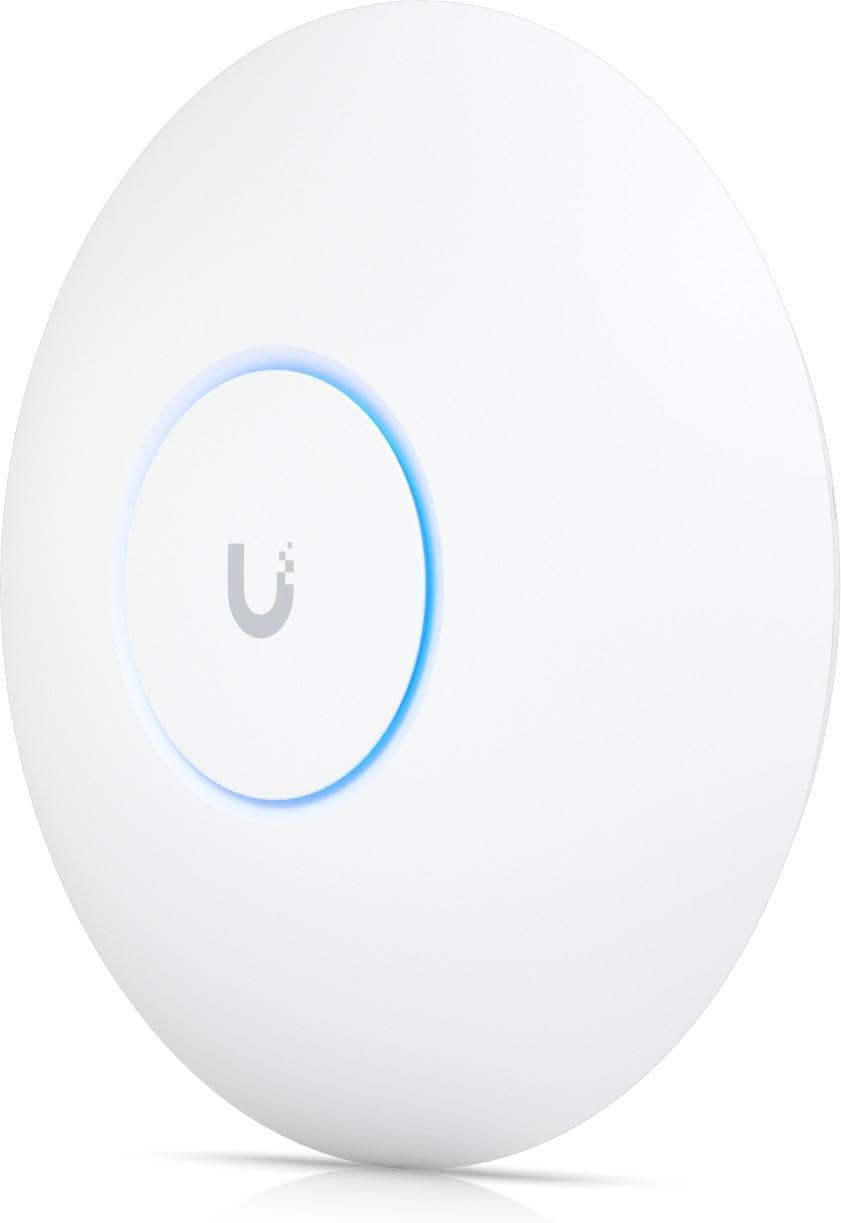
The UbiQuiti UniFi U7-Pro-5 is a professional-grade Wi-Fi 7 tri-band access point pack designed for large-scale, high-density environments. Delivering up to 11 Gbps speeds and coverage up to 3000 m², it supports seamless multi-device connectivity with enterprise features like PoE power, centralized UniFi controller management, and advanced security protocols. Ideal for offices, educational institutions, and large homes, it transforms your network into a future-ready, high-performance infrastructure.
| ASIN | B0F1TV5GJ2 |
| Antenna Location | Enterprise Deployment, For Business, Home Network, Large Wi-Fi coverage |
| Antenna Type | Internal |
| Best Sellers Rank | #2,280 in Computers ( See Top 100 in Computers ) #12 in Wireless Access Points |
| Brand | Ubiquiti Networks |
| Built-In Media | Wireless Access Point U7-PRO-5 |
| Color | White |
| Compatible Devices | Gaming Console, Personal Computer, Smart Television, Smartphone, Tablet |
| Compatible devices | Gaming Console, Personal Computer, Smart Television, Smartphone, Tablet |
| Connectivity Protocol | Wi-Fi |
| Connectivity Technology | Ethernet, Wi-Fi, Wifi 7 |
| Control Method | Touch |
| Controller Type | Unifi Network Controller |
| Coverage | 3000 m² |
| Customer Reviews | 4.7 out of 5 stars 493 Reviews |
| Data Transfer Rate | 11000 Megabits Per Second |
| EU Spare Part Availability Duration | 5 Years |
| Frequency | 6 |
| Frequency Band Class | Tri-Band |
| Frequency band class | Tri-Band |
| Has Internet Connectivity | Yes |
| Has Security Updates | Yes |
| Is Modem Compatible | No |
| Item Dimensions L x W x H | 22L x 25W x 4.5H centimeters |
| Item Weight | 450 Grams |
| LAN Port Bandwidth | 2500000000 bps |
| Manufacturer | UbiQuiti |
| Mfr Part Number | U7-pro |
| Model Name | U7-pro |
| Model Number | U7-pro |
| Model name | U7-pro |
| Number of Antennas | 4 |
| Number of Ports | 2 |
| Operating System | Unifi Os |
| Other Special Features of the Product | High Performance WiFi, Multi-device connectivity, Support WiFi 7, Unifi Network Integration |
| Router Firewall Security Level | Advanced |
| Router Network Type | tri-band |
| Security Protocol | WPA3 |
| Smart Home Compatibility | Not Smart Home Compatible |
| UPC | 680665928422 810084697429 |
| Voltage | 48 Volts |
| Wi-Fi Generation | Wi-Fi 7 |
| Wireless Compability | 802.11.be |
| Wireless communication standard | 802.11.be |
A**N
From Gryphon to UniFi U7 Pro : A Worthwhile Leap to True Wi-Fi 7
I moved to the Ubiquiti UniFi U7 Pro Wall after years of using a Gryphon consumer Wi-Fi system. Gryphon served me well for simplicity and deep parental controls, but my ISP provides a 1 Gbps connection, and Gryphon was consistently topping out around 450 Mbps. Hardware limitations - not reliability - ultimately forced the decision to move. Setup Experience I’ll admit upfront: I was apprehensive. Moving from a very easy plug-and-play system to a configurable setup sounded intimidating. I spent a few long, slightly sleepless nights researching and planning the move, worried about complexity. Oh boy, was I in for a surprise - the setup was far less technically challenging than expected. With some guidance where I got stuck, the core network was up and running in about two hours. Adding the In-Wall AP later was a complete non-event - adoption was instant, configuration seamless, and no rework required. So now I have taken the leap from consumer Wi-Fi into a properly architected home network using Firewalla and UniFi. My Network Setup - Home Size: ~2,500 sq. ft., two floors, reinforced concrete walls - Firewall / Router: Firewalla (routing, security, and VLAN management) - Switching & Power: TP-Link PoE switch powering all UniFi access points - Wi-Fi Management: UniFi Controller running in Docker Firewalla manages VLANs cleanly (main LAN, IoT, guest, etc.), while UniFi handles SSIDs, wireless behavior, and client policies. VLAN tagging passes seamlessly from firewall → switch → access points. There is no “primary AP” - all access points operate as peers, which is one of the most elegant strengths of the UniFi ecosystem. I do miss WiFiman integration due to running the controller in Docker, but that’s a small trade-off for the flexibility and control this setup provides. Access Point Deployment - Ground floor: UniFi U7 Pro Wall - Study (remote room with concrete walls): UniFi In-Wall AP - First floor: UniFi U7 Pro Ceiling-mounted AP Wi-Fi coverage across the house is excellent, with zero dead spots. Roaming is seamless, signal strength is consistent, and performance holds up well even through thick concrete walls. Performance & Real-World Use This is true Wi-Fi 7 hardware, with 6 spatial streams and 6 GHz support. Even with a mixed client environment (Wi-Fi 6, 6E, and older devices), overall throughput, latency, and stability are dramatically better than my previous setup. Multiple 4K streams, video calls, work-from-home usage, and heavy multi-device loads run without jitter or drops. Most importantly, I can finally make full use of my 1 Gbps internet connection - something the Gryphon hardware simply could not deliver. The “Enterprise Feel” Difference One small but impactful example: I now run a custom guest splash page. Guests connect to Wi-Fi and are greeted with a clean, branded landing page instead of a generic password share. It looks neat, professional, and intentional — a small detail that really highlights how far this setup is from a consumer system. While the overall cost ended up slightly higher than Gryphon, what I gained is a network that looks, behaves, and performs like something you’d expect in a professional or enterprise environment, not a consumer mesh. Pros - Genuine Wi-Fi 7 performance with 6 GHz support - Excellent coverage across two floors with concrete walls - Seamless VLAN handling with Firewalla + UniFi - Flexible controller options (including Docker) - Clean wall-mount design and solid build quality - PoE (No more running separate cables for power, and while i was cringing at the idea of POE, i will from now always try to get POE where available) - Professional features like guest splash pages Some Prerequisites (not really CONs) - Requires PoE and UniFi Controller (not a standalone consumer product) - Some networking knowledge helps, though setup is very manageable - Full Wi-Fi 7 benefits require compatible client devices Who This Is For: If you’re outgrowing consumer Wi-Fi systems (Gryphon, Eero, Orbi, etc.) due to performance ceilings, lack of control, or scalability, and want a future-proof Wi-Fi 7 setup, the UniFi U7 Pro Wall is an excellent choice. Bottom Line The UniFi U7 Pro Wall made my transition from consumer mesh to a Firewalla + UniFi architecture absolutely worth it. Slightly higher cost, vastly higher capability. Powerful, flexible, and genuinely satisfying to run — this is Wi-Fi done properly. ⭐⭐⭐⭐⭐
M**O
still buggy
You need to separate Wi-Fi 7 from the Wi-Fi 6 to make It work.This Wi-Fi device requires a UniFi UDM or another suitable device for proper performance.You need a device that supports Wi-Fi 7, If you don’t have you’ll have to look at other options. However, if Wi-Fi 6 is sufficient for your needs, I recommend the U6 Pro. It offers excellent coverage and a good price compared to Wi-Fi 7 devices. You can power the device using a Cat6 cable with PoE+, but you’ll need a switch or a UDM Pro to do so. In terms of speed, the maximum it has reached is 1.5 Gbps. Keep in mind that my network speed is 5 Gbps.
M**V
Ridiculously impossible to setup
Just didn’t understand or find the right process to setup. Nothing simple or powerful about it
Trustpilot
1 month ago
2 weeks ago