Buy anything from 5,000+ international stores. One checkout price. No surprise fees. Join 2M+ shoppers on Desertcart.
Desertcart purchases this item on your behalf and handles shipping, customs, and support to Bolivia.
🎮 Elevate your stream game — control, customize, conquer!
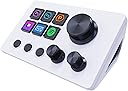
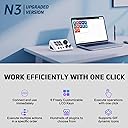
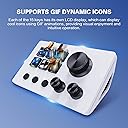
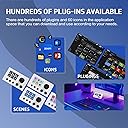
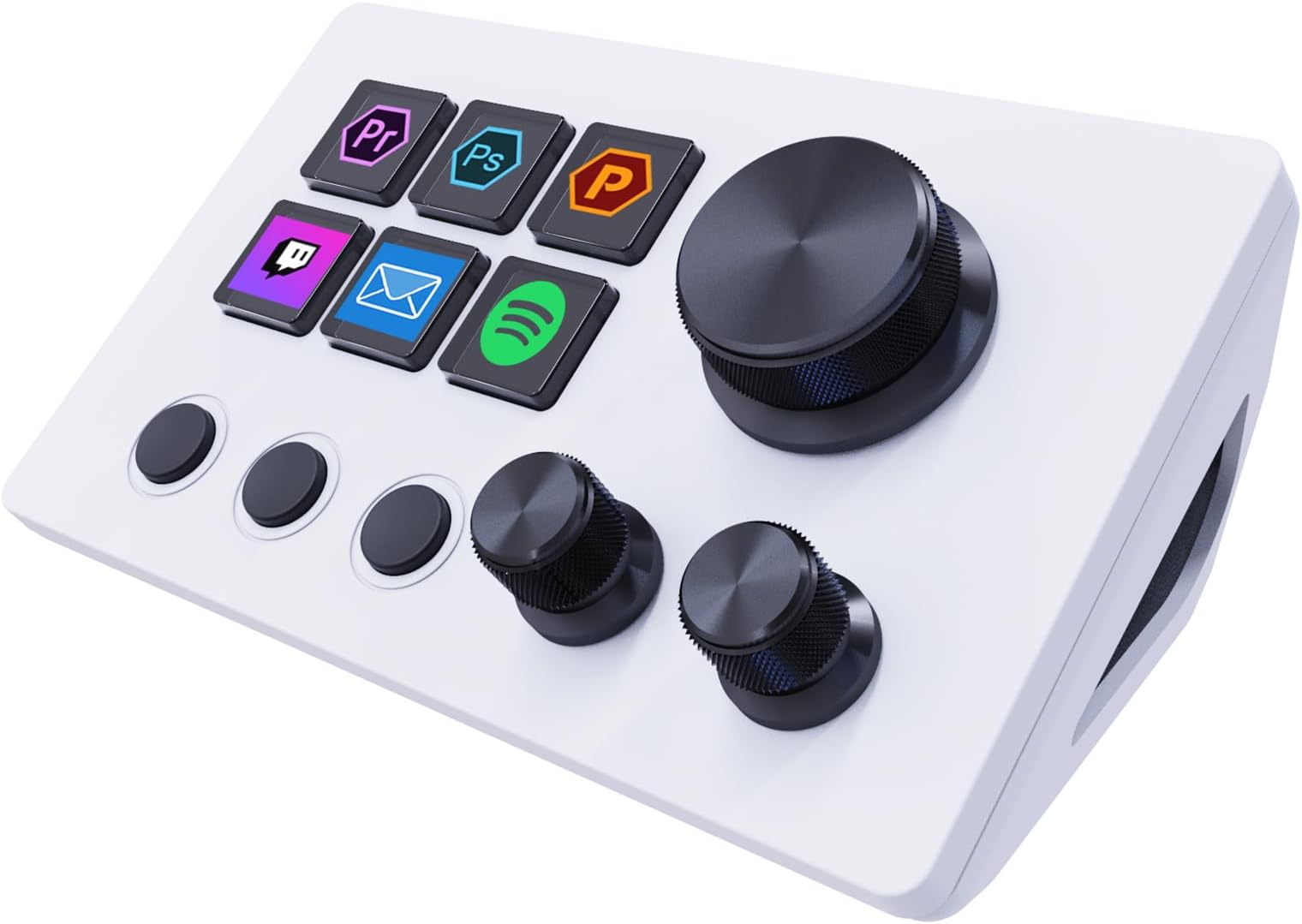
The Basicolor Streaming Macro Keypad is a compact, USB-powered stream controller featuring 6 fully customizable LCD shortcut keys, 3 programmable buttons, and 3 knobs. Designed for seamless integration with OBS, Twitch, YouTube, and major creative software on both Windows and macOS, it empowers streamers and professionals to execute complex macros and media controls effortlessly. With rich visual customization options and hundreds of productivity plugins, it’s the ultimate tool to boost efficiency and style in any digital workspace.


| ASIN | B0FCF94NW1 |
| Additional Features | Compatible With Obs, Customizable Keys, Lcd Display support GIF icon, Macro Keys, Programmable Buttons |
| Best Sellers Rank | #1,464 in Computer Keyboards |
| Brand Name | Basicolor |
| Color | White |
| Compatible Devices | Mac, PC |
| Connectivity Technology | USB |
| Controller Type | Push Button |
| Customer Reviews | 4.3 4.3 out of 5 stars (109) |
| Hardware Platform | Desktop, Laptop |
| Included Components | Stream Controller Deck, USB Cable, User Manual |
| Item Dimensions | 5.11 x 3.15 x 1.96 inches |
| Item Weight | 5.92 ounces |
| Manufacturer | Shenzhen An Rui Xin Technology Co., Ltd. |
| Model Name | N3 Stream Dock |
| Package Quantity | 1 |
| Power Source | Usb Powered |
| UPC | 762849870427 |
| Warranty Description | 2 Year Manufacturer |
S**N
Impressive little gadget
Impressive little gadget! The Basicolor Streaming Macro Keypad is perfect for streamers and creators. The customizable LCD keys, knobs, and buttons make switching scenes and adjusting volume effortless. Setup was quick, and it works great with OBS, Twitch, and YouTube. Compact, stylish, and highly functional — an amazing value for the price!
S**E
Stream deck
This streaming macro keypad is an amazing tool for productivity and streaming. The customizable LCD shortcut keys make switching between apps and functions super easy. The knobs and buttons feel smooth and responsive, giving me great control over audio and video. Setup was simple, and it works perfectly with OBS, Twitch, and YouTube. For the price, it’s a fantastic alternative to more expensive stream decks.
N**E
Identical to AJAZZ version, has some ergonomic drawbacks, but pretty good.
This product is EXACTLY the same as the AJAZZ Macro Keypad Stream Controller (ASIN B0FSQTZHF2), but it's not badged on the device, although the software shows a VSD logo. It also a different VSD branded app. The app is actually exactly the same as the AJAZZ app that the AJAZZ version comes with, but the AJAZZ app doesn't appear to recognize this device. The device itself is ok, but there are a couple design flaws. The detachable angled stand needs to be attached so that the USB cable has somewhere to go. You can't take it off and lay the device flat because the plug comes out the back of the device. It would be nice if it had an option to lay flat instead of at an angle. Secondly, it's very very light, so you may need to physically attach it to your desk so it doesn't slide around. That is especially problematic with the knobs, since you rely on having some resistance against the physical movement of the turning and pushing on the knobs. The knobs don't feel cheap, but they are far from premium feeling. Like all of these devices, the screen of the buttons is set in pretty far behind the button surface, so if you're viewing at an angle, it may be obscured. The buttons themselves are rather mushy membrane buttons. I hope someone gets around to building premium versions of these devices that use mechanical keyswitches. The software is not terrific, but everyone except elgato uses the same software (and I suspect elgato's is just a heavily modified version of the same thing). It's functional and I actually didn't find many bugs, but it's kind of painful to use. A couple things would make the software better: come with an entire set of searchable icons, allow copy-paste into the icons, and hire some designers to make some built-in high quality scenes. It's going to take a while to build each app-specific scene so that this thing is really useful. I've decided I prefer a version with more buttons, but if you've got a use for the three knobs and six buttons, this one is fine. I'd suggest you buy the cheaper of this versus the identical model.
W**K
A good alternative to the more expensive brands of stream controllers
Let me preface my review by saying that I may not be the target audience for this device, so if it has limitations vs. the name brand devices, I probably won't be using it for those purposes. I set this up myself and it seems pretty intuitive and reliable so far. I work from home and every morning I have to pull up multiple browser tabs and programs to do my job. This stream controller allows me to open every thing I need with just a few clicks. As I make calls and contacts throughout my work day, I have buttons assigned to the most common notes I leave in our CRM software. I can trigger these faster than even with a clipboard program. I use it to control the most common Zoom functions like mute/unmute, camera on/off, screen share, record, and exit. I also have a few of my commonly used programs set up as buttons. I can also control the system volume and switch between my headset and speakers. I will admit I was hesitant to buy this brand as I thought it would be hard to configure. It can be laborious, but not that hard. The build quality seems solid enough. The buttons are bright and the knobs have good feedback. The black buttons below the lcd buttons are the weakest part of the set up, but the work just fine. Overall, I'd recommend this to someone looking for a lower cost alternative to the big name brands.
M**X
GREAT with a learning curve!!!
So I got this little gadget not fully sure what I could do with it but as I work at my computer from 9-5 at least 5 days a week, I had a few ideas and thought I’d try something like this… I work on a Mac and day in and day out am saving PDF’s and uploading them to places so I do a lot of document editing in Adobe and was hoping I could give myself some easier “automated buttons” to make my life easier for the repetitiveness (and the fact that I apparently fat finger my keyboard and could have been way more productive to begin with)… I will say there are a few things to go with this review: I am not sure what ALL of the capabilities of this device are (or others like this) but as someone who spends way too much time screaming at a computer, this is nice to smooth out some of the repetitive things I do and make my life easier. You will have to figure out HOW to set up what you want. There is for sure some things you need to go into in your system settings on a Mac to make hotkeys work properly (Though if you use a non apple keyboard you’ve had to get creative with certain button functions anyways and this is KIND OF like that). There are videos on how to do things but honestly even with my very distinctly angry and impatient approach to technology and software, it took maybe 45 minutes of messing around. It seems like the things that could be done with this are endless and honestly it’s a useful gadget. I’m not sure how long this device will last as I did just get it but I was split between quite a few different ones and this seemed like a good place to start and I actually am glad I did. IF your looking at this and have any better tech skills than me, this is not a difficult device to set up and seems pretty handy! *will update if there are any quality/device issues that are pertinent but I do recommend this product for sure!
H**H
Small but powerful love this control keypad
O**R
Funciona de lujo y facil de configurar
R**N
Sehr hilfreiches Gadget, welches frei belegbare Tasten, Knöpfe und Drehregler hat und durch viele Szenen mit mehreren Ebenen völlig individuell an Software und Workflows angepasst werden kann. So kann man z.B. Funktionen, für die man erst über das Dateimenü navigieren müsste, direkt auslösen. Es ist absolut kompakt, nur handgroß und passt somit auf kleinsten zur Verfügung stehenden Platz. Durch die Bildbelegung der sechs Tasten fällt es leicht, sich zu orientieren.
F**O
Der Stream Controller funktioniert unter Windows und macOS und lässt sich super ganz nach eigenen Vorstellungen belegen. Ich persönlich nutze ihn nicht für Streams sondern für alltägliches wie Soundquellen umschalten, Spotify, Apps öffnen, Timer stellen, etc. Die Plugins sind etwas hit-or-miss, aber wenn man selbst des Programmierens mächtig ist, kann man auch eigene Plugins schreiben. Ich war tatsächlich auch überrascht über die Qualität und gefühlte Wertigkeit! Es ist schwerer als vermutet und die Knöpfe fühlen sich gut an. Würde ich wieder kaufen!
A**.
funziona molto bene. unico neo il software non parte con l'avvio di windows per iol resto ottimo
Trustpilot
5 days ago
2 weeks ago