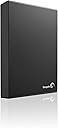
💼 Elevate your data game with storage that works as hard as you do.
The Seagate Expansion 2TB External Hard Drive (STBV2000100) offers a robust 2TB storage capacity in a sleek 3.5-inch desktop form factor. Equipped with USB 3.0 interface, it delivers fast data transfer speeds up to 5 Gbps, ensuring efficient file management. Designed for plug-and-play ease, it operates quietly and stays cool, making it ideal for professional and gaming environments alike.
| ASIN | B00834SJS0 |
| Additional Features | Portable |
| Best Sellers Rank | #601 in External Hard Drives |
| Brand | Seagate |
| Built-In Media | Seagate® Expansion™Desktop Drive USB 3.0 2TB USB3.0 |
| Cache Memory Installed Size | 2 |
| Color | Black |
| Compatible Devices | Desktop |
| Connectivity Technology | USB |
| Customer Package Type | Standard Packaging |
| Customer Reviews | 4.3 out of 5 stars 7,133 Reviews |
| Data Transfer Rate | 5000 Megabits Per Second |
| Digital Storage Capacity | 2 TB |
| Enclosure Material | Plastic, Aluminum |
| Form Factor | 3.5-inch |
| Global Trade Identification Number | 00763649039373 |
| Hard Disk Description | Desktop |
| Hard Disk Form Factor | 3.5 Inches |
| Hard Disk Interface | USB 3.0 |
| Hard-Drive Size | 2 TB |
| Hardware Connectivity | USB |
| Hardware Platform | PC |
| Installation Type | Plug In |
| Item Weight | 2.1 Pounds |
| Manufacturer | Seagate |
| Media Speed | [EST] Several hundred MB/s |
| Mfr Part Number | STBV2000100 |
| Model Name | Seagate Expansion |
| Model Number | STBV2000100 |
| Number of Items | 1 |
| Special Feature | Portable |
| Specific Uses For Product | Personal |
| UPC | 763649039373 |
| Warranty Description | 1 year limited warranty |
A**G
Solid Construction and Performance at a Great Price!
So far, I don't have a whole lot of time spent on this specific external hard drive. (received it 10-15-2014,). However, I will update this review as I use it. Keep in mind that so far, this review is based off of first thoughts and may or may not change as I use the product. Out of the box, the hard drive is packaged very well, so you can expect it to handle the abuse of shipping, not to mention Amazon adds its own packaging which helps even more. The hard drive has a very solid feeling build to it. The cables are of good quality and fit snugly into the external hard drive. This hard drive is extremely quiet, you wouldn't be able to tell it was on unless you saw the light or felt the drive spinning. I have also noticed that this hard drive doesn't produce very much heat, at least it stays cool to the touch. Keep in mind that I have mine in my basement which is consistently between 57-65 degrees F depending on the time of year. I bought this expansion hard drive specifically for my Xbox One. I plugged it into one of the rear USB ports on the Xbox One and the drive was detected instantaneously. It has a blue light at the back indicating whether or not it is on. It turns on and off with the Xbox One, so you don't have to worry about the drive running all of the time. It shows 2.7 TB of available space which is my only gripe so far. I am not sure where the 300GB is from the advertised 3TB, but either way, I don't see myself needing to add another one in the near future. It is matte black, so if you are using for an Xbox One like I am, it matches perfectly. I will try to install Halo: Master Chief Collection on the hard drive to see if there are any problems with data transfer for gaming. I would expect that everything will be fine since it has USB 3.0. Update 11/12/14 I have officially downloaded Halo: Master Chief Collection to this hard drive. So far, I have yet to run into any problems whatsoever. The game runs smooth, loading screens are short, and the drive still runs cool even after hours of continuous play. I found out that if data is being accessed from the external hard drive, the little blue light will flash. If the light is solid, the hard drive is on but isn't being accessed. Update 01/03/2015 I have now been using this external hard drive for a few months. I got an ACL reconstruction on the 2nd of December which means that I had nothing but time to play games. I was using this hard drive for 8-10 hours a day between myself and my fiancé for about two weeks. I have zero problems to report on this drive. When playing matchmaking on the Halo 5 beta, I always load the game faster then my friends do by about 10 seconds. I am not sure why that is, but my point is, you definitely do not have to worry about data transfer speeds using this hard drive. I still couldn't be happier with my purchase.
C**B
An excellent add-on drive, perfect for home theater use
I bought this review as I was quickly running out of space on my other, smaller USB drives. My main use for the drive is for home theater storage- I use a media center PC that is connected to my HD-TV. So, for me it was important to find a drive that is fairly "future-proof", ie, with a high capacity, which is why I opted for the 3TB edition. After reading many online reviews (Amazon reviews are a great way to assess a product for purchase!), I opted for this new Seagate drive as it is the latest model and seems to perform well. I was considering purchasing a network drive, such as the Western Digital model, but I was put-off by its lack of USB support (I worry- what happens if my network is down or the networkable part of the drive stops working! -No way to retrieve my data), and the Seagate model was getting unfavorable reviews also. I was also concerned whether my home network would be able to handle the streaming of high definition video files.. It seems that maybe the technology just isn't ready for home NAS yet, at least for my purposes? Upon receiving my drive, I noticed how light on packaging it is- more environmentally friendly. Also, I notice how small the drive is. I have a 500GB Western Digital desktop drive I bought a few years ago, and this new Seagate drive is around half the size! Its really amazing how much storage they can pack into such a small device. So I've already moved many of my media files onto the drive and have not run into any problems. Transfer speeds are about average- My PC only supports USB 2.0, so I cannot comment on USB 3.0 speeds. The drive does feel a little warm, but no more so than any other electronic device- it doesn't alarm me. Also, the drive is incredibly quiet! I had to check the first few times using it to make sure it was actually powered! I will update my review in the coming weeks, as I've only had the drive home for one day, so time will tell if this was a good investment. Also, I'll probably at some point purchase a new network router that can accept USB storage.
G**C
Got it working correctly on Windows XP! Here is a way to solve any freezing and hanging in Windows Explorer.
This review is for the Seagate Expansion Desktop Drive 3 TB (STBV3000100). There is still hope for Windows XP SP2/SP3* users who are having problems accessing or using this drive. I've had this unit for a month now (initially re-formatted it to NTFS 4096K allocation size, then set it aside for later use). I almost decided to return this unit today after plugging it in and discovering I couldn't access any partitions and Windows Explorer started freezing up, forcing me to hard reboot. I thought this unit was defective until I booted into my other Windows XP partition (which has SP3) and found everything working just fine. The problem is NOT: -Having to delete the USB drivers in Control Panel > System > Device Manager, and let them automatically re-install on reboot. (If you need to update your USB drivers, find your Motherboard's model number, go to their website Support section, and download and install their latest Chipset drivers (i.e., Intel) for your operating system.) -Having to install Windows XP SP3 (if you are using XP SP2). -Having to change the drive letter. -To do with disabling 'Allow the computer to turn off this device to save power.' in Device Manager > USB Root Hub > Power Management. -To do with improperly using Safely Remove Hardware feature (although you should always use this). The solution that worked for me is as follows: If you use Windows XP SP2, make sure not to format it in a Windows XP SP3 environment. I initially formatted to NTFS allocation size 4096K, but I just went back to NTFS Default (which should also be 4096K) while in XP SP3. If you need to backup any files left on the drive, try plugging it into another computer (assuming your unit still works, but the point here is you can be easily misled into thinking your unit is defective if you only have one computer to test it with). The solution is to delete all the partitions on this drive from a computer that can access it, safely disconnect it, reconnect it to the computer it initially froze on** (it should work now that the partitions are gone), and then format it using Disk Management in XP SP2 (if you only use XP SP3, it should still work, but the point is that if you also use XP SP2, you need to format it while in XP SP2, not SP3). >>WARNING>> Here are detailed instructions on what to do, but be warned that formatting drives is risky and requires special attention. You could easily delete the wrong partition and lose all your other data! Get help from a more computer savvy person if you are not sure what you are doing. To Delete the partitions: 1. Right-click on 'My Computer' and select Manage. 2. The Computer Management window should pop-up. 3. On the left tab, select Storage > Disk Management. 4. Stretch out the window if too compact. 5. Select the correct drive: i.e., Disk 2, Basic, 2794.51 GB, Online (Disk 0 is probably your main hard drive, DO NOT select that!) 6. Right-click the partition you want to delete (usually has purple = primary cover bar) and select 'Delete Partition.' 7. Repeat until all partitions are deleted. It should be one black cover bar now that says 'Unallocated'. To Re-format the drive: 1. Safely disconnect the drive using the taskbar feature: 'Safely Remove Hardware.' 2. After you manually remove or reboot, it should automatically shutdown. 3. Bootup the operating system you want to use and plug her in. 4. Go back to Computer Management. 5. Right-click the box '2794.51 GB, Unallocated' and select 'New Partition..' 6. Click Next. 7. Select Primary Partition (you can create up to 4). 8. Enter the size in MB you want for this partition. Example: 953860 MB ~ 931.50 GB. 9. Assign a drive letter. 10. Format file system: NTFS; allocation unit size: Default; turn on 'Perform a quick format'; avoid file compression. 11. Finish! Give about 15-60 seconds for it to finalize. Your external drive should now load properly whenever it is plugged in! It works for me! Other thoughts: -Many people do not realize how fragile and sensitive these units are! Handle them like expensive glassware and they will serve you well for many years. -Whenever I want to keep the unit turned off, I rather unplug the power cable (only after it powers down!) than the USB cable (as the 3.0 end seems somewhat flimsy). -If you still have problems getting your unit to work, and can no longer return it, consider removing the black plastic casing and salvaging the hard drive itself. It can be used like any other internal hard drive and will be much faster (not limited by USB interface). There are videos on You-tube on how to do this if don't mind the time and effort. Make sure you discharge all static electricity from your body before handling such components! *SP2/SP3? Service Pack. ** Assuming you don't have viruses or other crippling issues with your operating system.
Z**Z
A great drive, but several gotchas
This model doesn't provide any setup software or encryption that you'd normally expect in purposed backup external HD like Mybook or similar. However, if you are looking for the bang for buck storage, Expansion is an economical solution but you need to do a little homework to set it up and insure a long life. Pros $34.50/TB as of this writing for 3TB; 4TB, 1TB or 2TB cost more per TB Excellent quality build Added software can be downloaded from Seagate.com USB 3.0 electronics takes care of compatibility with the "Advanced Format" model ST3000DM001 used internally. Truecrypt recognized the drive and easily formatted it for whole partition encryption. You can find the full specs for the drive at Seagate.com to predict is lifespan and how to use it optimally No issues accessing the drive from Windows: Vista64, Vista32, and Win7 Tested to 100 problem free hours, 1TB transferred and confirmed intact For basic diagnosis Seagate's Seatools will be able to perform standard tests USB 3 cable and universal power supply, 100V-240VAC, 50-60Hz, supplied. Cons The drive was not configured to sleep out of box. Download "Seagate Drive Settings" software to check all settings and set it to sleeps as soon as you needed; its default is 15 minutes but was not engaged until you use the software. By reducing uptime, you prolong the disk life and keep it cool. The drive is passively vented from the bottom, but by design the drive is made to sit bottom down. This obstructs the holes. Its better to let the drive sit on its side and to keep the vent holes open towards the room, left unobstructed. The status light is on top of the unit, so if laid bottom down, it faces up. On a desk you can't see that light; it better off again, letting the drive sit on its side, with the LED facing you You must confirm the LED status lights are engaged, to insure you can use it to diagnose what the drive is doing: rhythmic periodic blue flashing = asleep; solid blue = drive in ON but no data access; intermittent flashing, drive is being accessed. You won't notice its activity out of box. If the LED malfunctions or isn't set correctly by the software you can check the status of the drive by picking it up with your hand and slowly and gently twist the grasped drive with your wrist. As the drive spins, and very quickly at that, it acts like a gyroscope, so you can feel if the drive is at top speed [ maximum resistance to twisting is during full data access], if it has variable speed capacity [weaker torque than during data access], or is off [no resistance, same as if the power were unplugged], to confirm the LED status lights. Its not easy to open the chassis. Its a plastic shell ontop of the aluminum case that uses snap closures. There is a video on y o u tube that shows how this done.
R**Z
Working so far. Great spacious drive!
So far so good. I've been reading a lot of bad reviews for the smaller drives, but mostly positive reviews for the 5TB version. So far the drive has been a great weight off my shoulders as I've nearly maxed out the 3 1TB drives I already had. I do have some worries though. It's not loud, yet as a spinning drive it's not quiet either. I'd expect that. But what has me worried is the occasional quiet ping sound. I'm not sure what that is. Maybe it's the head snapping back into neutral position? I've heard other drives this happens to and it sounds more like a knock than a light ping. But as to why it's snapping back to its neutral position, that worries me as that can often signal that it's trying to prevent data loss because of some sort of physical problem (typically you get this on MacBook laptop spinning drives in the case of a drop, on others there's a physical scratch on the platter). I hope I'm wrong. Another is the sound it makes on occasion where it sounds like a tiny floppy drive making a large read or write action. That buzzing sound. It's not loud and it's not long. Just sometimes a short buzzing sound that gets my attention. Not sure what that is, but it puts in mind that I should buy another 5TB hard drive ASAP from Western Digital or a Drobo that I can put my old drives in to back the data up. Other than that there seems to be no other downside. It works as expected, it's fast (as fast as USB 3.0 over 2.0 can be), faster than my old portable Seagate 1TB USB 3.0 drive, and spacious. I'm glad I bought it. It's just a few tiny problems that might not be problems that worry me. For all I know that's how ultra large format drives sound and I'm worrying myself too much. Edit: I just realized that the buzzing sound was the couple of pens I had inadvertently set on top of it. They were rocking back and forth loosely on top of the drive and whenever there was a lot of activity in the drive those two pens would buzz against each other. lol Ok, so that's solved. Also, and I might be speaking too soon, the pinging is gone. I dunno what I did. Maybe it was running JDiskReport on it to see what files were taking up the most space? You get it to read the entire drive and the pinging stops? I dunno.
R**N
Destructive Nannyware! Avoid!
Seagate makes good hard drives. I've owned several of them over the last decade. I generally keep an external for about two years, then get a new one, since I know they all eventually fail and it's best not to risk it. I've never had a problem with one until I bought this model. The problem is that this hard drive comes with a new Auto Sleep feature. If the hard drive is not in use for more than a few minutes, it automatically shuts down on you. I guess this was a brilliant idea to reduce heat, but none of my previous Seagate drives had this feature and they lasted fine for me, for years, without ever giving me any problems. The auto-sleep is obnoxious and destructive to files and the drive itself. What happens is, if you're in the middle of a project (I use my external drives for storing digital art and video editing files I'm working on), and the project is rendering for an hour or two, the hard drive goes to sleep in the middle of rendering. Sometimes this causes an error, and then other times you go to save the rendered file and it can't find the save location because the drive has shut down and is no longer detected. Another time, I went to open a file in Photoshop using the Recent Files tab, but it loaded corrupted because the external had fallen asleep. Luckily, I had a backup, because otherwise that file would have been lost for good. I'm not a computer expert by any means, but my understanding abut hard drives is that they incur wear-and-tear during the writing process and during start-up. The disk doesn't incur damage while it's spinning. So having the thing constantly stopping and starting up dozens of times a day probably causes them to wear out faster, and that appears to be what happened with mine. Like I said before, I've had numerous Seagate drives in the past and used them for years without incident. This one, however, only lasted a little over six months before it started making some ominous clicking and scratching noises. I suspect the Auto Sleep ultimately caused the damage, by making the thing cycle on and off all the time. It never really died on me; I went ahead and got a new hard drive and transferred everything over to it before anything really bad could happen. But I won't be buying another one of this model. This hard drive might be okay for you if you're using it primarily just to back up and store files. If you're going to be using it to store files that you need to access and modify constantly, or run programs off of it, or anything active like that, then this is not a good choice. Don't expect to just plug this in and use it like an extra disk drive; it's too clumsy and temperamental for that. Since it's an Expansion drive and not a Back Up drive, that basically means it's useless for its intended purpose. Hopefully in the future Seagate will not include intrusive features which ruin your productivity and reduce the lifespan of the hard drive. This product should be avoided.
M**S
What's not to like? (If it works with your computer)
I really have no complaints about the drive itself. It's everything it claims to be. It stores large amounts of data, it can retrieve that data very quickly (espectially if your computer has a USB 3.0 port), and doesn't get so hot that you wonder if it's going to melt. So why a four-star rating? *(See edit below) Because, for whatever reason, it may not actually work with your computer. I used this to backup my media collection on my Linux desktop, then carried it to a friend's house to watch some movies. Their TV wouldn't recognize it as a USB device. Their Macbook wouldn't detect it, either. We did get it to work under Linux on a different laptop that was set up to dual book Linux and Windows. (It would presumably have worked on that laptop under Windows, but we didn't try it.) On the other hand, my $35 Raspberry Pi had no problem with it. Go figure. I don't know if the problem is with using USB 3.0 on devices with only USB 2.0 ports (although USB 3.0 is supposed to be backwards-compatible, and the RPi's USB port is 2.0) or if those devices had a problem with the size of the drive. Either way, you should be aware that this drive might not work with you computer, even if it's not a problem with the drive itself. *** EDIT: I've changed my testing to five stars. After a bit of poking around, I discovered the file system identifier was set incorrectly. I don't know if the drove shipped like that or whether it was something I did inadvertently. However, after fixing this (using either fdisk or ntfsfix -- I don't remember which -- on my Linux laptop) the drive works fine on every computer I've plugged it into. I would recommend Windows users format the drive before you start using it just in case. Other than this easily remedied (if not entirely obvious) issue which may very well have been my own fault, this has so far been a great drive.
R**E
Mepis Linux LOVES this drive!
Fact: This 3TB jobbie is the first-ever brand-new drive I have ever bought. My 3.3GB dual-core cyber-box is direct-from-the-street, built-up like an old-time Ham Radio rig from Other People's Discards. I use Mepis Linux because I like the philosophy that stands behind the distro. I build my own because A) I am not made of money and B) I know what I like and the Corporate Operating Systems do not deliver it. Fact: I LIKE what this Seagate Expansion box did for my rig! Straight out of the box. She hooked right up and integrated right in like she was born for the job. Usage: The Seagate Registration software, although written for the High-Priced Operating System from Redmond, came right up under WINE. The registration process went flawlessly; less than thirty seconds after pressing the big green "REGISTER" Button my Gmail Notifier let on that Seagate had responded and recognized the unit's serial. Perfect! :) Then I fired-up two iterations of the File Manager known as Thunar. I highlighted EVERYTHING that resides within my User Space - "invisible" files and all. Then I dragged and dropped the load into the second iteration which I had pointed to the /media/Seagate Expansion Drive/ directory, wherein the new Seagate Mass Storage was located in the System. Within a half a minute the time-to-completion estimate had settled down to a believable number. The process churned on at a transfer rate of up to 33MB/sec when the new drive was being written-to; that action proved sporadic as the near-antique 200MB IDE drive struggled to keep up. ;) Heat? WHAT heat? I did mount the unit just a tad bit unconventionally, to be fair. Rear-end-up, pressed into the cavity of a conveniently flexible molded-plastic CD tower that I have owned for many years. With plenty of ventilation space thus created for the molded box's underside grille, and plentiful consequent convection out the "back" (where the connectors are located), the thing barely even got warm to the touch. MY CPU chip gained ten degrees fahrenheit during that backup run; the drive unit hardly cracked three. Moreover, the little blue activity light is now perfectly visible, solving yet another minor complaint from other owners. (Perfect again!) Tech Note: As delivered, this unit is formatted to NTFS spec, presumably for the sake of Big Name System compatibility. Nothing wrong with that; NTFS is stable and efficient as these things go. Moreover, my Mepis 11 suite includes a NTFS compatibility layer that drives the Seagate unit just dandy, thank you so much! I *might* try reformatting the thing to Linux-native EXT3 standard next shot for the theoretical increase in efficiency that one might expect from that move... Or I just might hold off and have that go on the next one of these that I buy, just to compare performance numbers side-by-side. Maybe I'll pull the drive from its case and hook it up to the remaining SATA port on my mainboard... Someday post-warranty, most likely. Bottom line: I for one think that there is NOTHING to be afraid of from this low-end, high-value beauty. As one who remembers a time when a mere ten megabytes of Rotary Mass Storage was a multi-hundred-dollar cash investment with three to four hours install-time inevitable post-purchase, I am deeply impressed and very happy with the product in every initial respect.
B**N
I don't use the included software (I don't understand why anyone would buy the drive for the included S/W) so basically low-leve
Ordered the drive and was received a few days later. What more is there to say about the drive; its 4TB which means massive storage. The enclosure is sleek/matte with no sharp edges to complain of. It's quiet and does not take up much space and does not vibrate either - has small little rubber bushings to lay on. I get roughly 145MB/s so its a quick drive as well. I don't use the included software (I don't understand why anyone would buy the drive for the included S/W) so basically low-level formatted the drive by writing zeros (0's) as a precaution - clean with no bad sectors etc. There are basically a select few drive manufacturers out there and THEY all have their issues but for now, my HDD library consists of both WD and Seagate as well as Samsung and over the 10 year period, I had to RMA both the WD Black and the Samsung Spinpoint. 4TB + USB3 speeds + attractive enclosure = massive storage. If you need big storage get the drive!
H**Z
Auxiliar en mi laptop
Muy necesario para guardar archivos de videos
E**R
Great Product
I ordered this external hard drive during the Boxing Day's lightning deal price for $70. The product was shipped on time and there was no issue with the packaging. That being said, the USB 3.0 speeds are pretty good when it comes to transferring huge files between my SSD and this external hard drive. The overall design of it is well built and it feels pretty solid. Yes its a big external hard drive but that's how they all come. I haven't taken this apart yet to put it inside my computer as I am primarily using this for my Smart TV. Reading the files off the hard drive is also smooth and there is no issues playing MKV files off it on my TV or computer. It is not even that noisy and the blue LED isn't that bright which can be annoying if it had a bright LED light. The only two things that I did notice which aren't that big of a deal are: 1) It would have been nice if it had a switch to turn it on/off vs having the USB cable plugged in to get it going. 2) If you are transferring files from a USB 2.0 external to this, the transfer rate will be slow. Otherwise, I am happy with this product and have had no issues so far *knock on wood*.
P**O
Seagate Expansion 4TB para Xbox One
Funciona bastante bien para Xbox One, siendo una de las opciones más económicas para respaldar datos de juegos en esta consola, tomando en cuenta otros productos de otras marcas de la misma capacidad. Incluye conector USB y adaptador de corriente alterna. El producto fue entregado en estado impecable.
F**A
Fermín Pérez Ortega
Excelente producto para escritorio, lo recomiendo ampliamente, si lo que buscas es mayor almacenamiento, esta es una buena opción. En últimos días se ha lanzado al mercado uno con mayor capacidad 8tb, por si no te son suficientes 5tb.
Trustpilot
2 weeks ago
2 months ago