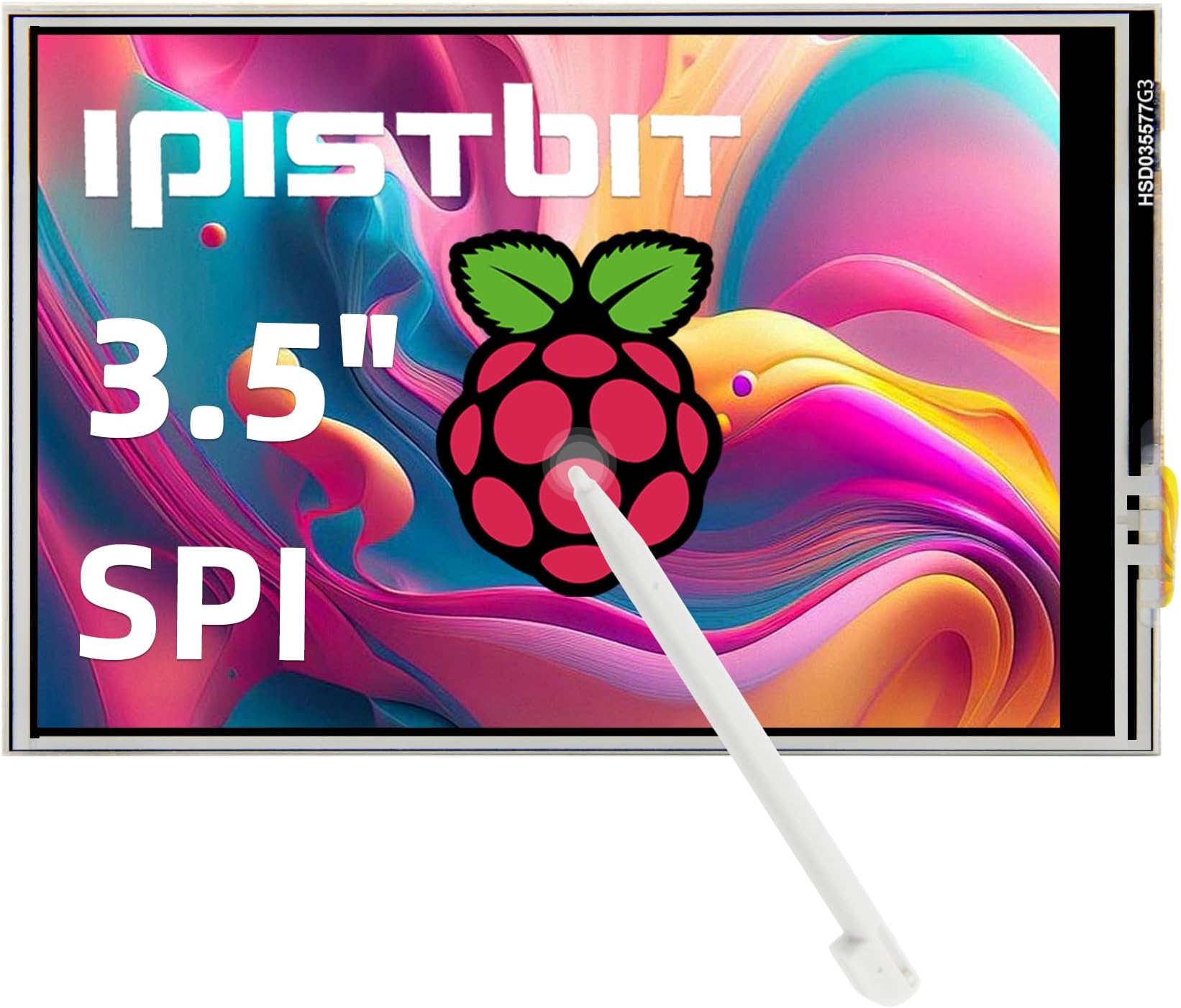
3.5 Inch Touch Screen, 480x320 TFT LCD SPI Display Panel for Raspberry Pi 5/4B/3B+/3B/2B/B+/B(No HDMI)
Product ID: 809492203
⚡60Hz refresh rate smoothness
📏3.5 inch compact display
🔆480x320 vibrant resolution
Desertcart purchases this item on your behalf and handles shipping, customs, and support to Bolivia.
🚀 Small Screen, Big Impact: Elevate your Raspberry Pi projects with touch and clarity!
The iPistBit 3.5-inch TFT LCD touchscreen offers a crisp 480x320 resolution with a 60Hz refresh rate, designed for seamless GPIO connection to Raspberry Pi models A through 5. Lightweight and compact, it supports multiple OS platforms and includes a stylus for precise touch control, making it an essential tool for developers and makers seeking a portable, plug-and-play display solution.
| Additional Features | Lightweight |
| Asin | B0G8GGRTP5 |
| Aspect Ratio | 3:2 |
| Best Sellers Rank | #111,234 in Electronics (See Top 100 in Electronics) #2,504 in Computer Monitors |
| Brand | iPistBit |
| Color | Blue |
| Connectivity Technology | GPIO |
| Customer Reviews | 3.2 3.2 out of 5 stars (20) 3.2 out of 5 stars |
| Display Resolution Maximum | 320 x 480 |
| Display Technology | LCD |
| Display Type | LCD |
| Item Dimensions D X W X H | 0.7"D x 3.3"W x 2.2"H |
| Manufacturer | iPistBit |
| Model Name | IPT-35-1 |
| Model Number | IPT-35-1 |
| Native Resolution | 480 x 320 |
| Refresh Rate | 60 |
| Resolution | 480 x 320 |
| Response Time | 5 milliseconds |
| Screen Finish | Glossy |
| Screen Size | 3.5 inches |
| Specific Uses For Product | Monitoring, gaming, business office, program |
| Warranty Description | 1 Year Manufacturer |
User
Great build quality and good picture
I just received this screen and was impressed by the build quality. It feels super solid and I can’t wait to use it in my cyber deck. So far I just plugged it in to text it but the screen looks really nice. The colors are better than I expected for the price! I’d definitely recommend this one!
User
Could Not Get It To Work Properly
Picked this up as a little cheap display for my Raspberry pi 3B+ so i dont need a bunch of cables with an external display. plugged the screen into the GPIO pins, started Raspian (Raspberry Pi OS), installed the drivers and rebooted just like the instructions iPistbit reccommened. But now my Pi will only boot into the terminal and not the Desktop environment (i had the full Rasp OS installed, not the lite which doesnt have the desktop). Tried to set the boot to Desktop in raspi-config, no luck... tried "sudo startx", didnt detect any displays (I had the iPistbit display installed and an HDMI monitor plugged in) so it failed.No amount of troubleshooting or fixing the display settings/drivers got it to work. Even with a fresh Raspberry pi OS install and a fresh driver install, the little display would get stuck at the boot screen while the HDMI display would show the terminal. VERY disappointing. Maybe its an issue with the 3B+ but doubt it.If you have a similar model, maybe keep shopping and find a model that will for sure work.Also like that the stylus is just a Nintendo DS lite stylus.
User
A bit on the more difficult side to use but fine once it's working.
Good monitor for the Raspberry Pi, I found it slightly difficult to get it going, not only does it need to be attached but you need to run some commands through the terminal when in the operating system. It wasn't too bad, but it was a little confusing. The resistive touch screen is also a bit strange, it acts like a nintendo DS. The color accuracy is mediocre but usable, and same for the brightness. It's alright but a bit basic. If you know what you are getting into, then this is a decent display.
User
Super awesome Pi display!
This little Pi display is very, very cool. I installed it on an RetroPi install, intending to make a handheld game console. The directions for installing on RetroPi are slightly different, but literally all the info you need is on their github page (address in the instruction manual). It follows mostly the same process as for the standard Rasbpian, but there are some minor differences. It also has instructions to install on a few other common raspberry pi operating systems (e.g. Kali, Ubuntu). The wiki has all the info you need, including which GPIO pins are used (only 19, 21-23, 26), how to rotate the screen, and how to change display resolution when an HDMI monitor is simultaneously plugged in. I encountered a few minor bugs when installing, with display resolution mismatches, etc., but they were easy enough to figure out. This is just a really, really cool display, and was very straightforward to install by following their github and wiki pages. 5 Stars!
User
Nice little display but overpriced
I got this to tinker, and to perhaps add video to my Octoprint server for my 3D printer. I didn’t have super high expectations, but was pleasantly surprised…mostly.First, the good:- Build quality is very good. Solid construction and everything is tight, aligned and good tolerances- Well packaged, I would have no concerns shipping it in the box it came in as long as it was taped shut. Lots of padding around the screen, which is good since it’s a touchscreen- It includes pins for a fan since this uses/occupies the first 26 GPIO pins- Size perfectly matches the outline/form factor of the Pi so it can be used in standard display capable cases- The screen resolution and quality are very good- Physical installation really couldn’t be easier, literally align with the GPIO header and press down- Software installation is very straight forward for the initial, general install…but (see “The Bad”)- Once the driver is installed, it is technically possible to ‘overdrive’ the screen by changing settings (which I will not provide instructions for, and you do at your own risk). You may need to do this if you are using something like Octoscreen which requires a higher resolution. If you do, you will lose fidelity but again that’s because you are doing something it was never designed to do and not the fault of the screen or manufacturer.The “meh”:- I’m pretty sure there are 1 or 2 facilities that manufacture these, and this is just a clone/rebrand/rebadge of the exact same screen that has been out for a while and is all over Amazon or the usual suspects for Pi accessories- While the fan header is nice, there isn’t a huge amount of space for airflow if you install a fan, and you absolutely cannot put a fan and a heatsink in place. The fan would need to be integrated with a direct attach heatsink, for example and if possible, pull air from the side. Otherwise, just don’t drive it too hard. You may be able to use this on a RPi 5 if you have the integrated fan/heatsink, but I didn’t try due to not wanting to disassemble my one Pi 5.- The display doesn’t show the boot process, just a white screen for 80% of the boot process, a backlit black screen for 20% and then the desktop once it’s done booting- The screen needs to be calibrated once you have it installed. Not a deal breaker and understandable, but I’ve had screens that didn’t need calibration so it’s a meh thing.And now for The Bad:- After 3 days I gave up trying to rotate the screen. I tried dozens of drivers (they are all the same code though since this is a clone), multiple walk-throughs, literally hundreds of settings combinations and no matter what I could not get it to rotate, period.- This screen is more expensive for just the screen than most of the options that include the screen and a case- Until it’s calibrated, the screen isn’t unusable but it’s very frustrating- There is no way to turn off the screen backlight, so even when the screen blacks out, it is still relatively bright- When you issue a shutdown to the RPi, the screen does not turn off and, in fact, goes to the white screen which is very brightFinal thoughts:Generally, it’s a solid screen that works as intended. Technically there are a couple of issues that could be worked out, but none of them are true deal breakers for me. That said, this loses 2 stars for the following reasons:1) It’s too expensive for what it is. I mention that you can get a screen and case for less than just the cost of this screen. The screen you would get in the bundle is most likely going to be identical or extremely close to this one. Additionally, there are stand alone screens that are again, identical to this one, for less.2) The rotation thing is really annoying. One of the things I wanted to do was change this to portrait orientation for a project. The fact that I cannot do that is a bummer. I don’t know if that is a failing of this type of screen, specific to this driver implementation or something else entirely, but it’s frustrating nonetheless.3) This is in direct relation to #1. Unless you are replacing a broken screen (touch has failed or a crack or something) and already have a case…this is going to either be sitting on the desk outside of a case, you are going to have to search long and hard for a case that supports this display, or you are going to have to print one. Finding a case only (that doesn’t include a screen…that actually costs less for the combo) is frustratingly difficult. I found 2 on Amazon after a couple hours of searching and tweaking search terms. Even most of the external RPi sites don’t provide “case only”.Worth buying if you absolutely need a screen it’s the only one you can get and if the restrictions I encountered aren’t deal breakers for you. Otherwise, there are better deals out there.
User
No documentation available and unable to get response from seller.
The small screen comes with the barest of instructions. It does work. The seller has a webpage for the user manual for this device that lists no user manuals. It has been over two weeks since i sent a message to the seller through their own "Contact Us" web page and have gotten no response.I was not able to get this screen to work with a Raspberry Pi 5. I guess this is not surprising since the product page only lists Raspberry Pi 2, 3, and 4. The screen worked first time on my Raspberry Pi 4. The instructions pamphlet tells you how to install their software [drivers?] for the screen and when they are installed, they reconfigure the RPi's display configuration. There are many files downloaded in this process with no information on what each file does or is for.I suspect that there is a lot that you can do with this touch screen if there was a user manual and other documentation. Too bad that this documentation does not exist even though the seller's website has links to them and those pages are basically blank pages with a title of what was suppose to be there.If you only want a touch screen to be your monitor for a Raspberry Pi 4 or older, these screens work well. The images are crisp. I did run into problems when I tried to run some applets because of the screen size of 480x320. Some dialog boxes like the control box for RealVNC do not fit in the screen and I was unable to scroll over to get to the parts that were off screen.The screen connects to the Raspberry Pi by plugging into the GPIO pins. The screen only uses a 24 pin connect, hence it is compatible with the older Raspberry Pi 2. The screen blocks all of the GPIO pins so if you want to use any of the unconnected pins, you will need a hat that allows you access to the pins and feeds the GPIO pins through for the screen to connect to.My low rating of this device is due to the lack of documentation and support by the seller. As far as the quality of the screen, I would have rated that as 4 stars, lose of one star due to how easy it is to lose the cheap plastic stylus that comes with it and that the screen does not have any holes for spaces so it rests entirely on and is supported by the GPIO pins.
User
Nice resolution, good build quality
The documentation is pretty good for this LCD screen. The only bit of advice I can give might be to load a fresh install of the OS. I tried to take a short cut, as I'd just loaded a new image, but fiddled with some HATs. Starting from scratch took care of my issues. Using it with another monitor changes the res on the larger monitor. I haven't fussed with it, but I'm sure there are settings that'll allow me to work with both, without visual issues. Regarding compatibility with cases, the screen installed on my Pi 4B fit perfectly in the plastic case that came with my Raspi kit, like a glove. As to rotating the screen, this is accomplished with executing a specific command, the details can be found here: lcdwiki.com/MHS-3.5inch_RPi_Display. No calibration was required for me with this screen, it was pinpoint accurate.I feel like the price for this screen is right in line with others, and actually less than several. $20.99 for an LCD touchscreen, with bright colors and great contrast.
User
Works on a Raspberry pi 4b
The 3.5" screen I received works on a Raspberry pi 4b, but I wasn't able to get it working on a pi 5 (yet). The listing does not boast it can, so no stars removed for that.Two issues: the listing states it's HD. No, it isn't. It's 480x320, which is not HD. However, for the screen size, it looks just fine on it. I also wouldn't recommend attempting to code this screen for 1902x1080 (as the listing suggests is possible).The second issue I have is that the listing states plug&play. I'm no Raspbery pi 4 or 5 expert (I generally work with the pico series), so it took me a while to understand driver setup and implementation for this GPIO screen.The resistive touch screen lacks any steady reproducible tactile contact. Pressing in the same spot tends to produce variances in coordinates. Anyone that has used resistive touch screens know this is a general issue and why I didn't remove a star for that even though the touch screen leaves a bit to be desired of.If you are going to use this on a pi 4b, and plan on writing cpu intensive code, you will need to heatsink the pi. That means you will also have to use a ribbon cable between the screen and pi 4/b as the current plug-in scheme will not allow for decent heat dissipation. So if you get this screen, consider also picking up an extension ribbon for it.One star total removed for oversuggestive listing specs. Else, it's a worthy 3.5" screen for the price.
Trustpilot
1 month ago
2 weeks ago