Some deliveries may take a little longer than usual due to regional shipping conditions.

DOWNLOAD THE APP


Customer Services
Copyright © 2025 Desertcart Holdings Limited
DOWNLOAD THE APP
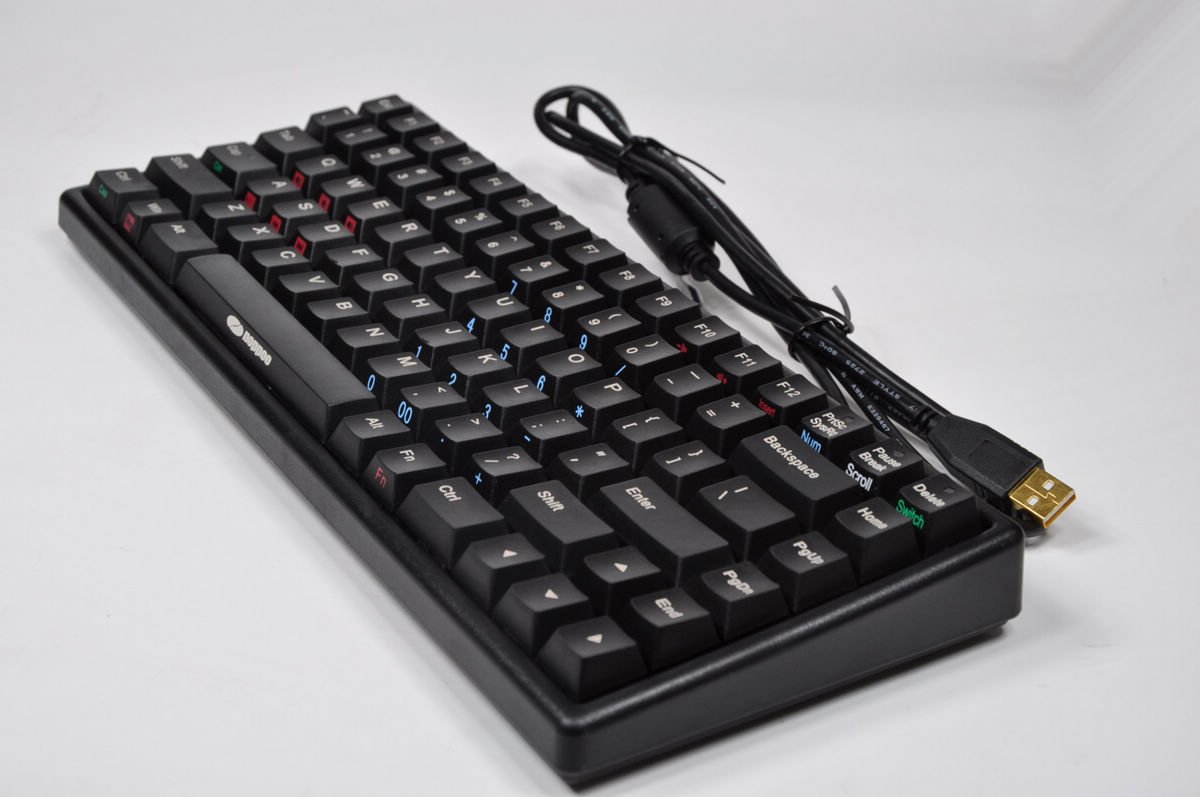
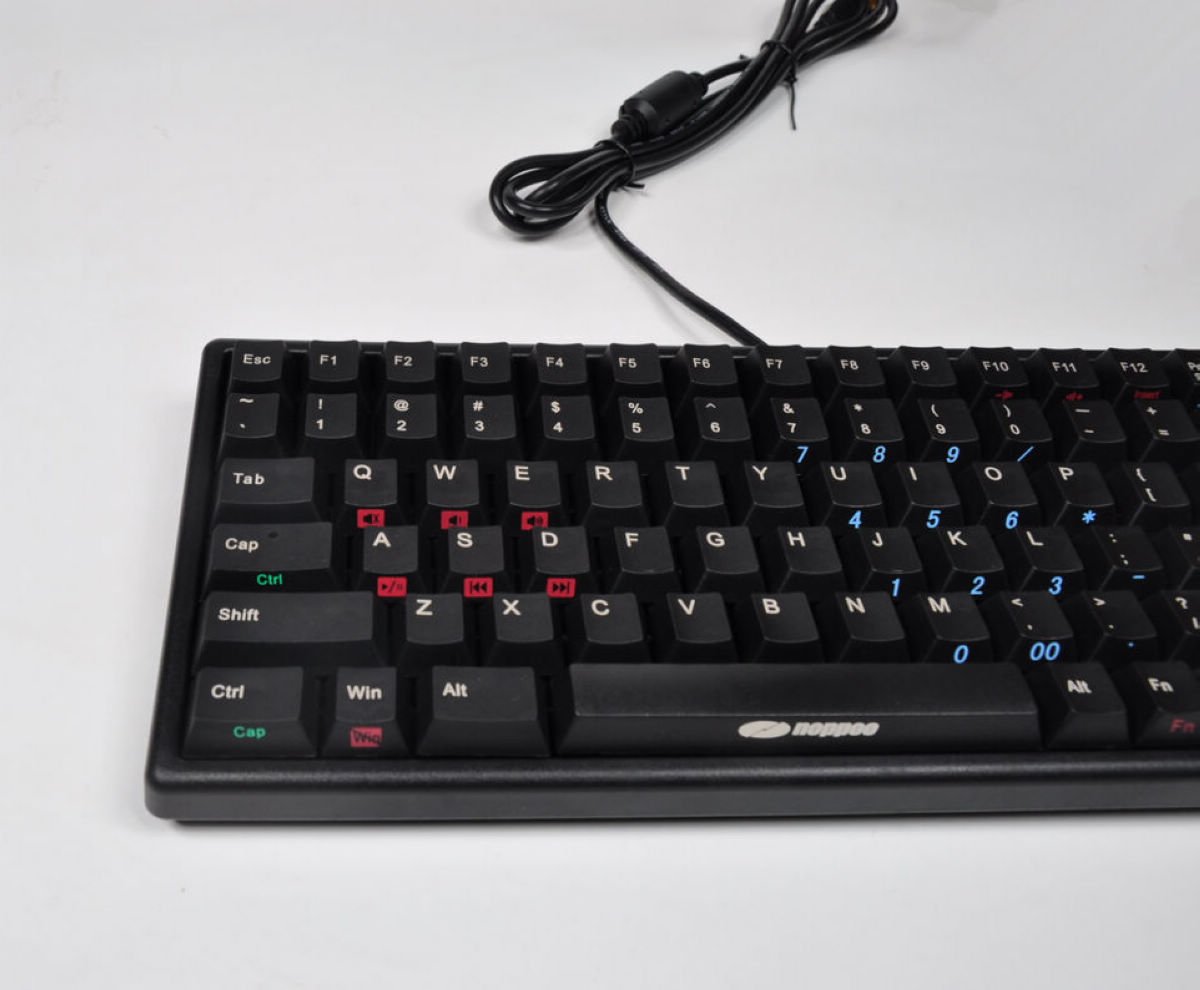
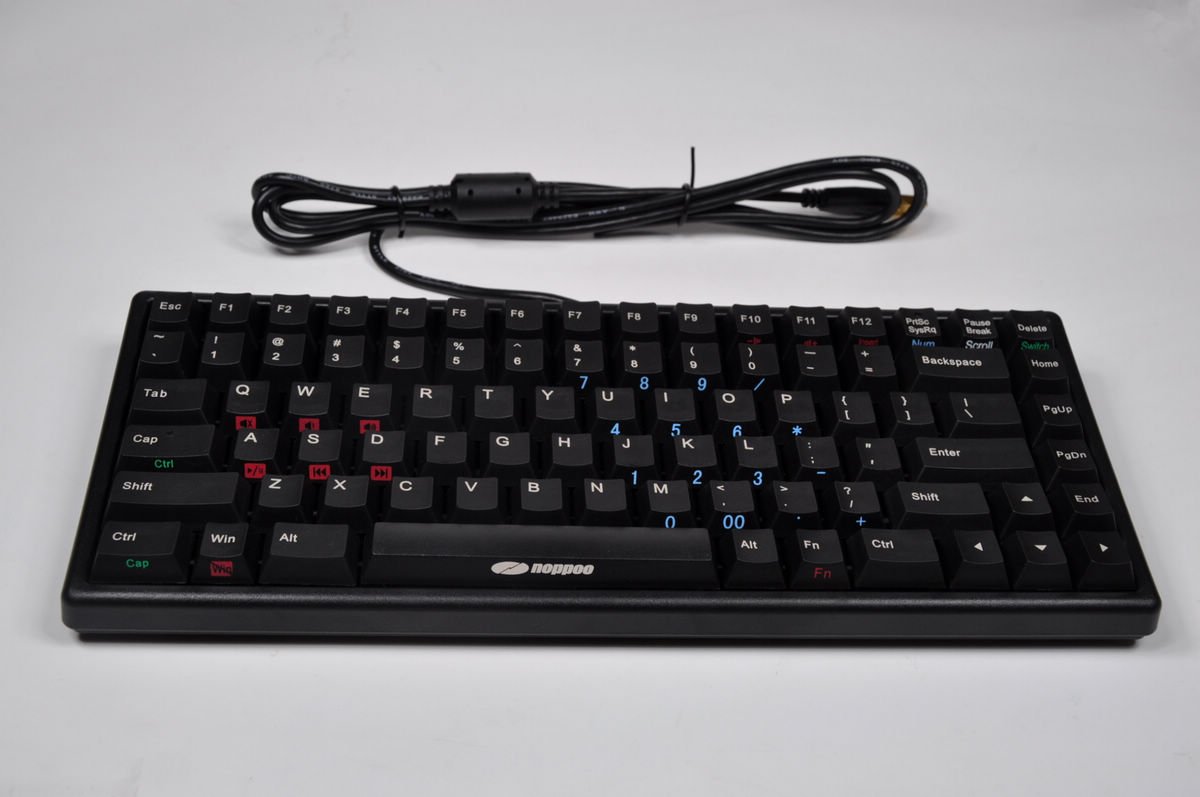
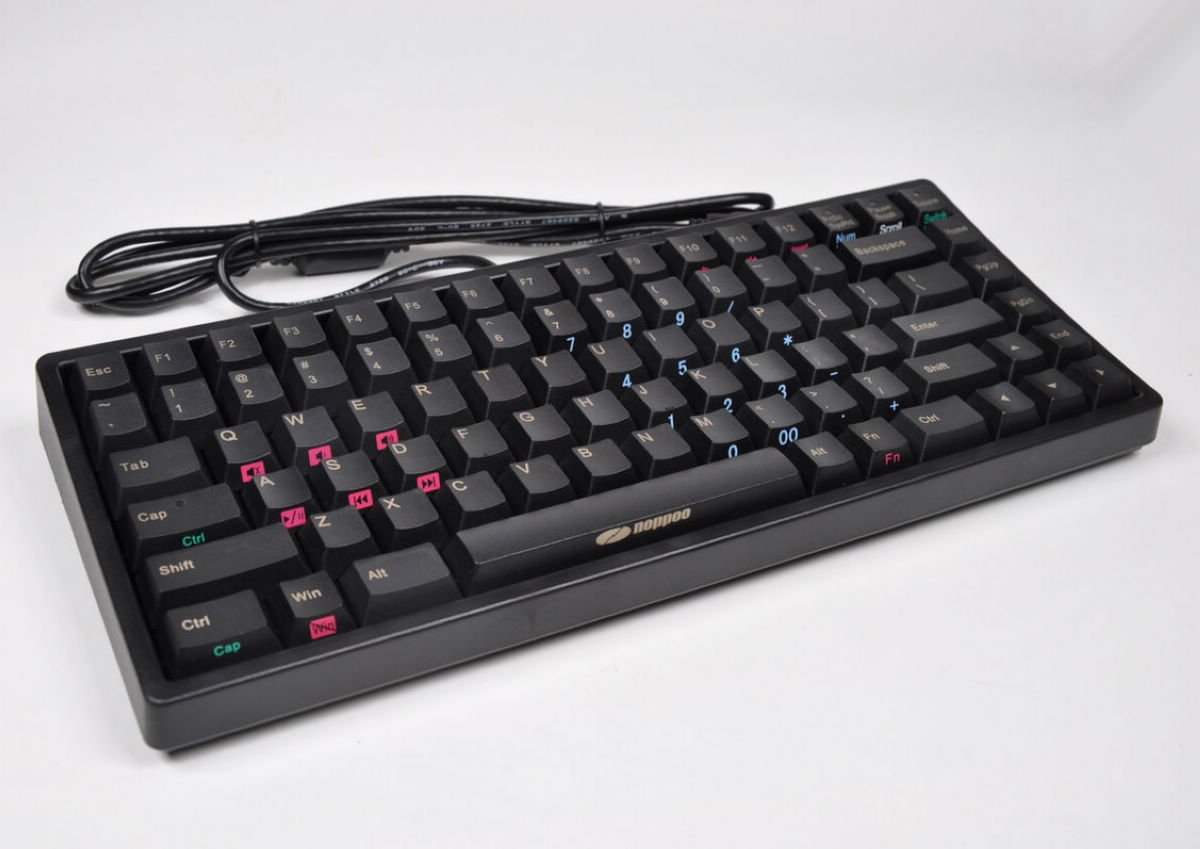
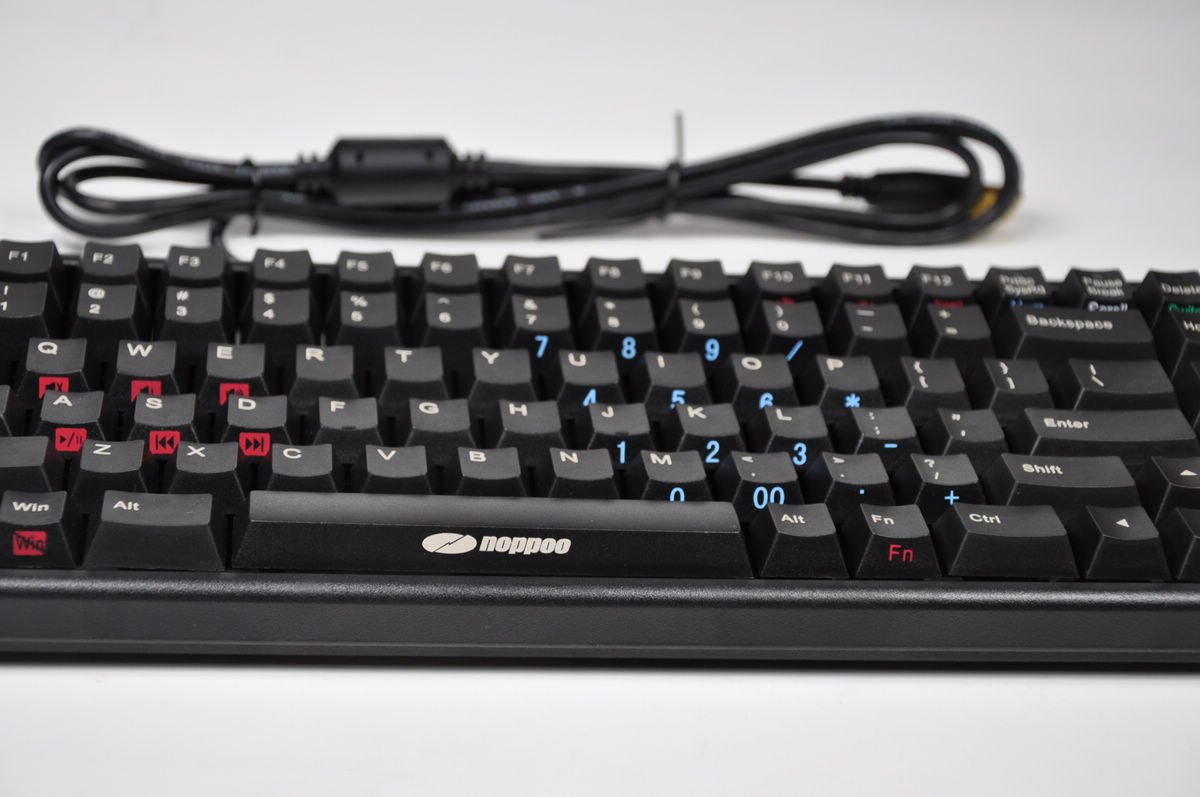
⚡ Dominate your desk with the world's fastest mechanical keyboard!
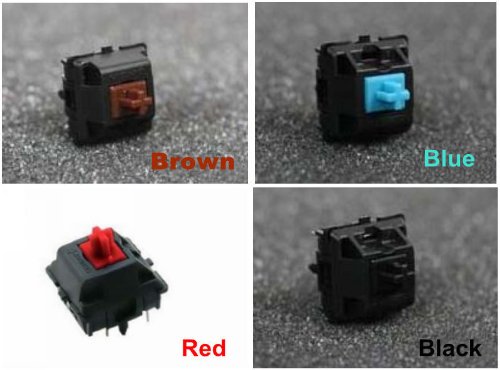
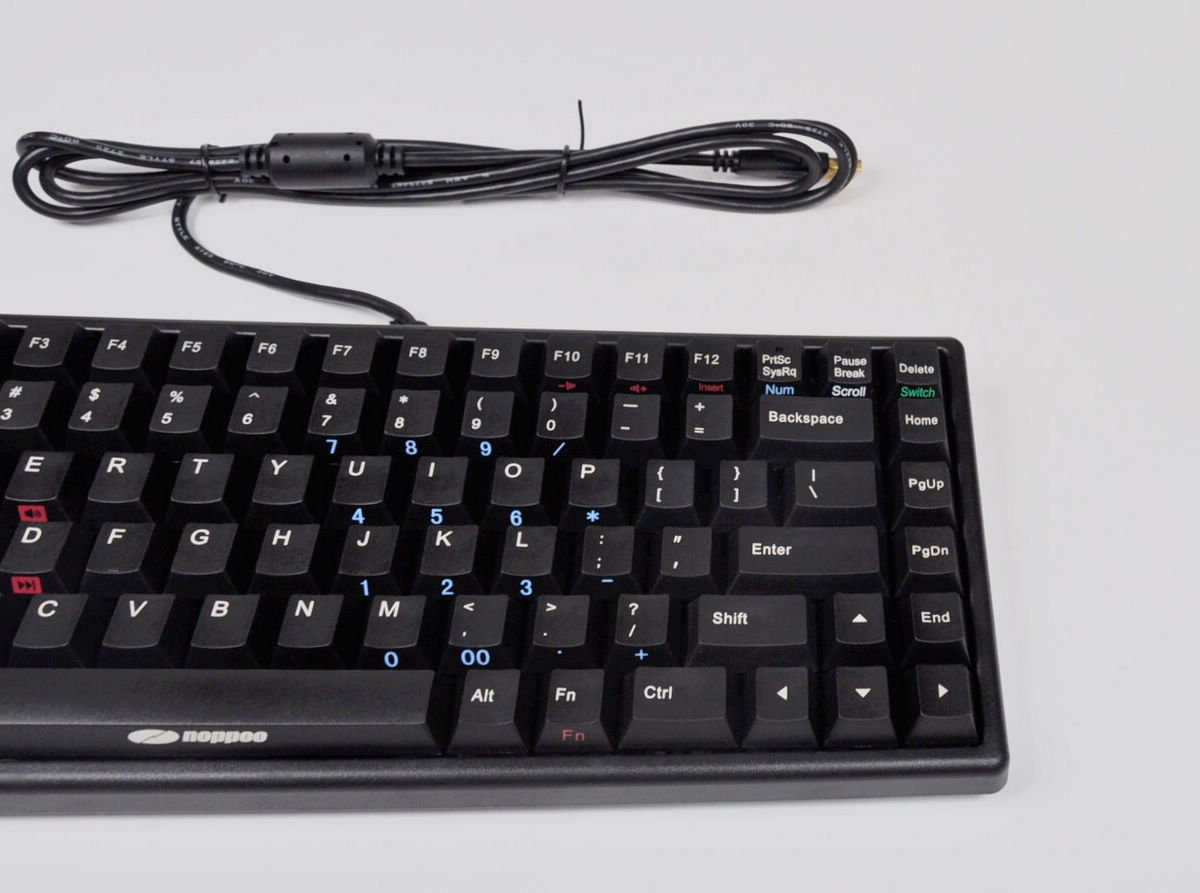
The Noppoo Choc Mini 84 is a compact mechanical gaming keyboard featuring ultra-fast 1ms RealKey technology, durable German-engineered Red Switches rated for 50 million keystrokes, and full N-Key Rollover with 100% anti-ghosting. Its 84-key layout includes multimedia shortcuts, customizable key swaps, and laser-engraved POM keycaps for lasting comfort and precision, making it the ultimate choice for gamers and professionals craving speed and reliability in a sleek form factor.
| ASIN | B0091QOCNA |
| Additional Features | Backlit |
| Brand | noppoo |
| Built-In Media | Keycap Puller |
| Button Quantity | 84 |
| Color | Red Switches/POM KeyCaps |
| Compatible Devices | PC |
| Connectivity Technology | USB |
| Customer Reviews | 4.1 out of 5 stars 123 Reviews |
| Hand Orientation | Ambidextrous |
| Item Dimensions L x W x H | 12.4"L x 5"W x 1.4"H |
| Item Weight | 1.7 Pounds |
| Keyboard Backlighting Color Support | Single Color |
| Keyboard Description | Gaming |
| Keyboard Layout | QWERTY |
| Manufacturer | Fuge Technology Co., Ltd |
| Model Number | NOPPOO MINI84 |
| Number of Keys | 84 |
| Number of Sections | 1 |
| Power Source | Corded Electric |
| Series Number | 1 |
| Special Feature | Backlit |
| Style Name | Modern |
| Switch Type | Linear |
| UPC | 799665794330 |
| Water Resistance Level | Not Water Resistant |
R**N
Amazing. Read on for advice on using with Razer Naga
This was my first mechanical keyboard and I'm never going back to regular keyboards again. I was looking for the perfect keyboard for WoW and general use. I chose the Choc Mini because the F keys lined up with the number keys making them easier to bind, the full NKRO over USB, the Fn keys including the Numpad and the switch lock so you can swap Ctrl with Caps Lock and the Windows Button Lock. The Red switches are beautiful for gaming and typing. I've never tried other switches but now I really want to. I'm completely addicted to typing on this thing and once you get used to the layout you can touch type and your WPM will go way up. I went from mid 80's to over 100 consistently and I'm still going up. If you're using a Razer Naga or any other MMO mouse that normally uses the Numpad for extra binds it's a huge pain in the ass to have to hold Fn and press Numlock every time you want to type to someone and then again to go back to playing. If you don't do this it will just spam numbers in the chat since your Numpad is basically the right half of your keyboard. But there's a fix for this! First, slide the switch on the bottom of your Naga from Num to 123. In your Razer Naga software (not sure about other MMO mice) there should be a Macro creator option and what you do is create a macro for each number key on your Naga. For example: you create a new macro, name it Choc 1, and hit record...then you press J (normally Numpad 1 on the Choc Mini) and then stop. Check off "Ignore delay between events during recording". After that's done go to Assign Buttons and Thumb Grid View. Then you just assign 1 to "Macro" and then choose "Choc 1" (or whatever you named it) from the list it gives you. You then do the same thing for all the other keys. JKLUIO becomes 123456 on your Naga and 7890-= on your keyboard stay the same unless you want to change those for some reason too. Then in your game you bind whatever the keys on your Naga were to the corresponding keys on your keyboard. 1=J, 2=K, 3=L etc. Now you can type freely without having to turn Numlock on and off constantly and still play just like you were before. I love this keyboard so far and I hope I love it for years to come. It's sleek and I love the functionality which is why I bought it. I wish more companies made keyboards like this but full sized. No one really wants a huge row of extra keys where you really can't reach so the F key positioning is perfect for MMO's. So far the only Con I have with it is that Windows won't boot with the keyboard plugged in. It just freezes at BIOS and stays that way until I unplug it and restart. I'm sure I'll find a fix for it but I'll edit this if I don't. I haven't read that anyone else had this problem so I'm sure it's just a problem on my end and not the keyboard's fault. This also came with a Key Puller even though it said it wouldn't which was awesome. This EXACT keyboard in full size with a separate Numpad, same F key positioning and everything with Backlighting would be THE PERFECT keyboard. Also the large keys (space bar, backspace, etc.) are a tad shaky because of the small metal rods and the keyboard stands that unfold from the bottom are a little loose but it's not even a big deal at all and I hope it stays that way.
A**R
Sturdy Little Keyboard
I purchased this keyboard when the "E" key on my 2 year old Razer Blackwidow stopped working. I knew as soon as I dug out my old membrane Logitech keyboard that I wasn't going to survive without mechanical again. Upon initial inspection I was impressed with how rigid and heavy the keyboard was considering it's size. The frame gave little with no "cracks or creaks" when I twisted it in my hands. Another thing I liked was the F1-12 being placed directly above the numbers, making finding them quick and painless. The intergrated Num Pad is great, never making me regret not having a normal one. The simple blue lights for Num, Scroll, and CAPS lock are effective and I feel a great alernative to in-key backlighting.I purchased the red switches, having used blue previously. The red switches are amazing, surprisingly quiet, and feather light to the touch (I often find myself bumping the spacebar without even realizing my palm was touching it during gameplay). Another amazing feature I love about the keyboard is the ability to use the Function key to swap the CAPS lock and Control keys, making a gamer like me that uses a lot of Shift and Control key modifiers very happy. As a side note, take into consideration that the keyboard shown here is NOT the keyboard you will receive. The one pictured is an older model, and the new one is still virtually the same, but the lights embedding into the CAPS, Scroll, and Num lock aren't in the key anymore, but underneath said keys. Also, several of the Function button locations are different, for example, the Windows key lock is not longer located on the actual Windows key, but the "R" key. All in all, a great keyboard, I highly recommend to anyone.
D**M
Worked great for the first day
I'm a huge keyboard guy, I love Keyboards, my Filco Majestouch II was the best keyboard I ever used. I wanted something smaller for my laptop on the go, so I tried this out. The first day, it worked perfectly. Then the back space broke. I'm a big writer, but it should not have broken on the first day. I tried unplugging and plugging it back in several times, nothing would fix it. So, fantastic keyboard the first day I used it, on par with the Filco, then it just broke the second day of using.
T**Y
Amazing keyboard
I have had this keyboard for about a month now and I absolutely love this keyboard. I am glad that I went with the linear switches, the reds, over the browns. I am bottoming out the key anyways, so the tactile bump wouldn't really do anything for me other than let me know that I actually pressed the key. Some pros: -Very compact, the F keys are right above the number keys which is really nice if you play MMO's and need extra keybinds -Excellent build quality -The ability to switch caps lock and control around, I really like this -Has a numpad on it if you use the numlock Some cons: -The ctrl and shift key on the right wobble a bit -Hard to find replacement keycaps due to this being a custom keyboard(Though you won't really need to replace the keycaps, I just want to customize my keyboard a bit) -Won't type for me when I am asleep -Will not clean my house All in all, this is a wonderful keyboard and I would recommend this keyboard to anyone and everyone.
N**E
Had everything I hoped for, but ultimately it was a bad keyboard.
I owned this keyboard for 2 days. I transitioned from a membrane style keyboard to this one, hoping to increase the desk space for my Logitech G500 gaming mouse. The removal of the numpad and the condensing of all the keys made this an ideal keyboard. However, I found out that cherry mx red switches are not good for me. I play Unreal Tournament 3, where dodging requires tapping the same key consecutively. Either my Noppoo was defective, or red switches were terrible for this. The keys didn't spring back up quick enough, therefore I wasn't depressing the keys enough. I decided that since I never had this problem on a membrane keyboard, that it's not a problem with me. I should not have to delay my key pressing or depressing for a $100 keyboard. This was happening with any key on the keyboard, and I had problems with transposing the keys. Words like "Retrieve" would become "Retreive". Etc. I tried as hard as possible to get used to this but in the end, I said "Nope". I refunded this keyboard and got the CM Storm QuickFire with Black switches. This keyboard is supremely better than the Noppoo. My dodges register every time. I do not have to delay anything. It feels almost the same as cherry mx red, but because they're black, they do require slightly more force to press the keys... but this is only noticeable after heavily typing for 2-3 hour periods. It's noticeable, but in no way shape or form a hindrance. Another good thing about my CM Storm keyboard is, I can happily bottom out the keys. People say you shouldn't bottom out the keys on a mechanical keyboard. This is probably true for most switch types, but black switches have no issue with bottoming out. I do not recommend Red Switches because they are most likely designed for tiny asian girl hands and have been marketed towards gamers... when the truth is, Red are not good. Don't believe the hype on the internet, Red switches are BAD. Also, I have this sneaky suspicion that the Noppo keyboards are being released under a variety of different names from different company names. This is very typical of a scammy Chinese company. Also, do not buy this keyboard from an ebay user named " "intelligent-pro". Apparently, he has a reputation for defacing the space bar key and the names on the underside of the keyboard. If you look at his ebay listing, you'll see many keyboards that all look the same, but have different brand names. This is why I think the makers of Noppoo are kind of scammy. Also, my last tip is, try to avoid Mechanical keyboards that use USB first. Always get PS2 first, and plug directly into the PS2 port. This means it's a true NKRO keyboard.
T**D
Great overall but lousy switch mounting makes keys feel wobbly
I like the layout of this keyboard. It matches a non-mechanical keyboard that I really loved. Everything is great about this keyboard except for one thing: the keys don't feel stable. The way the switches are mounted to the chassis is really lame. There's quite a bit of wiggle room for the switches. This allows the keys to wiggle about. It's stupid to make a keyboard this expensive and do such a half-way job on the switch mounting.
J**U
A Solid Five Stars
This keyboard was originally a hesitant purchase. I've had mechanical keyboards in the past (mainly from Razer) for gaming, and had a good experience with them. By stepping out of regional well-known brand names into a lesser known brand, I took a gamble that eventually paid off. I heard about Noppoo Choc Mini through word of mouth. Seeing that it was hardly ever in stock, I decided to give it a shot because of it's price being nearly 2/3 or more than it's competition. I was not disappointed. The keyboard's build and quality feels considerably nicer than the glossy cheaper plastics commonly used in products from Razer and more. When typing and gaming on the Noppoo Choc Mini, it feels very sturdy and solid. The fact that it is a mini keyboard has never once taken away from the experience, instead it added to it. The parts of the keyboard that matters are of regular size. All Noppoo did was get rid of wasted real estate on the keyboard that would normally take up room on your desk. Imagine yourself driving a compact car. The interior is not particularly smaller (if at all) than any other mid-sized vehicle, but the package as a whole is smaller. This is the experience of the Noppoo Choc Mini. The Cherry MX Red switches have been way easier for me to press than the previous experiences i've had with Blue and Brown. As many have stated before, it is largely based on preference but the Red Switches provide me a smooth and seamless experience while having that solid tactile feel of a mechanical keyboard we all seek. All in all, this is a 5/5 product and I would highly recommend it while it is in stock!
K**Z
Great keyboard for the money
I'm a software developer and a gamer, so a decent keyboard is very important to me. This is the first time I've tried a mechanical keyboard, and I'm very pleased. The cherry red switches are comfortable and easy to press, but not so easy that I press keys inadvertently. This keyboard seems well-made and sturdy, and the keyboard layout is the smartest I've seen. Delete, Home, Page Up, Page Down, and End are in a column up the right side of the keyboard, so they're easy to find. These are keys I frequently use, so that's a big plus. The number row and function row are aligned with each other (for example, the F1 key is directly above the 1 key), and slightly raised, making the function keys easy to find by touch. The Cap and Ctrl keys can be switched out, making the Ctrl key useful for gaming sessions. One of the things that made me hesitate when buying this keyboard was the red print for the multimedia keys. Happily for me, the picture is out of date, and the printing on the multimedia keys are white, as is the printing on all the keys. I got a compact keyboard so I could bring my mouse in closer to the center of my body, and this keyboard fits the bill perfectly. It's only about 12 inches across. There are rubber footrests, which keep the keyboard from sliding around my desktop. It has little legs to raise the back of the keyboard, which also have rubber on them. The seller (Focalgadgets) did a great job getting the keyboard out quickly. I ordered on Saturday, and received the keyboard on Monday. It was packed securely, and Focalgadgets kindly included a key puller for free, which was a nice touch and truly appreciated. All in all, you can't go wrong with this keyboard.
Trustpilot
1 month ago
3 weeks ago