We remain fully operational. Our teams are working around the clock to ensure your deliveries continue safely.

DOWNLOAD THE APP


Customer Services
Copyright © 2025 Desertcart Holdings Limited
DOWNLOAD THE APP

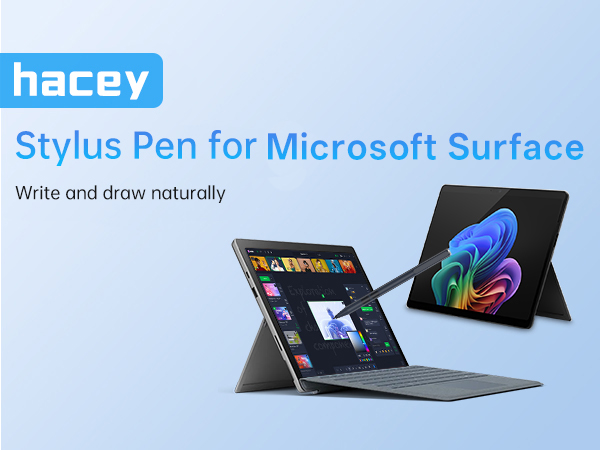
✍️ Elevate your Surface experience—write, draw, and create like a pro without missing a beat!
The hacey Stylus Pen for Microsoft Surface offers seamless compatibility with all Surface Pro, Laptop, Studio, Book, and Go models. Featuring 1024 levels of pressure sensitivity and palm rejection technology, it ensures smooth, precise input with no lag. Powered by a long-lasting AAAA battery providing up to 300 days of use, this pen requires no Bluetooth pairing for instant functionality. The package includes spare tips, a refill clip, and a 1-year warranty, making it a reliable and professional tool for creative and productivity tasks.




| ASIN | B07WRS1QMB |
| Are Batteries Included | Yes |
| Are Batteries Required | Yes |
| Battery Average Life Standby | 417 days |
| Battery Description | Alkaline |
| Best Sellers Rank | #54,130 in Cell Phones & Accessories ( See Top 100 in Cell Phones & Accessories ) #1,244 in Styluses |
| Brand | hacey |
| Color | Black |
| Compatible Devices | Laptop, Microsoft Surface Pro 11/10/9/8/7+/7/6/5/4/X; Surface Duo/ Duo 2; Surface Go 1/2/3/4;Surface Book/Book 2/Book 3; Surface Studio 1st Gen/2/2+; Surface Laptop 1/2/3/4/5/6; Surface Laptop Studio., 【HP Spectre 2-in-1 Series Laptops】x2 12-c0xx/ X360 13-ac0xx/13-ae0xx/13-akxxx/13-apxx/13-awxxx; 14-efxxx/14-eaxx; 15-blxxx/15-chxxx/15-dfxxx/15-ebxxxx; 16-fxxxx, ASUS Vivobook 13 Slate ASUS Vivobook… |
| Customer Reviews | 4.4 out of 5 stars 2,443 Reviews |
| Enclosure Material | Aluminum |
| Item Dimensions | 6.12 x 0.38 x 0.38 inches |
| Item Weight | 9.07 g |
| Manufacturer | hacey |
| Material | Aluminum |
| Model Number | K2-C-Surface pen |
| Number of Batteries | 1 AAAA batteries required. (included) |
| UPC | 727040693251 727040693381 727040692995 |
| Unit Count | 1.0 Count |
| Warranty Description | 1 year |
W**Y
Quality Stylus for the Surface.
Great value, my kid uses this on her surface. I was hesitant about how affordable it was but I am happy that it works better than expected.
N**H
As of this date I am happy with my purchase
I have a surface pro 6 and this pen is better than expected so far. I liked the fact that I could purchase a warranty with it because this is the 3rd pen I have purchased... First one stopped working after 6 months, so the 2nd one, I decided to purchase a more expensive one, the "Microsoft Pen" and it stopped working 2 days after my return date, but Amazon was kind enough to offer me a full refund. Now I have purchased this pen and so far so good... Thank you Does click while typing on the screen, but if I am typing a lot, I just use my finger (no big deal to me)
J**I
Really good
it works well and ita great for its price. I got this pen because the Microsoft one was too expensive, I wasn't sure about it but its really good, I took notes in one note, I even drew on it and there was some lag and shaky lines but it wasn't that bad. I totally recommend it for those who want a surface pen but don't want to spend too much money.
J**E
Excellent Choice
I have purchased a few stylus pens before, hoping that they would offer some sort of control in drawing or operation. This product by far has stolen my heart. The button at the end is a bit annoying as with how i hold my pencils i keep accidentally pushing it, but that is more likely just because of how i hold it. I started drawing in the application Open Canvas; i can tell you, i have never been happier with the work i have been able to produce with this magical duo. One of my biggest challenges has been dragging my wrist across my touch screen tablet while drawing and this problem has been nullified with the use of this stylus pen! The product works really well, i have no issues with connectivity, however sometimes it doesn't realize that i want to drag something on the screen and gives me a buffer circle that i have to fight. Aside from that, i definitely recommend this pen!
T**E
Great active stylus for the Surface Pro.
This pen makes using the Surface Pro much easier with the ability to pin point the cursor and ability to use the right click function. Much easier than using a fingertip or passive stylus. Worth the extra cost as it is recognized much quicker by the Surface. Easy to install, just turn it on and the Surface recognizes it.
S**T
Easier to use than the original that was designed for the surface.
I was truly impressed how easy this pen was to use. I am on, at least. My 3rd pen and my first non-Microsoft this pen worked as soon as I put the battery in, no fooling around with menu clicking and syncing. I am truly impressed that the pen just works, which is so nice, and it's reasonably priced, which is very nice also.
C**.
Great pen!
Magnet strength could be better but it’s not bad at all! Very good build quality and functions extremely well! Works great with a screen protector too!
T**I
Died after less than two months of use
This product is cheap and unreliable. Not the most accurate and a bit laggy but got the job done... Until it crapped the bed after about 1.5 months of use. The pen is a waste of money. If i were you I would go and buy from a different production company. Reasoning: (FYI I am using this product with a Surface Pro 6) It worked fine for a little over a month. It wasnt the most accurate and a bit laggy but it at least worked. Then the pen started having frequent strokes about a week ago. It would stop working; it wouldnt write, register button pushes, and the screen wouldnt react to its touches. The temporary fix i did was take the battery out and put it back in. I take notes in class with it so it would get frustrating especially when it started to occur every 10-ish minutes give or take a few. So I put brand new batteries in and the problem still occurred (at the same high frequency). I even temporarily traded pens with a friend whose pen worked fine for me and my pen gave him the same problem (he is using a surface pro 7). I ended up having to buy another pen. Overall, 0/10 do not recommend. There are much better products out there for the same price.
Trustpilot
1 month ago
2 months ago