
DOWNLOAD THE APP


Customer Services
Copyright © 2025 Desertcart Holdings Limited
DOWNLOAD THE APP


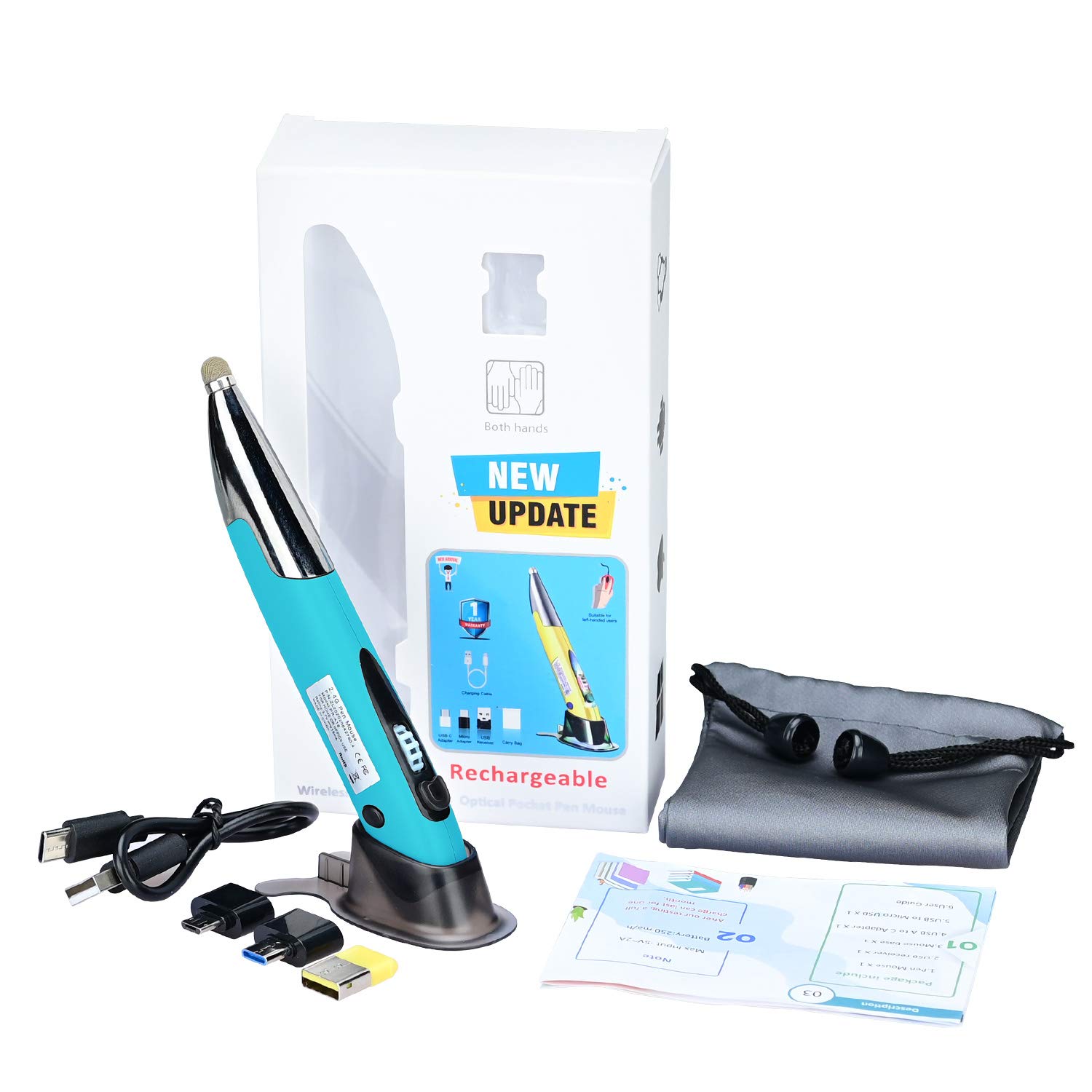
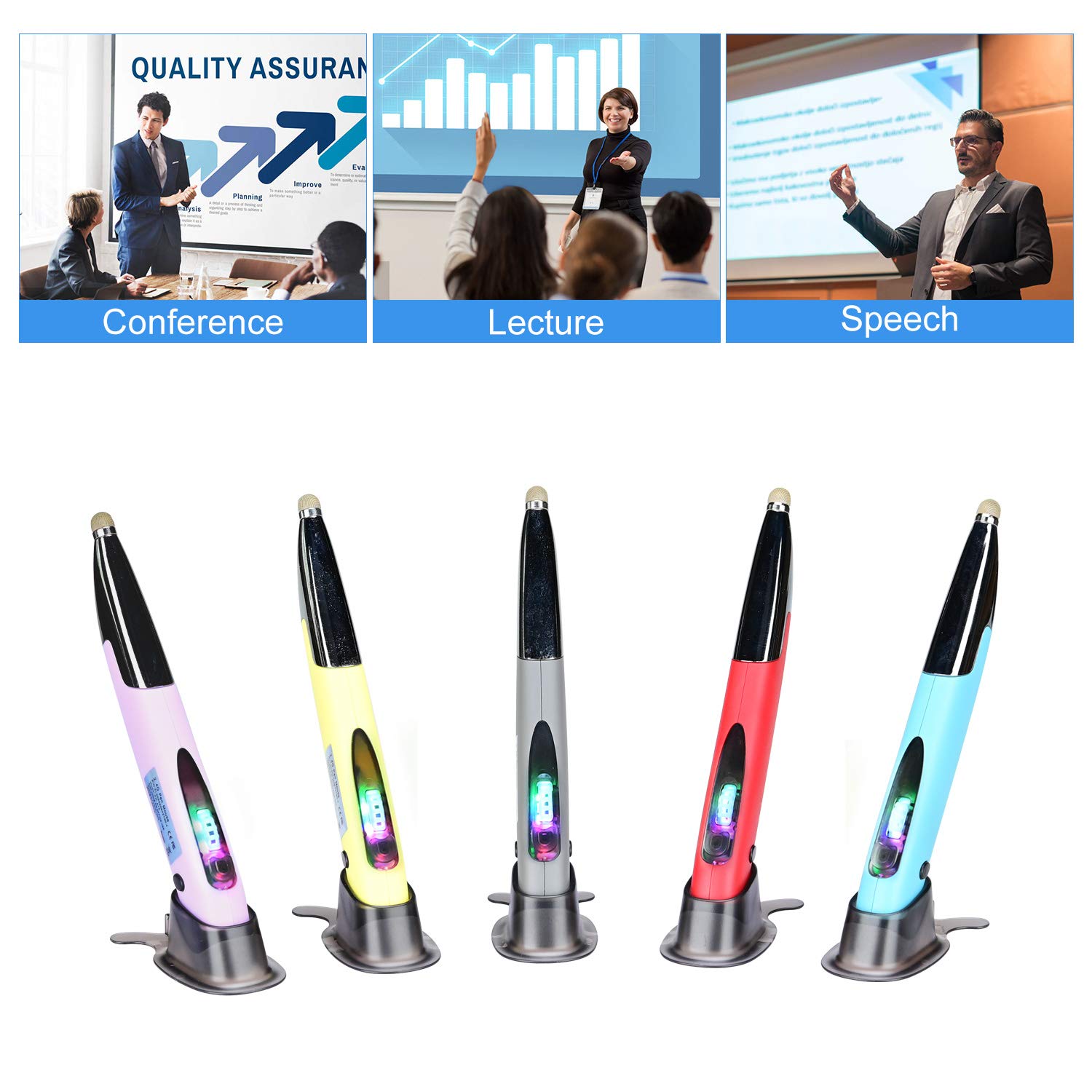
🖊️ Elevate your workflow with the pen mouse that fits your hand—and your lifestyle.
The Lychee Rechargeable Pocket Pen Mouse is a sleek, ergonomic, and ambidextrous wireless mouse with a stylus function, 1200 DPI optical sensor, RGB backlighting, and a rechargeable 450mAh battery lasting up to one month per charge. Designed for professionals on the go, it supports multiple platforms and includes Type-C and Micro USB adapters, making it the ultimate compact productivity tool for laptops, tablets, and desktops.





| ASIN | B08KZSJ3P2 |
| Batteries | 1 Lithium Ion batteries required. (included) |
| Best Sellers Rank | #691 in Computer Mice |
| Customer Reviews | 4.1 4.1 out of 5 stars (373) |
| Date First Available | August 26, 2020 |
| Item Weight | 3.17 ounces |
| Manufacturer | Lychee |
| Package Dimensions | 6.46 x 3.62 x 1.26 inches |
J**S
After Slight Learning Curve, Absolultely LOVE This Item!
As with an mouse-style change, be prepared for a brief learning curve. At first, it was difficult to press the side buttons without moving the pointer, but it didn't take long to adapt. I just used a bit more dowward pressure on the point before pressing the side button at first, but I got used to the way it moves and now it's second nature. Also, the muscles in my hand were a bit soar for the first few days since they were not used to moving this way, but no surprise there. Only a little awkward for a week or so, but after that, no negatives at all. Here's my favorite aspects of this pen design: o Ergonomically this is far more comfortable on my wrist and hand than any other mouse I've used. o Extremely surface adaptable - This works well with or without a mousepad. In fact, I can even use this mouse while it still rests in its holder if I'm doing something quick and don't want to take the time to pick it up. I often use it resting on my thigh, against the edge of my keyboard. Works well on any surface I've tried. o Reactive without drastic movement - I have dual side-by-side monitors and a full desk mousepad which was necessary when using my regylar-sytyle mouse in order to get full movement of the pointer across both monitors, but with this pen-style mouse, I can span the full distance of two 22" monitors (44" total) by moving the mouse with my fingers only (about 2"). Never need to move my arm at all! o This was one of the few pen-style devices I saw that advertised a right-click button on both sides of the pen for use left or right handed. Because I prefer to use a left-handed mouse when writing with my right hand, I needed this option and it works beautifully. o I use this more than 8 hours every day, so longer battery life is always better, but one charge still lasts a week or so. Not only that, I can easily continue to use the mouse while it's plugged in charging, so there is never a dead battery crisis. o Also really appreciate the touch screen tip on the back side. Perfect addition to make this the most versitile mouse I've ever used. Highly recommend. Hope this was helpful!
D**L
Steep learning curve
This takes a little getting used to. It works fine, bit if you're using it to teach and are a distance from the USB receiver, there are some calibration issues. I think it will be good in the end.
G**M
Great mouse for Blender
I use this mouse for Blender graphics software. I do not have a graphics pad, and this is the next best thing for me.
A**R
Some basic flaws, but has its place
This device works for me as a stand-in when my hand and wrist get fatigued from my more typical mouse, but it's not really sufficient as a main mouse if you are at a computer all day. One of the main issues I have with it is that when you click using the button on top, it's very hard not to move the location of the pointer on the screen at the same time, so you end up clicking somewhere other than where you intended. Also, the right click button is almost unusable because of its location. But it's inexpensive, so I will use it here and there. Update: I have found this device to be very helpful when used in combination with a touchpad. I use a USB touchpad with one hand for clicking, double-clicking, and right-clicking, while using this in the other hand for simply moving the cursor. I can switch hands if strain or fatigue sets in.
S**N
Good for digital sketching and writing
I bought this to use for digital sketching and photo editing. It works well for both applications. The charge lasts longer than I expected and the light weight of the pen does not cause hand or wrist fatigue. It can also be used as a standard click mouse if needed.
N**.
Cool look, easy to use
Quick plug up and use. Love the design; the bright teal is cool, the multi coloured LEDs are even cooler. Button placement is perfect with my only adjustment being in windows for the scroll to work the opposite way. Laser works fantastic on dark leather couch, pad, and light oak laptop tray. I didn't have too much of a problem with learning how to hold it or moving when clicking. A wrist ergo mouse pad would probably solve this for most people. Keep the mouse angled slightly when moving or drawing. Pretty thrilled with this device. Battery life appears to be good. Several days now and I'm still on the factory charge. Very light and to some this will feel cheap.
S**.
Will not work after 5-10 hours of total use
Mouse feels fine and seems to hold a charge better than some reviews would indicate. Right click buttons are a little difficult to reach, but I'd rather that then hit them inadvertently. However, mine will now turn on, the nifty colored lights come on and the main optical light comes on at first, and then after 1 second of being powered on they go off. I have tried every combination of USB slot, turning off and on, updating drivers, etc but it appears to be defective. It is a shame. Otherwise it seemed like a good value. Packaging is in the trash after initially working so I am unable to return or exchange. As of right now, I would recommend looking elsewhere.
J**A
Great Product
I work in my truck a lot and this is great for cramped work spaces. Right click is hard to manage because the pointer will slip off the target. Battery life is very good so far. It’s comfortable and accurate.
A**A
Con i mouse normali ho sempre dolori al polso dopo l'uso. Con questo ho smesso di avere dolori dopo due settimane. Dopo poco tempo si impara ad usarlo anche se vanno usati piccoli accorgimenti nel cliccare; io per esempio ho trovato più facile cambiare il doppio click in singolo per aprire i documenti. Il tasto laterale è un po' duro e potrebbe essere messo meglio ma si usa bene anche così. Può essere usato anche sulla base, senza doverlo sollevare, tanto scivola. L'unica pecca è che va messo in carica spesso o bisogna ricordarsi di spegnerlo quando si è lontani dal pc.
K**I
Nachdem ich mich daran gewöhnt hatte, ging es ganz gut damit zu arbeiten. Ich benutze sie zum malen, für den Alltag nutze ich immer noch die Maus, weil man den "Stift" eben immer neu aufnehmen muss. Das ist mit der normalen Maus einfacher. Ansonsten liegt sie gut in der Hand, der dazugehörige Ständer steht stabil und auch der Bluetooth-verbinder kann auf dem Ständer untergebracht werden. Der Akku in der Maus hält lange, ich kann Tagelang damit arbeiten, bis er leer ist. Man muss sich natürlich Gedanken über die Unterlage machen, auf der man die Maus benutzt. Auf dem Tisch fühlt es für mich zu glatt an. Ich nehme meine PU-leder-schreibtischunterlage, die allerdings auch gewöhnungsbedürftig ist, weil sie Recht "klebrig" ist.
A**E
Ne fonctionne pas . Ne se detecte pas!
G**E
Funciona bien es cómodo de usar, pero luego de un par de meses dejo de funcionar la batería, por lo que debía manterlo conectado para poder utilizarlo
F**N
per chi ama le novità, ci vuole un po' per abitarsi, ma poi diventa pratica. Comoda la ricarica con usb
Trustpilot
3 weeks ago
5 days ago