
DOWNLOAD THE APP


Customer Services
Copyright © 2025 Desertcart Holdings Limited
DOWNLOAD THE APP
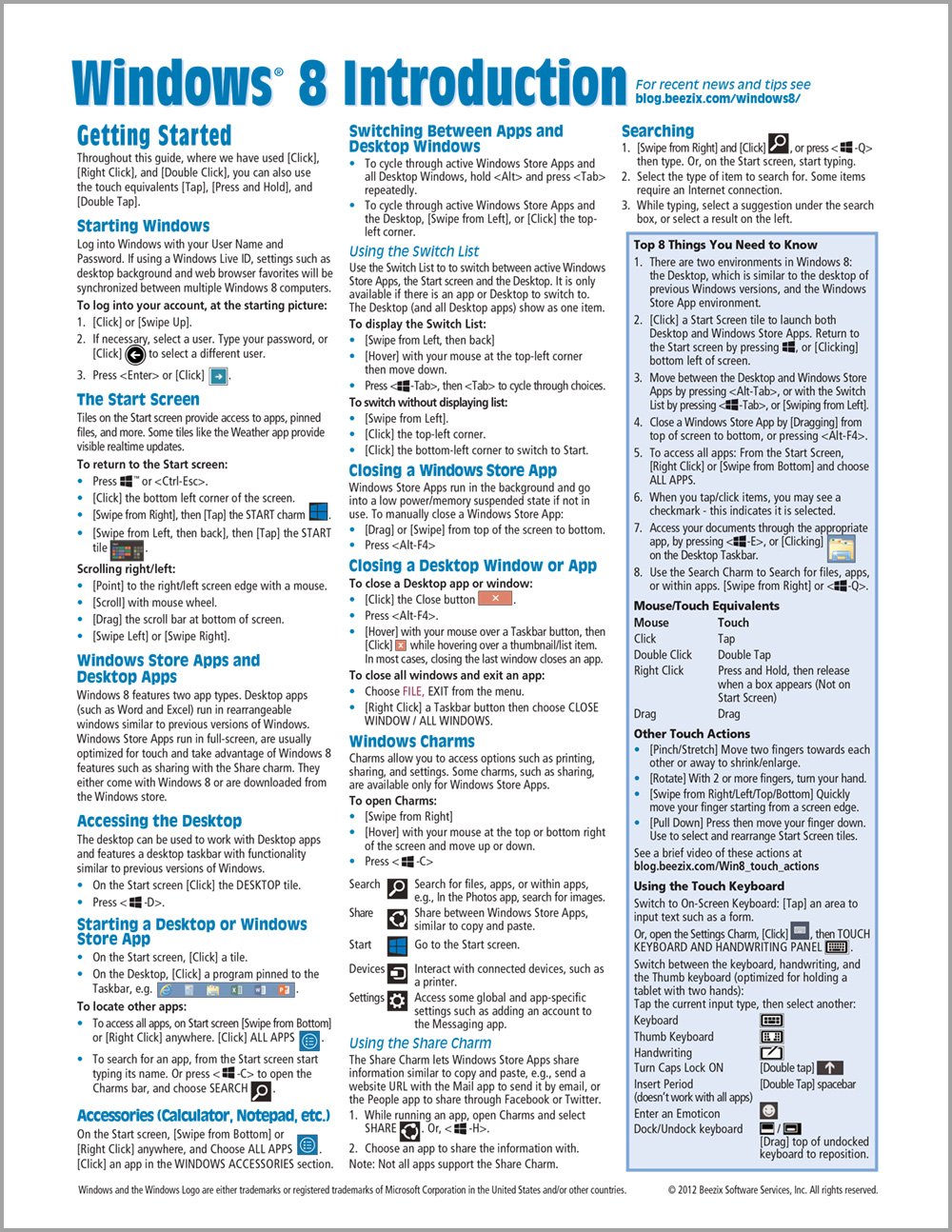
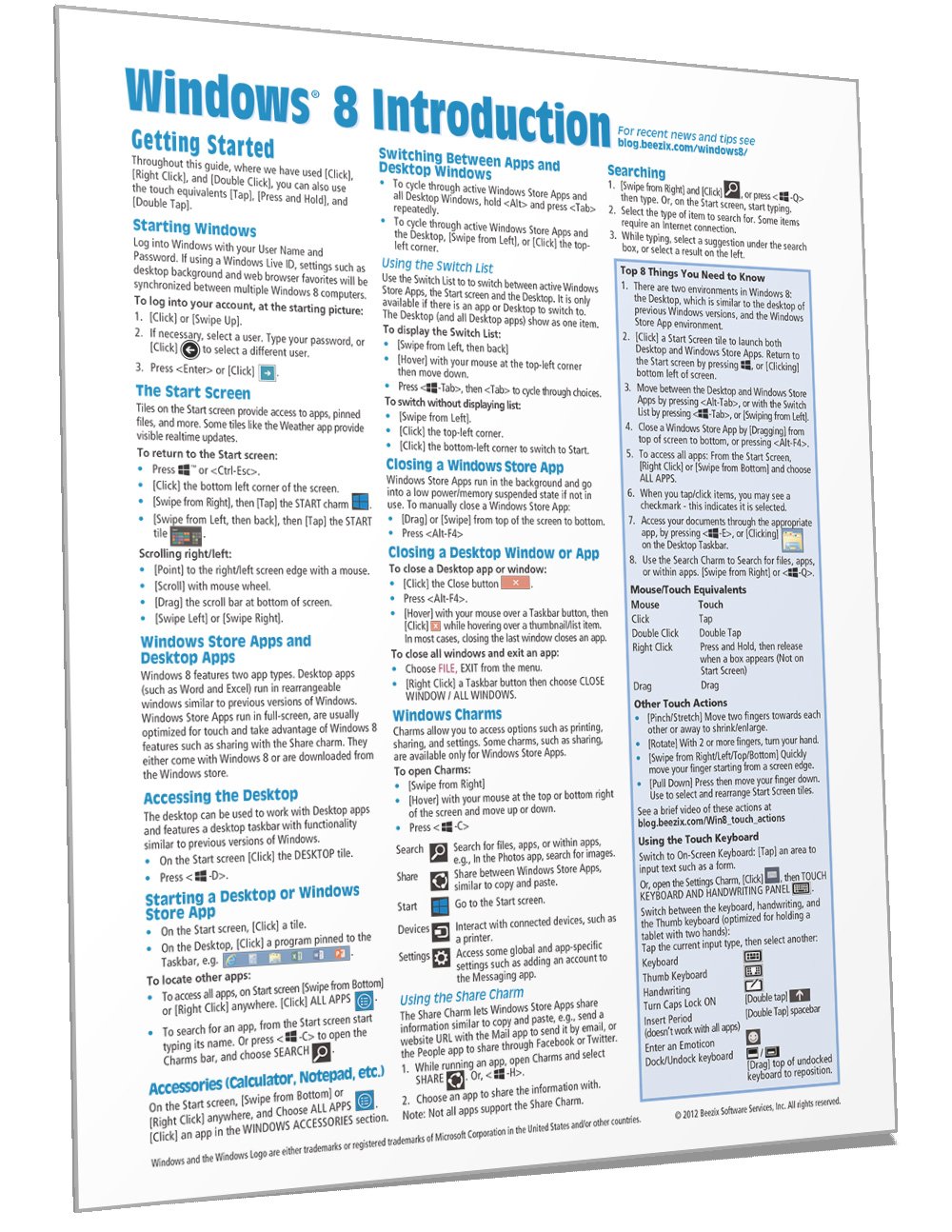
Windows 8 Quick Reference Guide (Cheat Sheet of Instructions, Tips & Shortcuts - Laminated) [Beezix Inc., Beezix Inc.] on desertcart.com. *FREE* shipping on qualifying offers. Windows 8 Quick Reference Guide (Cheat Sheet of Instructions, Tips & Shortcuts - Laminated) Review: Great Windows 8 Info - Sits Next To My Computer! - This is a very handy 4 page laminated Windows 8.0. For me, I keep this in my Mead storage bin on my desk so it is always there should I need it. This guide is wonderful because it has IMPORTANT things right there and you are new to Windows 8, you will need this reference guide - it is so so helpful! ****Best thing in this reference: The first page begins with Starting Windows, The Start Screen, Windows Store Apps and Desktop Apps, Accessing the Desktop (the one that looks like Windows 7), and so many things you will do on a Windows 8 session. Also, on the right of the first page, highlighted in blue is Top 8 Things You Need To Know, this gives you shortcut keys. This alone is worth the price of this reference guide. The only thing I do not like about this is the text is so small. When I read this, I sometimes use my large magnifying glass from my drawer or use my reading glasses to see the text clearer. However, the info on this guide is very helpful and easy to follow. Review: Very useful for Win 8 - not so much for 8.1 - I bought this at the same time I bought the upgrade from XP Pro to Win 8.0 (worked well but took time) and for the short time I had 8.0 it was very useful. When I had downloaded the 95 updates to 8.0 and then went to the App Store I was offered a free upgrade to 8.1 - which I took (another long download/update period, if you are on a wireless adapter shut off the firewall to get a connection). 8.1 is back to the XP/Win 7 screen and I don't use the Cheat Sheet much as I rarely go to the 8.0 desktop. If I had a touch monitor, which I don't, it would be a different story and I'd have the cheat sheet memorized by now. But I've got a PC. Not wasted money, but not used as much in 8.1
| Customer Reviews | 4.1 4.1 out of 5 stars (430) |
| ISBN-10 | 1936220687 |
| ISBN-13 | 978-1936220687 |
| Item Weight | 0.32 ounces |
| Language | English |
| Print length | 4 pages |
| Publication date | November 19, 2012 |
| Publisher | Beezix Inc. |
D**S
Great Windows 8 Info - Sits Next To My Computer!
This is a very handy 4 page laminated Windows 8.0. For me, I keep this in my Mead storage bin on my desk so it is always there should I need it. This guide is wonderful because it has IMPORTANT things right there and you are new to Windows 8, you will need this reference guide - it is so so helpful! ****Best thing in this reference: The first page begins with Starting Windows, The Start Screen, Windows Store Apps and Desktop Apps, Accessing the Desktop (the one that looks like Windows 7), and so many things you will do on a Windows 8 session. Also, on the right of the first page, highlighted in blue is Top 8 Things You Need To Know, this gives you shortcut keys. This alone is worth the price of this reference guide. The only thing I do not like about this is the text is so small. When I read this, I sometimes use my large magnifying glass from my drawer or use my reading glasses to see the text clearer. However, the info on this guide is very helpful and easy to follow.
D**R
Very useful for Win 8 - not so much for 8.1
I bought this at the same time I bought the upgrade from XP Pro to Win 8.0 (worked well but took time) and for the short time I had 8.0 it was very useful. When I had downloaded the 95 updates to 8.0 and then went to the App Store I was offered a free upgrade to 8.1 - which I took (another long download/update period, if you are on a wireless adapter shut off the firewall to get a connection). 8.1 is back to the XP/Win 7 screen and I don't use the Cheat Sheet much as I rarely go to the 8.0 desktop. If I had a touch monitor, which I don't, it would be a different story and I'd have the cheat sheet memorized by now. But I've got a PC. Not wasted money, but not used as much in 8.1
L**M
if you are still using windows xp
I ordered a Windows 8 reference card for a family member , a new computer user, who has a newer computer than I do. When I ordered the reference sheet for that person, I decided it would be interesting to order one for myself. I have used windows xp and all earlier versions, and consider myself a very experienced computer user. I did find a couple things on the reference sheet that I did not know. For a new user, this would be a very handy reference sheet covering all the basics.
H**N
New technology ... eh, don't know about it
So far I don't like having to learn a new operating system. This Reference Guide leaves a lot to be desired in my opinion ... but then I'm a senior and I didn't see lots of picture explanations. The guide has lots of information, but I guess I should read the book Windows 8 for Dummies first and completely. That way I can tell easier what the Guide is trying to explain ... or maybe the operating system just isn't quite what I had expected it to be. I'd rather play with the grandkids than study a 416 page book. I thought the 'guide' would make it easier for me to get up and running. I do like the laminated colored bifold sheet. As time goes on and I use the guide more I am sure I will get more used to this new operating system.
B**M
Very helpful
When my computer died and I had to buy a replacement, I discovered it came with the new Windows 8. It's quite different from previous versions of Windows, so this handy little cheat sheet has helped make things easier to navigate around, re-size and arrange the various tiles and pin/unpin those I want handiest to me. Product arrived without damage and in a timely manner. Would do business with this vendor again!
W**N
Will be very helpful later
I have read it and am sure it will be very helpful later. Just purchased a HP with With Windows 8. Was using a very old computer and needed replaced. I purchased "Windows for Seniors Dummies. Excellent: It is walking me through step by step. When completed I will start going through the "Windows 8 Quick Reference Guide". From what I have read it will help me even more. Very pleased what Amazon ;has sent me.
C**X
Had to have something
Got a replacement computer when mine ate its hard drive two weeks before the warranty was up; it came with Windows 8. I received zero information on Windows 8 at the store and no information came with the computer, either. NOT HELPFUL. This at least gave me the language I have needed to try to figure out the basics (i.e., "charms"). It has taken a lot of trial and error to figure things out as I generally need to keep working and don't have time to stop and read a book on how to do what used to be a fairly easy process.
S**Y
Waste of money
I should have followed the advice of some of the other reviewers and not purchased it. The text is small and not that simple to follow...after all, it's suppose to be a cheat sheet. Better to follow the instructions in your Windows 8 for Seniors for Dummies.
F**C
I just bought a computer with Windows 8 and this little desk easy instruction 2 page reference guide helps a lot...I can leave it by my computer and learn one or two new things per day.....
B**N
The print is small but still handy to have at hand while trying to operate the system to become familiar with it. I would recommend.
A**R
It is a quick check on different applications. It helps me since I am not that computer savvy. It saves time since I don't have to wait for my husband for answers.
A**N
A great reference guide for someone new to the world of Windows 8
K**S
Came in handy when I needed it.
Trustpilot
1 month ago
5 days ago