Some deliveries may take a little longer than usual due to regional shipping conditions.

DOWNLOAD THE APP


Customer Services
Copyright © 2025 Desertcart Holdings Limited
DOWNLOAD THE APP
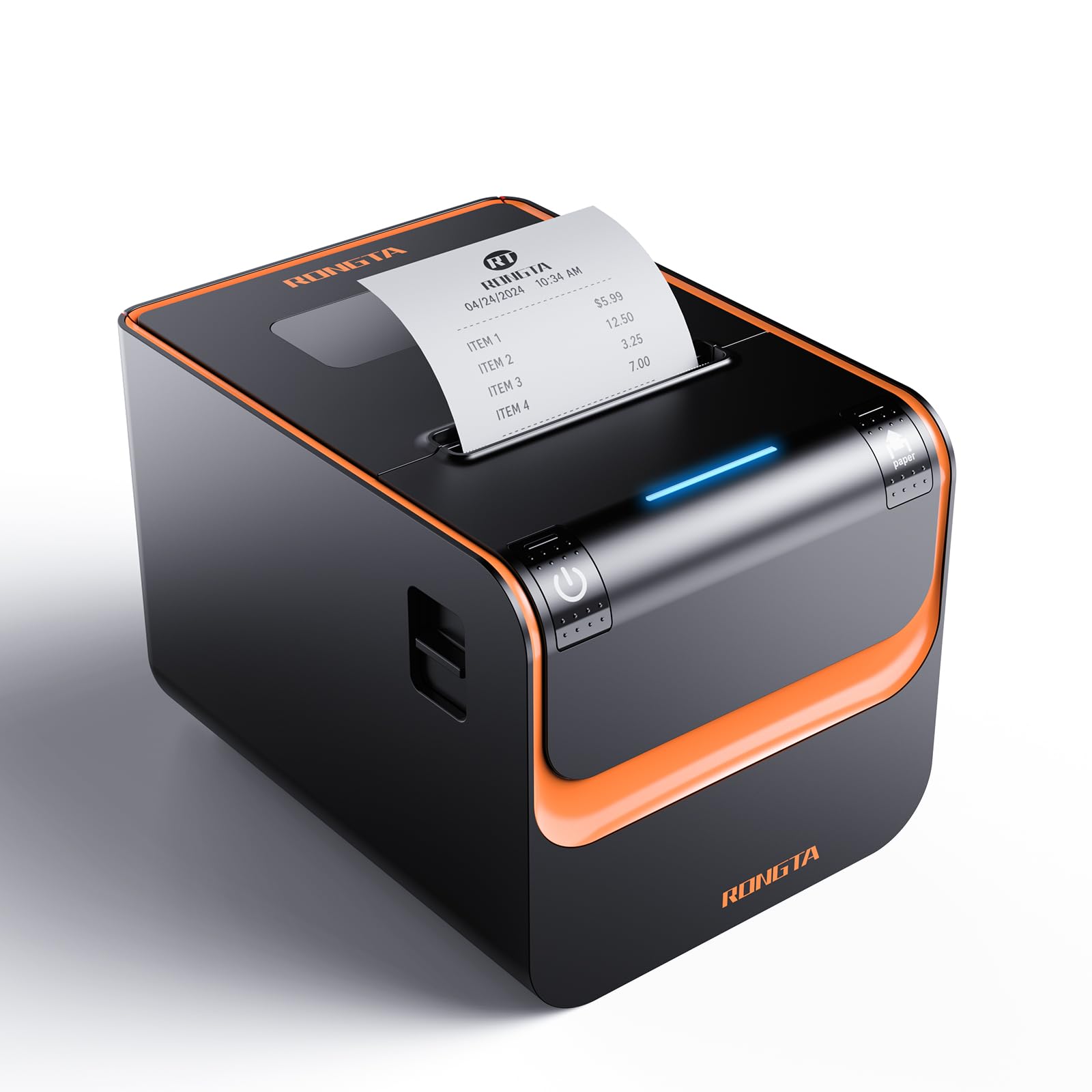
⚡ Print smarter, not harder — the pro’s choice for seamless POS power!
The Rongta RP332 is a high-speed 80mm direct thermal POS printer designed for professional environments. Featuring ultra-fast 250mm/s printing, multi-interface connectivity (USB, Serial, Ethernet), and broad OS compatibility (Windows, Mac, Linux), it supports cash drawer integration and ESC/POS commands. Its space-saving wall-mount design and auto cutter enhance efficiency, making it ideal for restaurants and retail setups seeking reliable, wired receipt printing without Bluetooth or WiFi.


| ASIN | B096RCQJ6P |
| Additional Printer functions | Print Only |
| Best Sellers Rank | #53,873 in Office Products ( See Top 100 in Office Products ) #17 in Receipt Printers |
| Compatible Devices | Laptops |
| Control Method | App |
| Controller Type | iOS |
| Customer Reviews | 4.0 4.0 out of 5 stars (161) |
| Date First Available | July 11, 2021 |
| Dual-sided printing | No |
| Duplex | Automatic |
| Hardware Interface | USB |
| Ink Color | Black |
| Item Weight | 4.4 pounds |
| Item model number | RP332 |
| Manufacturer | Rongta |
| Max Copy Speed (Black & White) | 120 ppm |
| Max Input Sheet Capacity | 200 |
| Max copy resolution black-white | 203 dpi |
| Maximum Black and White Print Resolution | 203 dpi |
| Maximum Media Size | 80mm |
| Memory Storage Capacity | 64 KB |
| Model Series | RP |
| Number of Trays | 1 |
| Number of USB 2 Ports | 1 |
| Output sheet capacity | 200 |
| Print media | Paper (plain) |
| Printer Ink Type | Direct Thermal |
| Processor Count | 1 |
| Product Dimensions | 7.8"D x 5.71"W x 5.67"H |
| Scanner Type | Portable |
| Series Number | 3 |
| Sheet Size | 80 millimeters |
| Supported Media Sizes | 3 x 4 inches |
| Total Ethernet Ports | 1 |
| Total USB Ports | 1 |
| UPC | 610840366367 |
| Warranty Type | limited warranty |
N**K
Great to use with Le Potato Lebre Computer to print receipts quick and fast!
Even though yes, this printer will NOT support bluetooth, there is a method that people can configure this printer to work with another computer/raspberry pi, and that computer could accept bluetooth printing so other devices can forward a receipt to the computer, and the computer would send the receipt to this receipt printer to print from Square, DoorDash, etc. However, that's not an easy feat to setup quickly and go with high reliability. This printer COULD work with said services, but DOESN'T work directly from the printer by itself. If you want a good chance of reliability, find one that supports that. Otherwise, needing a printer to use with USB or internet or play with as a hobby, or know how to fiddle with computers like a Le Potato or Raspberry Pi? This one is pretty good, quick like an Epson printer, and text results looks quite clear to read! (I've used node-escpos from NPM, no drivers needed, just prints right away!) Printer drivers work great if you initially setup with a windows computer and then use with whatever device you want, if you need to change settings like 80/58mm paper size, or turn off the beeper. Printer does support 58mm paper, but my order didn't come with the 'divider/baffle', but it'd be easy to substitute another 3D printed part to hold the 58mm paper roll in place. Otherwise, with my Le Potato Lebre Computer, practically prints immediately on demand via USB. Love it. I would suggest others to try to avoid having to setup with internet, DHCP. The reliability of USB is the upmost best connectivity for this printer, otherwise, you'd may want to get a windows computer, get the drivers and software, and continue your internet setup from there, setting an IP address on your local internet that's free for the receipt printer to stay with. Seller of this Receipt printer responded quick to my emails about there being no divider included for 58mm rolls, not a problem, I'd just print out a 3D plastic piece to hold it in place, no problem!
R**H
Works with POS.
Directions were terrible. Some written in English but had to decipher, as it was very unclear. It jumps all over the place from One Manual to the other to get it to work on an Ethernet Network. Had to Google "How to" to change the TCPIP address. It comes with a default of 192.168.1.87 which was the same default address as most routers. If you are installing directly to Windows 10/11 computer. VERY EASY INSTALL. Installing in a Kitchen using TCPIP was a challenge and very time consuming. Follow install directions with installing to a computer, Change the TCPIP Address, AND Gateway...THEN Move Rongta POS printer and Install in Location needed and run a printer test. DO NOT USE DHCP as this will change your address! It WORKS GREAT on a POS System with an Ethernet cable. Very quiet and reliable.... Paid $89 for this printer. NOTE: Do Not Lose the Install CD. It contains the drivers needed and when you contact Rongta for a replacement, you NEVER get it. We had a pc that crashed and lost all the drivers. We bought another RONGTA, I copied the Zip files from the CD to a flash drive for future install if PC ever fails again. Then installed NEW Rongta on Ethernet network....Good Receipt Printer...Good Luck.
A**)
Alert, no compatible With PYY cash register.
Rufus application said that is compatible with PYY cash register, but not work. Only print simbols. The user manual came in the box correspond to other model of printer ( very diferent ). Plus I has to paid $24.00 dollar to return to Amazon and the item cost only aprox. $79.00 ( lost money ). Don't buy.
J**O
Cumple el objetivo, primera vez, apenas tiene unas semanas funcionando y hasta ahora todo bien
C**O
Great thermal printer
Fast, paper cut, vary on input connections, easy read output. This printer works excellently with any POS Software and it can be configured. The only thing is that if you are going to use it by IP you will need technical knowledge. If you install it through USB you must mark or remember the USB port used, if moved it will/can stop working, and putting it back to its port does not solve the problem. You must uninstall completely and reinstall.
J**E
Excellent and economic receipt printer
The printer works very well. Considering its price, the problem rate is quite low.
R**C
It works I guess
It printed but I couldn't get the ink to print in line with the paper. Tried looking for way to align the font but there is not clear instructions on how to do that. Had to return and go with a different option.
F**O
Funciona de 10!
Excelente producto
B**R
Ok
J**H
Thought I was being smart saving a bit of money by going with Rongta, turns out I was just signing up for two paperweights. Both printers stopped working within 6 months (what a coincidence), with the thermal heads giving out like clockwork. Customer Support? Let’s just say “nonexistent” would be a generous description. IF YOU ENJOY PAIN, SUFFERING, LOSING BUSINESS, AND WATCHING MONEY GO DOWN THE DRAIN, THEN BY ALL MEANS BUY THIS JUNK. OTHERWISE, SPEND A LITTLE MORE AND GET A RELIABLE PRINTER FROM THE LIKES OF EPSON OR STAR.
S**K
We tried this out with our DIY till which is a Windows7 excel spreadsheet. We were using a standard laser printer before, but due to delays in printing we were looking for a quicker alternative. This receipt printer really fits the bill. Prints really fast with a clear copy. If it works well with Win7, I am sure it will work even better in newer operating systems. We were so happy we bought another for a back up.
L**C
There is no way to activate the dhcp. It work in network but only on 192.168.1.*
E**S
Very bad quality the second printer of the same brand that stopped working, they each lasted for max of 1 year then they stop working for different reason, one started printing just black lines and the second one stopped printing completely
Trustpilot
5 days ago
3 days ago