
DOWNLOAD THE APP


Customer Services
Copyright © 2025 Desertcart Holdings Limited
DOWNLOAD THE APP
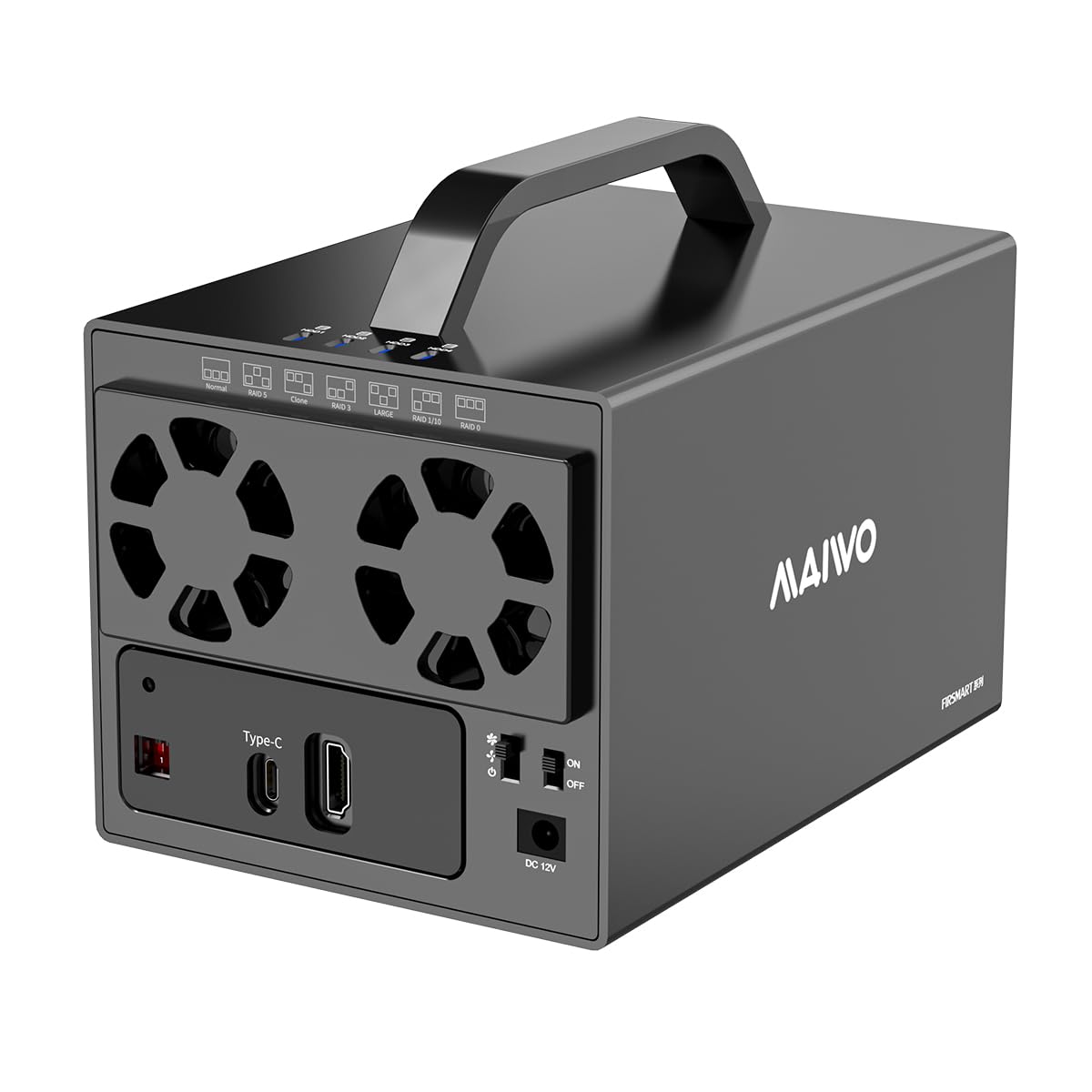
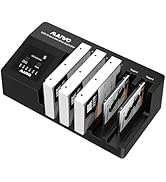
💼 Elevate your data game with MAIWO’s powerhouse RAID enclosure — because your files deserve the best!
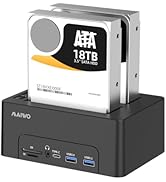
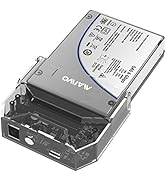
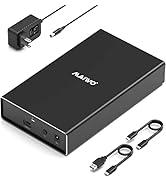
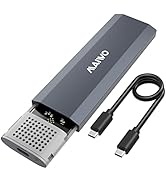
The MAIWO USB-C 4 Bay HDD RAID Enclosure supports up to 96TB of combined 2.5" and 3.5" SATA drives with 7 RAID modes, including RAID 5 and Clone. Featuring USB 3.1 Gen 2 connectivity for up to 5Gbps transfer speeds, it ensures fast data access. Its robust aluminum body and dual cooling fans maintain optimal drive temperatures, while a 78W external power supply guarantees stable operation. Compatible across major OS platforms and equipped with HDMI 4K output, it’s designed for professional-grade storage and multimedia versatility.






| ASIN | B09JKL7JPV |
| Best Sellers Rank | #643 in Enclosures |
| Compatible Devices | PC, Phone(With OTG), Router, TV |
| Connectivity Technology | SATA, USB |
| Customer Reviews | 3.5 3.5 out of 5 stars (89) |
| Data Transfer Rate | 480 Megabytes Per Second |
| Date First Available | October 15, 2021 |
| Hard Disk Form Factor | 3.5 Inches |
| Item Weight | 2.65 pounds |
| Item model number | 4 Bay Raid Enclosure K35274D |
| Manufacturer | MAIWO |
| Material | Acrylonitrile Butadiene Styrene (ABS), Aluminum |
| Max Number of Supported Devices | 4 |
| Memory Storage Capacity | 72 TB |
| Product Dimensions | 7.24 x 5 x 4.53 inches |
G**D
Uses Micron JMB393 which is limited to SATA-II speed.
I got this for 4x drive RAID-5 and thought the price was amazing for a hardware raid controller and it still is. If you want a hardware RAID-5 and are perfectly fine with being limited to around 200MB/s transfer speed then you'll have no issue with this enclosure. Extra plus if you plan to take advantage of the HDMI interface on the enclosure. I guess some folks use a JBOD as a dock. This being a fancy JBOD with built-in hardware RAID, but with an unfortunate choice of an ancient controller chip. The problem is they built a new product using JMicron JMB393 controller, this chip was released in 2008 and the entire bus speed for all 4x drives will be limited to 3GB/s transfer speed. To be clear, this unit still supports SATA-III (3) drives because all SATA drives are backwards compatible with older SATA revisions. I was fooled by the USB-C interface, I believe the inventors of this device went with a Type-C interface for anyone who wants to connect their monitor through the enclosure... What I can't understand is why build a new product in 2022/2023 (design was likely done last year) and use a chip from 2008. When I first realized I was only getting 200MB/s (and before I saw/realized the specs/limitations on the JMicron controller) I set the jumpers into "Normal" mode and did a transfer test to each drive simultaneously thinking that the RAID-5 calculation was the speed issue... Then I started getting 50MB/s to each drive... I launched the trusty "USB Device Tree Viewer" to confirm I was getting the right speed values and sure enough I was getting "Device Connection Speed : SuperSpeed" which was the maximum speed available for the device. The manufacturer certainly wasn't cheap with cabling, the USB cables provided are of high quality and give a SuperSpeed connection effortlessly. I would also like to state that I purchased several "compatily LX23 40TB (Dual 20TB)" from the same vendor and am happy with that purchase. I'll be reviewing the LX23 40TB separately and will be giving 5 stars.
R**N
Just about everything is wrong with this thing + false advertising, NOT FOR 3.5" HDD!
Careful, this item is not as described and can NOT host 3.5" HDD, because internal connectors are for 2.5" drives only!!! I was too late to discover this, so now I cannot even get the refund and there goes my $150 down the drain. I hope at least to help another buyer to avoid making the same mistake. Also, I purchased a new item, but the box i got was opened before, the item itself was not even in plastic - instead it was very dusty. The item itself at first looks like a cute little thing. But when you look closer, you see it comes with a huge separate power adapter, so carrying around with that adapter hanging is not possible. It would be way more convenient if adapter was included inside chasis or a small outlet plug adapter. The handle itself is supposed to make it portable, but because nonportability (see above) is really of no use to me. Unfortunately it is not detachable so wherever you put the rack you will have to look at this handle sticking out. Design itself ... It's hard to tell which side is front and which is back. Portable devices should have certain switches and plugs in front and the rest on the back. This one has everything on one side. The 2 racks (each holds 2 drives) are screwed in with 6 tiny screws below. There is no easy way to replace or even just remove a single hard drive. They are packed in two, but you have to unscrew all those tiny screws first. After that here is nothing to grab and pull the racks with drives out, so you need to use gravity to get those racks out. If there's no drives inside even gravity doesn't help.
L**E
BUYER BEWARE: No way to monitor, may kill drives in power outage
I had a power outage, when the power came back on thd unit was giving 4 quick beeps (very shrill & annoying), pausing, then again, over & over with no way to stop it aside from turning it off. I discovered one of the drive lights not blinking when read/writing (I have it in RAID5) so I replaced that drive. The beeping stopped & after a couple days the drive activity stopped which seems to, there's no actual information to say for sure, indicate the RAID5 has been rebuilt. Putting the failed drive in a PC directly I can see a handful of SMART warning, but no failures aside from the Helium levels. The drive formatted & functions properly even if not something that'd be "smart" to use. A couple weeks pass & now it's giving a DIFFERENT beep error code. This time a single long beep, a pause & a long beep again, with nothing I can find to tell me what those beep codes mean. I'm also suspicious that maybe the power failing while the unit was on may have caused the drive to fail as it had been working without issue for 8 months, then a power outage & there's a bunch of issues...
M**N
4 Bay RAID enclosure
I'm using all 4 slots with 2tb HDD's. The box configured for RAID 1 configured slots 1 & 2 as a 2tb drive, with drives 3 & 4 combined as a 2tb drive, then 1 & 2, 3 & 4 combined as a 4tb RAID 1 drive. So 1/2 = 2tb and 3/4 = 2tb, 1/2 + 3/4 = 4tb.
T**N
15 year old chipset limits performance
Very old design, avoid.
A**A
Tenia mis dudas, llego dos días antes de lo mencionado, muy facil de armar, la calidad de producto es muy buena, le instale cuantro discos de 1tb y por medio de de los swiches y siguiendo el manual logrpe tener un raid de 4Tb y ademas muy rápido, el raid lo formaté en exFat y funciona excelente en PA y MAC, sin duda hice una excelente compra y si estoy coiderando en un futuro ardquiri otros.
W**R
The fiddly screwing in of all the parts for installing the drives could be problematic for some. More screws than I would like are used but the resulting device is quite solid and seems very sturdy. I am not in the habit of dropping devices but do feel this would take a drop and continue to function well. The drives are not going to fall out and the balance of the device seems to be well thought out. As I am using it through a USB 3 hub, it was a true plug and play experience, with no downside. My drives were all preconfigured under NTSF and just showed up in Windows. No reboot, no formatting. All extant files accessible normally. The internal controller turns out to be a J MIcron unit that is quite stable and widely used in many USB drive docks and some enclosures. Solid performance well within the expected range. The internal fans, having their own switrch can get a bit noisy under full speed but the mid point, while noticeable, is a reasonable level. The drives themselves remain well under 40C, which is what I find acceptable. The price is fair, the quality is there. The performance and stability are quite acceptable. I am ordering a second one. EDIT: The second one was the same in every way. Amusing it to back up my laptop in an offline manner, so not constantly on. Just freaking works under W10 and 11. Am very happy with both. EDIT: Glutton for punishment here. Now have 3 units and all work the same fine trouble free way. EDIT: 4th one now. As these will handle up to 18TB drives, you can really get a lot of storage for all the cat videos and pictures, jokes your older relatives send you and OFC the back ups of your operating system you always make. As this device supports RAID at different levels there is also a measure of redundancy in that in several of those modes, one disk can fail and you will be able to recover the data relatively painlessly. Am using two in RAID 5 and the performance is quite good, max USB 3 speed in and out.
R**E
It beeps on startup. Good for the visually impaired that can't see the HDD lights flash. I find that disturbing. It takes a little getting used to because it is a RAID enclosure and thus has a "mind" of its own. You have to figure out the dip switches and know what kind of backup you want, then you have to figure out the programming. Set to NORMAL (ALL DOWN), Manual doesn't say if you have to reboot in that mode, but why not? HOLD the reset button down, turn the power switch on and KEEP HOLDING the reset button, not for the first beep, but about 6-10 seconds when it beeps again (why not?). Power down after saying a prayer to Thor and then change dip switches to your preferred setting. Hold the reset again and power on and wait for beep #2, because. Normal means every drive for itself. Old skool backup, aka manual. Copy/duplicate the important stuff, put different stuff on different drives. Or actually use RAID--You do you. I tries all the settings I could with my two humble Western Digital Red Pro 8TB drives. All of them worked as expected, and yes, you have to set up the drive. Follow the examples on their YouTube videos. My old ASUS laptop had a single old USB 3 port which was pushing 240 -290 mb/s with this enclosure. I think it was limited by the laptop port and the enclosure can go much faster. That's enough to blow this old nerd's mind who remembers when his disks were floppy and when we had that tape drive... Some quick notes. I bought both the two bay and four bay You don't need to fully screw it back together (six screws on bottom) but if you are sliding the cover on for protection, put ONE screw in just for insurance. The SATA connectors are solid (unlike the little two bay brother that wobble) The fan and power switches are cheeeeap, clunky but effective. Fans blow on the enclosure circuit board but some movement of air passes the drives. HDD tray is plastic. Don't go Hulk on them screws. Enclosure does NOT power down when computer sleeps (unlike the little two bay brother). HDMI is because...? You might want to leave the enclosure connected to the TV and just connect to the USB to pull stored content onto your computer and pass it through the enclosure to the TV? I dunno. Haven't tried it. Second drives are invisible to Western Digital diagnostics when in RAID. WD utilities could not identify my WD drives in this case. The power brick is big and solid. Don't recall it getting hot. When you take out drives and then put one back in, it will quickly beep four times over and over. You need to do the power on with the reset thing I am learning to appreciate this box, but the starting squawk drives me nuts.
U**H
Worked fine for a week and then stopped working and emits a strong beeping sound when powered ON at this point . Using it in Normal mode, drives health is Good upon doing test, Windows 11 is upto date including drivers of USB ports. Turned off overnight and plug it back did not help either (assumed overheating) even fans were turned ON from day 1. Sending it back and I would rather prefer to pay bit more for reliable product. I Do Not Recommend this to anyone.
D**A
Uses the awful JSM578 chipset, which has a bunch of inconsistent behaviours under Linux. Its a fine case, but the chipset issues are causing more problems than the cases are worth. I should have spent the extra $80 to get a better brand.
Trustpilot
2 months ago
4 days ago