
DOWNLOAD THE APP


Customer Services
Copyright © 2025 Desertcart Holdings Limited
DOWNLOAD THE APP

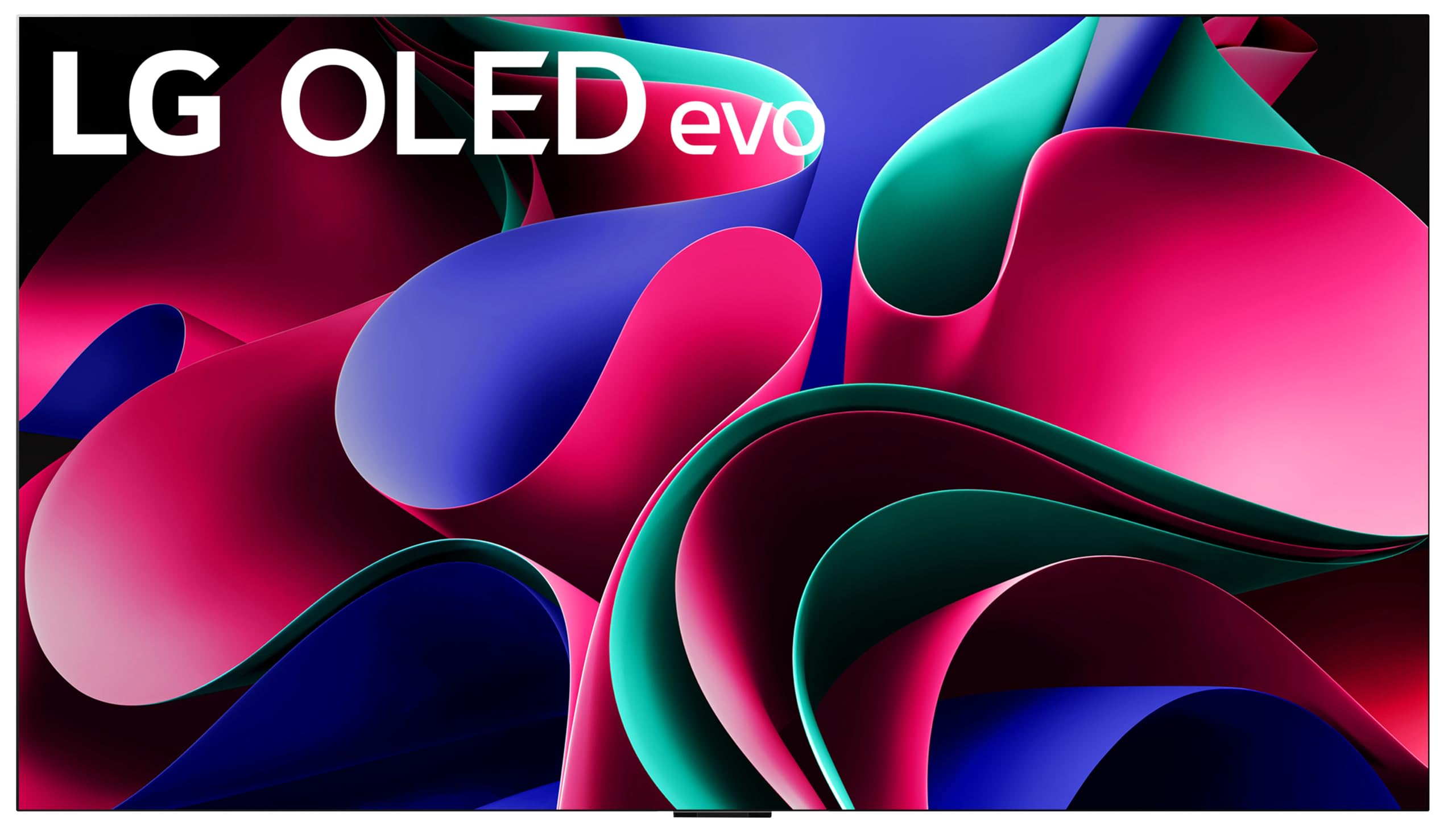


🔥 Elevate your living room with the LG G3 OLED – where art meets next-level tech!
The LG G3 Series 77-Inch OLED evo 4K TV features a cutting-edge a9 AI Processor Gen6 and Brightness Booster Max technology for up to 70% brighter, ultra-vivid images. Designed for gamers and cinephiles alike, it offers a 120Hz refresh rate, Dolby Vision HDR, and Dolby Atmos sound. Its sleek One Wall Design with included flush-mount bracket transforms your TV into a stunning wall art display when idle. Powered by webOS 23 and Magic Remote, it provides seamless access to 300+ free channels and smart streaming. Backed by a 5-year panel warranty, this TV is a premium centerpiece for any modern home.


| ASIN | B0BVWYRK3G |
| Additional Features | AI Picture, AI Upscaling, Dimming Technology, Dolby Vision, Dynamic Tone Mapping, FILMMAKER MODE, HDR (High Dynamic Range), Picture Processor |
| Antenna Location | Home Viewing |
| Aspect Ratio | 16:9 |
| Audio Input | HDMI, USB |
| Audio Output Mode | Digital |
| Best Sellers Rank | #46,732 in Electronics ( See Top 100 in Electronics ) #27 in OLED TVs |
| Brand | LG |
| Built-In Media | E-Manual, Flush Mount Included, Magic Remote w/ NFC, Power Cable, Quick Start Guide, Remote Control Battery (AA x 2EA) |
| Color | Black |
| Compatible Devices | Android, iphone |
| Connectivity Technology | Bluetooth, Ethernet, HDMI, USB, Wi-Fi |
| Connector Type | HDMI, USB |
| Content Sharing Direction | Mobile to TV |
| Contrast Ratio | [High Contrast Ratio] |
| Control Method | Remote, Voice |
| Controller Type | Remote Control, Voice Control |
| Customer Reviews | 4.3 out of 5 stars 370 Reviews |
| Display Backlight Technology | Self-Luminous |
| Display Size Class | 77 Inches |
| Display Technology | OLED |
| EU Spare Part Availability Duration | 5 Years |
| HDR Format Supported | Dolby Vision |
| Hardware Interface | Bluetooth, Ethernet, HDMI, USB |
| Has Color Screen | Yes |
| Integrated Surround Sound Format | Dolby Atmos |
| Internet Applications | Apple TV, Disney Plus, HBO Max, Hulu, Paramount Plus, Peacock, Youtube TV, Spotify, iHeartRadio and more, Netflix, Prime Video |
| Is Electric | Yes |
| Item Dimensions D x W x H | 1"D x 67.4"W x 38.4"H |
| Item Height | 38.4 inches |
| Item Weight | 101 Pounds |
| Line Voltage | 110 VAC 60 Hz |
| Manufacturer | LG |
| Model Name | OLED77G3PUA |
| Model Number | OLED77G3PUA |
| Model Series | G3 |
| Model Year | 2023 |
| Motion Enhancement Technology | LG's Proprietary Motion Enhancement Technologies |
| Mounting Type | Wall Mount |
| Number of Audio Channels | 4.2 |
| Number of Component Inputs | 2 |
| Number of Component Outputs | 4 |
| Operating System | WebOS |
| Parental Control Technology | Built-in device controls |
| Picture Quality Enhancement Technology | Brightness Booster Max, α9 AI Processor Gen6 |
| Refresh Rate | 120 |
| Remote Control Technology | NFC |
| Remote Required Battery Size | AA |
| Resolution | 4K |
| Response Time | 0.1 Milliseconds |
| Screen Finish | Glossy |
| Screen Size | 77 Inches |
| Signal Format | Digital |
| Speaker Description | Dolby Atmos Down Firing |
| Special Feature | AI Picture, AI Upscaling, Dimming Technology, Dolby Vision, Dynamic Tone Mapping, FILMMAKER MODE, HDR (High Dynamic Range), Picture Processor Special Feature AI Picture, AI Upscaling, Dimming Technology, Dolby Vision, Dynamic Tone Mapping, FILMMAKER MODE, HDR (High Dynamic Range), Picture Processor See more |
| Specific Uses For Product | Home Viewing |
| Standby Power Shutoff | High |
| Total Number of HDMI Ports | 4 |
| Total USB 2.0 Ports | 3 |
| Total USB 3.0 Ports | 3 |
| Total Usb Ports | 6 |
| Tuner Type | ATSC 3.0, Clear QAM |
| UPC | 195174051009 |
| VESA Mount Standard | 300 x 300 mm |
| Video Encoding | HEVC (H.265) |
| Voltage | 120 Volts |
| Warranty Description | 1 Year Parts & Labor |
| Warranty Type | Limited |
| Water Resistance Level | Not Water Resistant |
| Wireless Technology | Bluetooth, Wi-Fi |
M**.
The brightest and best picture quality I have ever seen!!!
LG really did an incredible job with this TV! Everything is fully functional and working properly. My only concern is that when I play games on my Nintendo Switch, it turns off without warning me that it's overheating. I'm currently working that out as best I can. Other than that, I really enjoy the picture quality with the MLA layer and 4K HDR content. I also like that it's Dolby Vision and Atmos compatible for AMAZING picture and sound! The colors are bright and vibrant, the black details are perfectly pitch black instead of a washed out gray, and the sound is loud with my sound bar. It even makes DVDs, for example, look their best. I mainly use this TV for gaming on my PS5, Xbox Series X, and Nintendo Switch, and watching 4K movies via my PS5. I also enjoy live TV, streaming, and I found an Office option that pulls up documents for books I write. It doesn't, however, with the documents, connect to a printer, but that's to be expected, I have a laptop I use anyway. With this TV, I also can use two set up HDMI devices at the same time with Multi View. In order to access Multi View for two devices, click the settings button once, scroll to Multi View, select Dual PC Monitor, and select the two inputs you want to use. No need for two screens and a matrix like I had before The Art Gallery is also very neat to look at since it looks like a large picture frame on the wall when you select it. It doesn't let you upload your photos from your phone to LG's Art Gallery app, but if you have LG Thinq on your phone or a flash drive hooked up, it will let you see your photos. In conclusion, I think it's the best TV ever! It can do so many things. I highly recommend it over any traditional TVs if you're in the market for something high quality
E**G
Fantastic TV. Buy it and don't look back!
I've owned the LG G3 Series 77-Inch Class OLED (OLED77G3PUA) for 6 months. I have hundreds hours of TV, movies and gaming in with this set, including an entire season of football. I could not be happier with this TV. The picture is fantastic and everything looks great on it. The colors are vivid, the blacks are deep and I rarely notice any kind of visual artifacts - even when watching sports or playing games. I use this TV with a Samsung HW-Q930C Soundbar and an Apple TV 4K (3rd Gen). All media consumption, including watching over-the-air television channels, is done through the Apple TV. I do not use the TV's built-in interface or apps for streaming. HDR, Dolby Vision and Dolby Atmos work great in this setup. I've had zero issues and setup was a breeze. I have a Nintendo Switch and a Windows PC running Steam hooked up to this TV for gaming. I have not noticed any input lag, and both systems look fantastic. Even the Nintendo Switch's 1080p output looks great on this set … a testament to its upscaling abilities. The biggest surprise I had with this purchase was how easy the setup was. I haven't bought a new TV or sound system in several years. What I remember most about my last purchase experience was how long it took to actually get everything working correctly with the advanced sound and video formats. Given that my core watching experience was going to use hardware from three different vendors, I was sure this was going to be a miserable process and take me all day. It actually took me less than an hour. I plugged everything in, went through the guided setup and update process for each device and it was done. Everything, and I mean everything, just worked. HDR, Dolby Vision, Dolby Atmos, … everything. The LG 'Magic' remote was indeed magic … it controlled the Apple TV and Samsung soundbar without me having to do anything. Also, for the first time ever, automatic input switching actually works! Amazon's delivery for this TV was fast and professional. They were in and out in less than 15 minutes. The delivery team unboxed the TV, tested it and got rid of the garbage. I purchased a wall mount separately and had it ready to go when the TV was delivered. I mounted the bracket on the back of the TV while they cleaned up the packaging and they helped me get it up on the wall before they left. They were great! My only complaints about this TV are the lack of a stand (it only comes with a wall-mount, so be prepared for that when it arrives), and the cost. If you want a fantastic TV, grab this thing when it goes on sale and don't look back! When buying a new TV remember to get the right cables. You will not have a good experience with any newer TV if you try to use your old HDMI cables. You need cables which are rated for the latest HDMI specs, like these (https://www.amazon.com/gp/product/B081NXV3ZR/). Also, head over to RTings.com and check out their review. Their detailed technical reviews will tell you everything you need to know, and often have setup tips and calibration instructions so you can get your TV up and running in no time.
P**D
If you find one of these older models, give it a serious look if priced right. Great TV
This is an older model as LG has entered into the market with the G5 model which means an all new processor. However, I don't watch OTA or cable tv. I use the TV for my media files (Nvidia Shield Pro TV streamer) and some streaming services such as Amazon Prime TV, Fandango, etc. This TV was relegated to a bed room and required a wall mount which was easy enough to do with the help of a second person to lift the TV up. Otherwise, the rest I could do myself. The picture quality is very good and as everyone has different preferences, it remained with some good useful choices including mine which was a "filmmakers mode" slightly adjusted. Again, I watch mostly movies and some old TV shows. The audio is on the better side of typical of flat tv's in that it is not room filling nor presenting an optimal stage. In our case, it resides in a small room and angled with the back slightly facing a corner. It turns out, due to lower volumes that the TV's own sound was more than sufficient and work rather well. It was fully appreciated. I would however, recommend at least a middle qualty/level soundbar at minimum if you want a bit more impact. The remote is typical of LG. Some will like it and some not. I found it easy and intuitive and it not only handles the TV but with its arc for HDMI connection, it controls my streamer mentioned above quite well. I'll add that while my streamer in some instances does a better job with the same streaming source than the TV, the TV does much better than expected and in most cases, people will be happy with running Disney, Netflix, Amazon Prime, ATV etc right from the TV itself. Well done. The bad ... well not so bad... I prefer more stripped down screens. LG runs with WebOS which is rather busy and requires various choices which for some is good and for me, well uninterested in most of what is offered up. I prefer LESS and I believe a few other folks might agree. For those looking for a tv that might be discounted (if still available) give it a serious look. I appreciated this TV so much we went and got another LG (larger size) for another room.
H**D
Lemon after lemon
I usually always get Sony TVs, but I read a bunch of reviews and a lot of people really liked the LG G3, so I thought, "What the hell? I'll give it a shot." I was super happy with the TV, incredible picture and great interface. It worked for 5 days. On the fifth day I was playing PS5 and all of a sudden a single pixel went dead in the lower right hand quadrant of the screen. So there was one tiny dead, black pixel and a vertical white line that extended all the way up and down the screen that was super noticeable. It also had a white streak that went left of the pixel a few inches. OK, a manufacturing defect of some kind. Amazon was super helpful and the bad TV got picked up 2 days later. 3 days later the replacement came. I was excited to finally be done with it all and have a nice new TV to enjoy. The deluxe delivery and unpack service from Amazon is great- they unboxed it, helped me mount the 3rd party stand's bracket to the TV, and get it on the stand. We plugged it in, and a red light appeared on the bottom of the TV. Hit power on the remote... and nothing. The red light would blink and the TV wouldn't turn on, no matter how many times we tried. Instead of plugging it into my surge protector we plugged it into the wall to no avail. So my 2nd attempt was a bust. There will be no third attempt. I don't know what the LG quality control department is like, but you can imagine my opinion of them at this point. I'll be going back to Sony.
C**S
Good deal for an older model.
Better image and cheaper than the C5. Only issue I've noticed with it is a bit of vertical banding when large parts of the screen are certain colors of Grey, which can be noticable in some app menus, but is not noticable when actually watching anything. Viewing angles are great with no noticable discoloration even at extreme angles. Colors and blacks are very clear amd accurate. WebOS is garbage. Worst TV OS I've ever used. Only good part is that you can bypass it by having the TV turn on to a desired imput instead of the home screen, and you dont need to sign into an account to use your TV like FireTV.
R**Z
A revolutionary home theater experience!
INTRO Closest thing I've had to a theatrical cinema experience in my living room. Amazing detail, depth, a visual sense of presence, and exceedingly broad color and illumination range. Probably most buyers will be happy to bring it home, mount it on the wall, maybe add a sound bar (though its built-in audio is also quite good) - and you're all set. The smart TV web interface is sophisticated, regularly updated, easy to use, supports numerous sources and channels for viewing and streaming. (Pop some popcorn, and you've got a theater.) Then there are TV geeks (like me) who already own an audio-visual receiver (AVR system) that ties together external devices as program sources. If you are one of these, well, that's what most of my review touches on, a geek project of replacing a 1080p TV with this LG G3 4K system - and keeping the rest of the home theater intact. I also mention a great buying experience, what a beautiful TV the LG G3 is, and using a mount stand rather than a wall mount. Here goes. BUYING and VIEWING Extraordinary, beautiful display that continues to exceed expectations, every day. Selected the 65" LG G3 based on over-the-top, expert reviews. Currently watching standard antenna TV programming - which looks greatly enhanced - and where LG G3 truly shines, watching 4K Dolby Vision and HDR10 programming. (In my home theater, 4K input sources are external devices: a Roku Ultra streamer and a Panasonic UB9000 4K UHD player, supported via a Denon AVR with B&W 5.1 external speakers. But again, many others will prefer to use the LG G3's own smart TV WebOS interface as their programming control.) My Oct 2023 Amazon delivery was terrific, using a pre-arranged date/time, safely delivered under my supervision into the front interior of my home by two delivery techs. INITIAL SETUP I chose to uncarton it myself. A 62 lb. large TV is beyond my guy grip for carrying so I safely slid across carpet to an initial test spot, where I vertically secured it at sides plus front and back using sturdy furniture, buffered by safety pads. Since LG G3 has control buttons on its underside, midpoint of screen, I raised it off the floor at both ends, to not put upward pressure against those control buttons during temporary setup. The G3 comes with a wall mount - but no TV stand. You'll likely choose to wall mount or else buy a beefy TV stand. With my older home's plaster walls I chose against wall mounting, going instead with a heavyweight TV display stand resting atop some existing media furniture. Despite G3's slim profile, it's still a sizeable, substantial TV that requires a very solidly built, robust TV display stand if you use that method. My first TV display stand pick was LOUSY for this model: the PERLESMITH "Swivel Universal TV Stand for 37-65,70,75 inch" (PSTVS02) uses a 25" wide backplate, so wide it obstructs the 65" G3's rear coaxial antenna port, contrary to PERLESMITH's product descriptions. I phoned PERLESMITH's support number to ask if they can send me a shorter backplate since 25" was too wide and really, far wider than needed for the 65" G3. They had no solution for me. Had to give up on that stand. Then I chose the excellent PERLEGEAR (not PERLESMITH) brand "Swivel TV Stand Mount, Universal TV Stand for 37-80 inch TVs" (PGTVS28) from Amazon with sturdy, width-adjustable backplate. Its 99 lb. rated capacity exceeds this 65" TV's own 62 lb. requirement. The stand's swivel feature also nicely adapts the viewing angle for my movie guests. A clean, beautiful, modern design stand. Raising a 62 lb. TV and 17 lb. display stand onto media furniture is a two- or more-person task so I hired a handyman skilled in home theater gear for a few minutes to assist, after I'd fully assembled and tested the stand and its locking mechanism for holding the TV securely. DAILY USE I'm addicted to daily viewing this fine system. Viewing local news and saying, "gosh, I've never noticed how many strands of hair my TV meteorologist has" or to continually admire the vastly greater variations in individual colors rendered to the screen - that's the starting point where we say, "this is more like being there, than any TV I've had." And when its 4K support instantly recognizes a Dolby Vision or HDR program source and auto-switches G3's display mode to the matching display standard, and when the purity and vibrancy of inky blacks and bright lights mimic what we'd see in person on location or at a film stage - then, yes, we have an immersive, oftentimes "jaw-dropping" experience. REFINED SETUP Expect to make some setting tweaks as you would for any new TV - particularly if you use external devices. Many home theater enthusiasts with multiple program sources and an AVR will be accustomed to tweak settings at the display, some at the AVR, and to a lesser extent the external devices - generally fine tuning at the higher-end (display, AVR). I tuned my LG G3 display modes by hand without a reference disk (amateur here, though with some years of experience). Then selected my preferred auto display modes for when Dolby Vision or HDR are detected, and for standard non-4K sources. With tons of published tips online for tuning, I won't try to support that detail here. But expect to get to know your equipment. Have a tech help you or study, learn, and tweak settings "DIY" as desired. And have fun! A valued reviewer on this page discusses a feature that challenged me, too. LG's implementation of HDMI-CEC is called “SIMPLINK” and can be enabled to use ARC to: • (A) Send G3's audio output to an external sound system - AND - • (B) Use G3's remote to control external, HDMI connected devices. I wanted choice A without choice B. (I already control existing HDMI connected devices from my AVR plus a universal remote. The AVR gives me matching audio output to external speakers and matching video output to my TV.) LG G3 SIMPLINK seemed to insist I must use both (A) and (B). That bickered with using the AVR, instead, to integrate and control external input devices. Since I couldn't get SIMPLINK to give me (A) without (B), I completely disabled SIMPLINK. Then, for (A), outputting G3 audio to AVR and external speakers, I ran a TOSLINK optical audio cable from G3's TOSLINK audio output port, into the AVR. The TOSLINK standard supports up to 5.1 audio and works well for using G3 to view antenna TV, or G3's WebOS web channels, or G3's WebOS media player for USB connected photos and movie files. If you experience device control conflicts between SIMPLINK and an external AVR, search AV forums for a best solution for your use case. This was a headache for me for a few early days - again, resolved in my case by disabling G3's SIMPLINK feature and disabling ARC in my AVR. Be willing to make home theater design choices. Placements of system, speakers, seating, lighting. And if you use an AVR as your main control, your setup will differ from using LG's fine Smart WebOS as your main control. Since I swapped out an older smart TV (whose "smart" interface I stopped using after its publisher stopped updating it), I wanted my new 4K display to behave as that prior TV: a display device rather than as an activity hub. For streaming I also preferred to keep using my external Roku streaming device as a "modular" component since it excels visually/audibly and since I already had my streaming subscriptions programmed in and authenticated. This also saved me from manually reconfiguring all streaming sources and user credentials into the LG G3 WebOS. This called for tweaking some LG display and AVR settings, swapping in a couple of upgraded HDMI cables for 4K support, and in my case optionally adding a 4K UHD Blu-Ray disk player. Your mileage - your design - will vary. A "gotcha" when using external HDMI devices: switching program sources can trigger a temporary black screen and a brief LG "no signal" message as frame rate and settings promptly recalibrate to match the new 4K input source. (The brief interruption sets up the new 4K program source for optimal 4K presentation.) Viewing then resumes normally, with G3's spectacular output. Hope this helps you shop! Enjoy your new TV!
S**U
77" is heavy and very hard to install, but a great TV
What an image! Lots of options for viewing that I never even heard of! The image is sharp, bright and smooth. As I mentioned in the title of my review, it is heavier than it looks. You will need help mounting it on the wall bracket that it comes with. It will not fit using the traditional TV mount. Installing it onto its own wall bracket is hard when you are trying to lift the thing and aim for the four 1" holes. You may want hire someone who has installed them before. But the TV's performance is great! The remote is very comfortable to use. I had a hard time finding the Subtitles option, but I did eventually find it. You can usually find that on the remote, but not on this one. No Amazon Prime button on it. You have to find it on the TV screen.
J**L
So pleased with this TV
If you’re anything like me you’ve done tons of research in thinking about buying a new TV. I previously had a 58” Panasonic plasma TV that was still going strong after more than 10 years of faithful service. It has a beautiful picture and there was nothing wrong with it at all. However, after 10 years the 58” was starting to feel small with all these 65”, 77” 85” and larger screen sizes. The biggest thing I knew I was missing was the ability to display high dynamic range (HDR) images. After a ton of research my two choices came down to this TV and the Sony XR A95L OLED TV. I really really wanted to go with the Sony for the Sony image processor but when I looked at that TV compared to this TV in person there just didn’t seem to be enough difference between the two to justify another $1500 for the Sony. I absolutely love this TV. The G-series is truly a work of art when off and an absolute beauty when on. The edge bezels are so thin they absolutely disappear when viewing content. There is no gaudy LG branding anywhere on the TV which is nice. The TV does NOT come with a base stand but a slim flush mount wall mount. I live in an old house with old walls and I’ve found that the studs aren’t always 16” on center and combined with old lathe and plaster walls I am always hesitant to start drilling and hanging things - especially something this heavy - from these old walls. Also, I have a perfectly good TV entertainment center stand that I didn’t want to get rid of. I searched out a few aftermarket TV stands here on Amazon and ended up going with the “SANUS Universal TV Stand - Large Swivel Base Replacement TV Stand for Screens Up to 86". It ended up working great! There’s no use going into detail about how beautiful the picture is with this TV if you’ve done in-store and online research. It just is. It’s beautiful. This TV sits in a moderately lit living room and it is plenty bright enough to combat reflections. Of course during the mid day if pure sunlight is coming in from the window you’re going to see it. But the brightness factor is something that has plagued OLED technology and this particular TV is extremely bright. Combine the high brightness with the LG screen coating and it does an excellent job of combating glare. Connected to a PS5, a 4K AppleTV, and a Sony 4K Blue-Ray player this TV just continues to blow me away in its picture quality. I have zero regrets in buying this TV and saving the $1500 Sony tax. If I have one complaint - two really - it would be the clunky remote control and the TV’s on screen menus. I can’t stand the odd shaped LG magic remote control with its motion tracking and less than stellar scroll wheel. The scroll wheel is also the enter button and more often than not when I push downward to “enter” the scroll wheel moves ever so slightly and scrolls something on screen. So annoying. The on screen menus are less than impressive as well. Some menus are opaque and some are randomly transparent. Some sections of the menu have explanations and some don’t. Sometimes when in a sub menu you are adjusting the setting and for no reason whatsoever it stops adjusting the setting and goes back a submenu. Some of the menu descriptions are in “good” English and some are in what feel like an AI translation of Korean-to-English. For such a beautiful television it’s a bit of a disappointment that the two main interfaces with the TV are less than stellar. Are those two niggles enough to NOT buy this TV? No. Are those two niggles enough to spend an extra $1500 and buy the Sony competitor? Not in my opinion. This TV has all the HDMI input you could most likely ever need unlike its Sony and Samsung competitors. Personally I run all my equipment through my A/V receiver and then run one 8k HDMI cable to the TV but if you don’t I can’t imagine you’d run out of HDMI inputs. The video game picture mode is super cool and allows you to dial in hyper fast zero lag screen displays and a unique gaming settings menu with one push of the settings button on the remote. All in all this TV has far exceeded my hopes and expectations for a new high end 4K television.
Trustpilot
4 days ago
2 weeks ago