

Desert Online General Trading LLC
Dubai, United Arab Emirates
Desert Online General Trading LLC
Dubai, United Arab Emirates


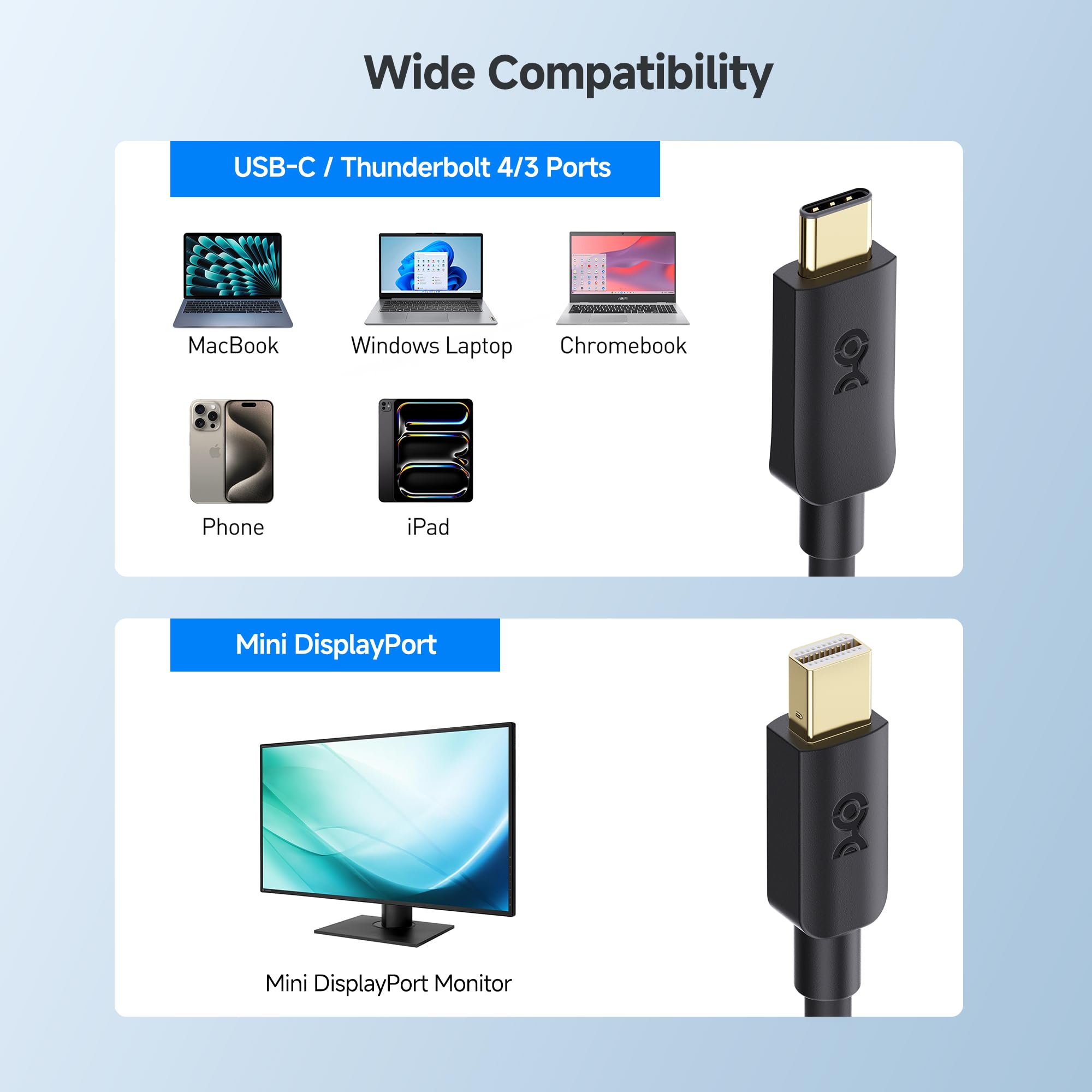

🚀 Elevate your display game with flawless 4K clarity and plug-and-play ease!
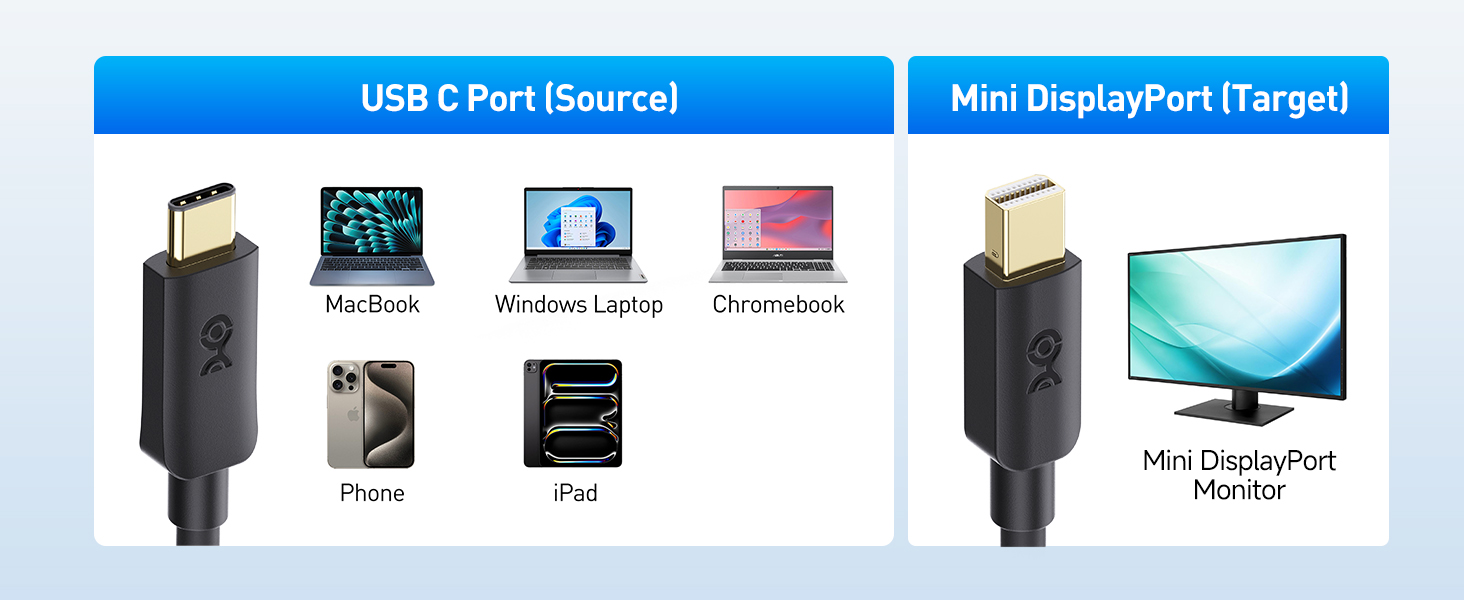
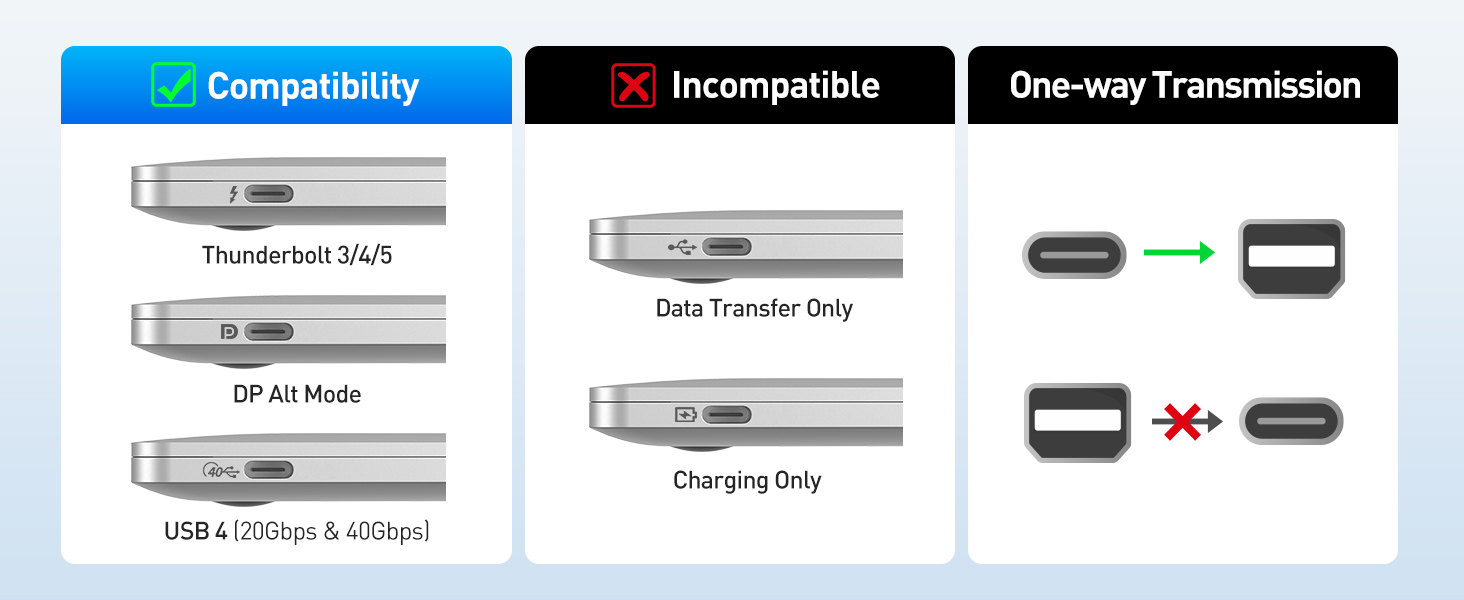
The Cable Matters 6ft USB-C to Mini DisplayPort cable delivers high-speed, uni-directional connectivity from USB-C devices supporting DisplayPort Alt Mode to Mini DisplayPort monitors. It supports 4K resolution at 60Hz with 7.1 surround sound, is compatible with Thunderbolt 3/4/5 laptops, and requires no drivers, making it an essential tool for professionals seeking crisp visuals and seamless setup in modern work environments.

| Brand | Cable Matters |
| Connector Type | Usb Type C, Mini Displayport |
| Cable Type | USB |
| Compatible Devices | Laptop, Monitor, Personal Computer, Smartphone |
| Special Feature | High Speed |
| Compatible Phone Models | Samsung |
| Recommended Uses For Product | connecting computers and monitors, high-performance video and audio |
| Color | Black |
| Shape | Round |
| Number of Pins | 24 |
| Frequency | 60 Hz |
| Unit Count | 1 Count |
| Item Weight | 0.03 Kilograms |
| Model Name | 201076-BLK-6 |
| Indoor/Outdoor Usage | Indoor |
| Number of Items | 1 |
| Manufacturer | Cable Matters |
| UPC | 818707022863 |
| Global Trade Identification Number | 00818707022863 |
| Item model number | 201076-BLK-6 |
| Item Weight | 1.13 ounces |
| Product Dimensions | 6.6 x 4.1 x 0.7 inches |
| Item Dimensions LxWxH | 6.6 x 4.1 x 0.7 inches |
| ASIN | B0777S15V2 |
| Is Discontinued By Manufacturer | No |
| Date First Available | November 7, 2017 |
W**N
This works for iMac direct display! From windows 10 usb-c to 27" late 2009 iMac
This cable works for iMac direct display!iMac is High Sierra macOS Version 10.13.16 (27-inch, Late 2009).Windows laptop is a windows 10 laptop with usb-c display portThe moment I plug in the cable into both the imac and windows laptop, the imac showed what my windows laptop is showing. You might also have to change the projection mode on the windows PC if this doesn't happen.I foudn out by using a 2009 apple magic keyboard wired, with the fn key on the bottom left, pressing command + f2 swaps the imac to the windows display.Audio works too!100% recommend this cable.
A**R
Good quality cables
I bought these as I was getting intermittent black screens between my M1 mini and Dell U2718Q monitor and this cable resolved the problems. The Apple Silicon computers seem pretty touchy on cable quality.
C**D
Perfect for the job
We had a 2009 iMac 27 that could not upgrade to Catalina, and a son with a 2019 13" MacbookPro as a CS major, needing more screen real estate while in xCode. This cable nailed it in one. Just put the iMac into target mode by hitting F2, and bang, welcome to a two-monitor system. Much better than the previously advised path of a USB-C to Displayport adapter, and a male-to-male DisplayPort cable. The cable quality appears to be top-notch.
A**R
Worked, as advertised!
I rarely write reviews, but boy am I happy. Used this to connect my Steam Deck to my 2009 27" iMac (via Target Display Mode), and it works flawlessly!! Just like connecting to any standard dp monitor. Thank you!
M**R
It worked until it didn't
It worked great of 10 months and now it doesn't.Not option to return... ?I guess it was worth the $2/month to use, but very disappointing. It took us 45 minutes of trouble shooting to figure out it had expired as determined by it also failing on another set up and the other Keezing cord working on the original set up.
J**E
Good quality/durable cord, but didnt work with new macbook pro 2022.
DOES NOT WORK WITH NEW MACBOOK PRO 2022 (like title suggests). Attempted to connect to mid 2010 iMac.
R**.
Amazing!
I searched everywhere for this specific cable, I couldn't find...one store quoted me a ridiculous amount!I bought this and its perfect, build quality is great, works from my MacBook Pro 2019 to a Dell Monitor with a MINI DP Cable in.
R**K
Doesn't enable USB-C external drive connection to 2014 MacBook Pro
What are the possible use cases for this adapter?- Operate a mini-display-port-connected video display via USB-C connection? (not tested)- Connect a USB-C modern device backward to the Thunderbolt 2 / Displayport standard (doesn't work for my OWC Envoy Pro SX external drive)- Connect a multi-port adapter or specialized peripheral (such as a USB-C audio interface) to a legacy computer (not tested)I would think that the external hard drive connection would be the most straightforward of the above use cases. So if it does not work, I'd have little hope for the other use cases.
Trustpilot
5 days ago
2 weeks ago

![Cable Matters 20Gbps USB C to USB C Monitor Cable - 6ft / 1.8m, Supports Up to [8K@30Hz / 4K@120Hz Video, 240W Charging, 20Gbps Data Transfer], USBC Video Cable, Works with CarPlay, Android Auto](https://images-na.ssl-images-amazon.com/images/I/61cLJcqwJ-L._AC_UL116_SR116,116_.jpg)