


⚡ Power smarter, live better — your home’s energy MVP!
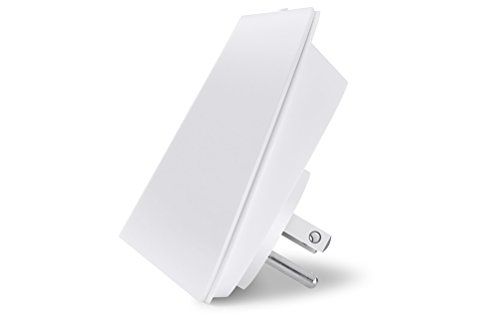
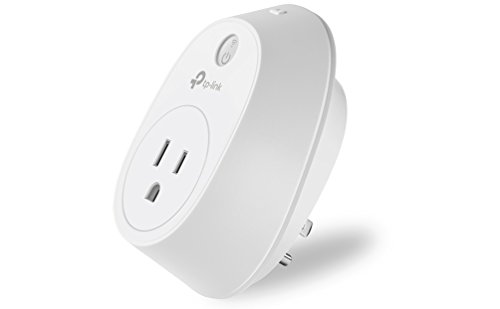
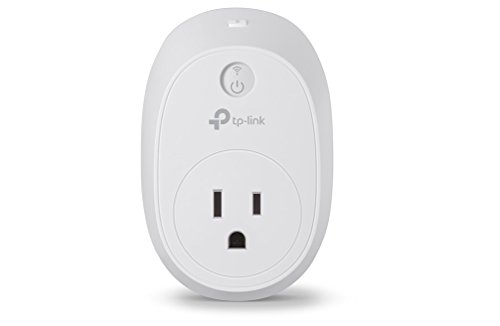
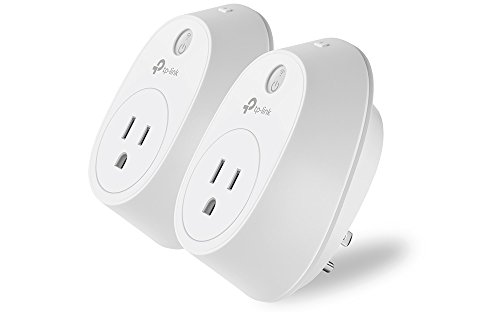
The Kasa Smart WiFi Plug HS110KIT by TP-Link offers effortless remote control and energy monitoring for your appliances. Compatible with Alexa, Google Assistant, and Cortana, it enables voice commands and customizable schedules without requiring a hub. This 2-pack supports 15A devices up to 1800W, helping you reduce energy waste and automate your home with a sleek, user-friendly app.
| ASIN | B01DQM4ZC2 |
| Actuator Type | Push Button |
| Batteries Included? | No |
| Batteries Required? | No |
| Best Sellers Rank | #396,471 in Tools & Home Improvement ( See Top 100 in Tools & Home Improvement ) #1,080 in Electric Plugs |
| Brand | TP-Link |
| Circuit Type | 1-way |
| Color | white |
| Compatible Devices | Smartphone |
| Connectivity Protocol | Wi-Fi |
| Connector Type | Plug In |
| Contact Material | Plastic |
| Contact Type | Normally Open |
| Control Method | Voice |
| Control Type | advanced |
| Controller Type | Amazon Alexa, Android, Google Assistant, iOS, vera |
| Current Rating | 15 Amps |
| Customer Reviews | 3.6 3.6 out of 5 stars (291) |
| Date First Available | April 5, 2016 |
| Global Trade Identification Number | 00845973095628 |
| Included Components | Smart Wi-Fi Plug w/ Energy Monitor HS110 * 2, Quick Start Guide |
| International Protection Rating | IP00 |
| Is Discontinued By Manufacturer | No |
| Item Package Quantity | 1 |
| Item Weight | 8.8 ounces |
| Item dimensions L x W x H | 3.95 x 2.61 x 3.07 inches |
| Item model number | HS110 KIT |
| Manufacturer | TP-Link |
| Number of Items | 1 |
| Number of Positions | 2 |
| Operating Voltage | 120 Volts (AC) |
| Operation Mode | automatic |
| Part Number | HS110 KIT |
| Product Dimensions | 3.95 x 2.61 x 3.07 inches |
| Size | 2-Pack |
| Style | Kasa Smart Plug,w/Energy Monitoring |
| Terminal | Screw |
| UPC | 845973095628 |
| Unit Count | 2.0 Count |
| Voltage | 120 Volts |
| Warranty Description | 2 Years |
| Wattage | 1800 watts |
H**L
Great product
Purchased these to use in conjunction with my Sense energy monitoring system. So far I have 7 HS110's. They have helped with reducing our energy usage. In the winter I use one to schedule/monitor our outside light decorations. Next spring/summer I'll use the same one to schedule lawn sprinklers. I have had one of them fail. It won't turn on/off automatically or manually. They fail to the on position. It still monitors usage. So I have installed it on audio/video electronics items using a common power strip. I wouldn't turn those off anyhow. Very pleased with the App and the ease of setup of devices on the app. Integration with Sense is quick and accurate.
G**L
Awesome plugs, work wonderful but don't expect to conect TP Link support.
The plugs are wonderful, I have six of these in my house now. My main issue is support, as the last two pack I bought has a plug that doesn't always report the energy usage and says it is not connected to my account. After a few minutes of opening and closing the app, it will reconnect. Not sure if this is a common problem but this is the first I have experienced it. I have not gotten an e-mail back from support, the two I sent have gone unanswered. Now aside from this, I love these. They are like an addiction. TP Link has a cheaper but equivalent quality plug as Belkin Wemo. The energy monitoring feature is nice, as you can see what devices in your house are using the most electricity, and then schedule them to run when electric is cheaper or even to just reduce the time your device is running. Support through Amazon is great, and I am sure I could just return the plugs to them with no questions asked but it would be nice if the actual company could respond just in case there is something simple I can do to get the plug working right.
D**D
Yes, These Really Work
These work great with Google Home software. They were a bit tricky to install due to the WiFi requirements, but once you get past that technical hurdle, these smart plugs are fantastic! If you don't have any Google Home products, not an issue, they work perfectly with the Kasa App, as well. Every individual smart plug can be given a nickname and multiple customized schedules, and can be accessed as long as you're connected to the internet in any way. I used was able to control my plugs from thousands of miles away (visually tested with a video camera and kind family member). They are a bit on the clunky side and use up an entire outlet due to their size, but I got around that with an outlet extender. And if you're having internet issues, you can easily control your plug with the On/Off button on the plug.
A**S
Works as advertised, BUT lacks security!
So, I've given the HS110 plugs a go as a cheaper alternative (and now discontinued) solution to the Ubiquiti mPower plugs I am also using. Functionally, these are great. I use Home Assistant to connect directly to these plugs which allows me to integrate them with HomeKit and Alexa, as well as use my own solutions for gathering and reporting on the energy usage, and integrate the automation with the rest of my home devices. I have zero complaints with the function of these devices. Some quick background... I have worked in enterprise security for about 15 years now, so that may give context to my perspective. Some may share my concerns, others not. My biggest issue, which I think is a significant one, is that the TP-Link HS110's do not have ANY local authentication. I was able to connect to them on my local network, read the power information and turn them on and off without having to so much as enter a passcode. This is not a good idea. There should at least be some sort of authentication enabled, even if it is a random code assigned to each device individually. Why? Because any infection on your network could start causing problems. If you plug one of these into your refrigerator so you can monitor the power usage, malware on your network could turn off your fridge causing water damage (melting frost, etc.), loss of your foods, etc. Best case of such a problem is that you pay extra for electricity because a lamp was turned on. Many argue that this is only a problem if you aren't careful and get malware on your computer or network. But with all the added IoT/smart-home devices being added the potential for compromise goes up. We are regularly hearing about how one device or another ends up being exposed to the Internet and compromised or that the cloud service those devices connect to is compromised, leading to infections within home networks. That foothold then allows for malware/attackers to further impact your network. And honestly, far too many people do NOT know how to secure a home network, and shouldn't be faulted for it. Not everyone (a minority in fact) understands technology to that degree, and not everyone should need to. The technology we use needs to be secure and not rely on home users to take extra measures to make things secure. The devices should assume they are potentially on a hostile/compromised network and be secure in and of themselves. Something as simple as a password (and using basic encryption to protect the password over the network) being required when issuing commands to the device would solve this. If they come out with a firmware update to do what they should have done, I'll update the review to give another 1-2 stars. Like I said... the function of these is great, but I'm tired of all these "smart home" devices being morons when it comes to BASIC security.
M**T
They work and have stayed connected for more than a month.
I had a little trouble finding the iOS app at first, but once I did, these were very easy to use. I have heat tape on the roof of a home and apartment I rent out, which is expensive to run. The tape only needs to be on when there is snow and ice on the roof, (to prevent ice dams and considerable roof leaking) so I can use these to turn it off remotely when I'm confident the problem is gone. Two of the outlets are outdoors (under an eve), so I've covered them with a plastic bag which I stapled to the siding. The internet connection has not dropped out for the month+ I've used them. The good part is that I can monitor the power usage and not charge the tenants for the power needed to protect my roof.
P**B
Easy to use, no hub required, nice iot outlet controllers; just too bulky and interferes with bottom outlet on duplex outets
I like every aspect of these except their massive size. I really like being able to use them to monitor energy consumption, and I love that they connect directly to wifi rather than requiring some sort of iot hub. They are super easy to set up, and the kasa app works very nicely to control them. If TP-Link could just figure out a way to make them a little more friendly neighbors on a duplex outlet, they'd be perfect. They should at least not block the outlet under them, but unfortunately they do, so that its difficult or impossible to plug in another cord under one of these on the same outlet.
R**K
I bought this mainly for my block heater cord so I could set up a complicated schedule in IFTTT and Stringify based on outside temperature and my current shift. I haven't got that far, but it works great at -43°C. The energy monitor lets me know the block heater is actually working. It doesn't actually fit in the outside outlet. I had to use a stack of splitters to make it fit. I did order TP-Link's outside smart plug that will fit better. I had hoped you could store more than one WiFi connection in this outlet, then I could mount it inside my vehicle. To change WiFi connections you have to hold the reset button for 5 seconds, then add a new device from the app. It will recognize the MAC address and replace the device in your list. It does not forget the WiFi when unplugged, but the date and time needs to be reset by picking the timezone again. If the time is not set, schedules will not fire. It internally calculates sunrise and sunset times based on the location set from the phone's GPS during setup.
A**W
These are the best, mostly because they seem to be some of the only modern energy monitors available. There's also an open source project designed to use the info from these to graph the data as the app just shows total usage for the week and month (plus real time).
D**P
These are of great value. Surprisingly, the Android app is actually decent. Allows you to track power usage. I wish these had some functionality to send out alerts when consumed power is over/under XXX Watts for the duration of YYY minutes.
M**É
They work just as intended. Have been very reliable. They do work with Google Assistant / IFFFT too now. Something interesting to note is if you schedule events to occur at a later time, they are stored in the plug's memory.
V**J
works well, returned it as found better price at some other store
Trustpilot
3 weeks ago
1 month ago