
DOWNLOAD THE APP


Customer Support

Desert Online General Trading LLC
Warehouse # 7, 4th Street, Umm Ramool, Dubai, 30183, Dubai
DOWNLOAD THE APP
Customer Support
Desert Online General Trading LLC
Warehouse # 7, 4th Street, Umm Ramool, Dubai, 30183, Dubai


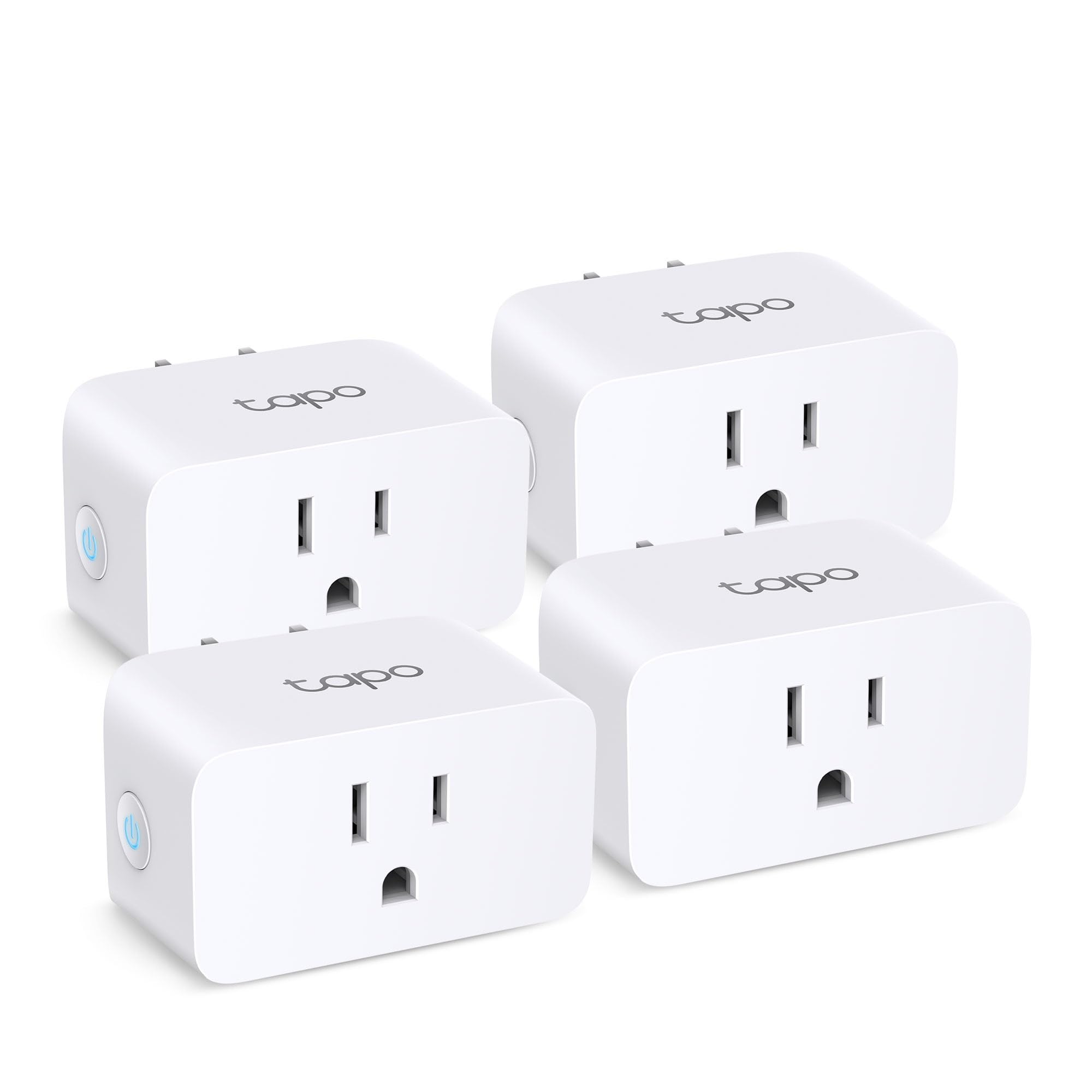

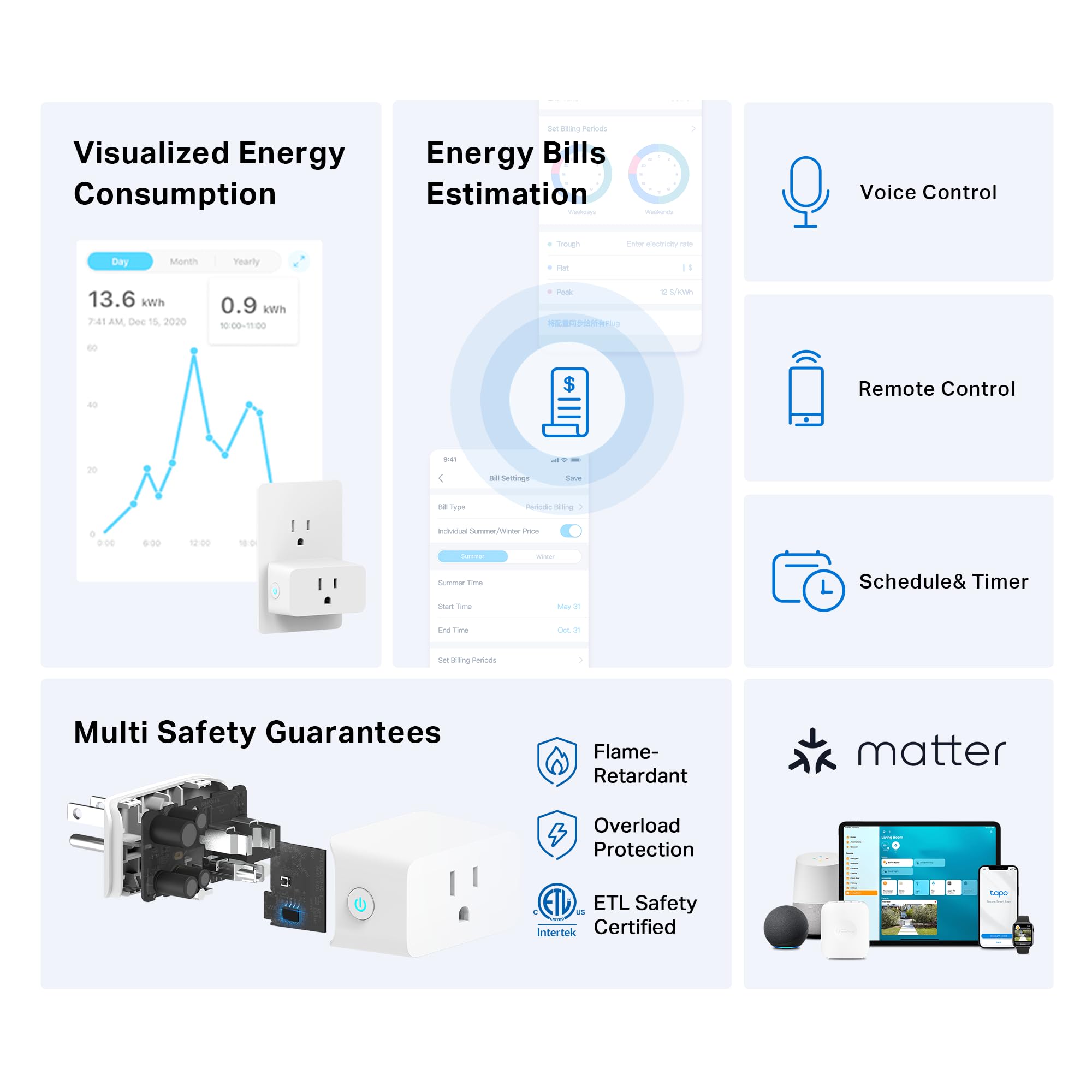


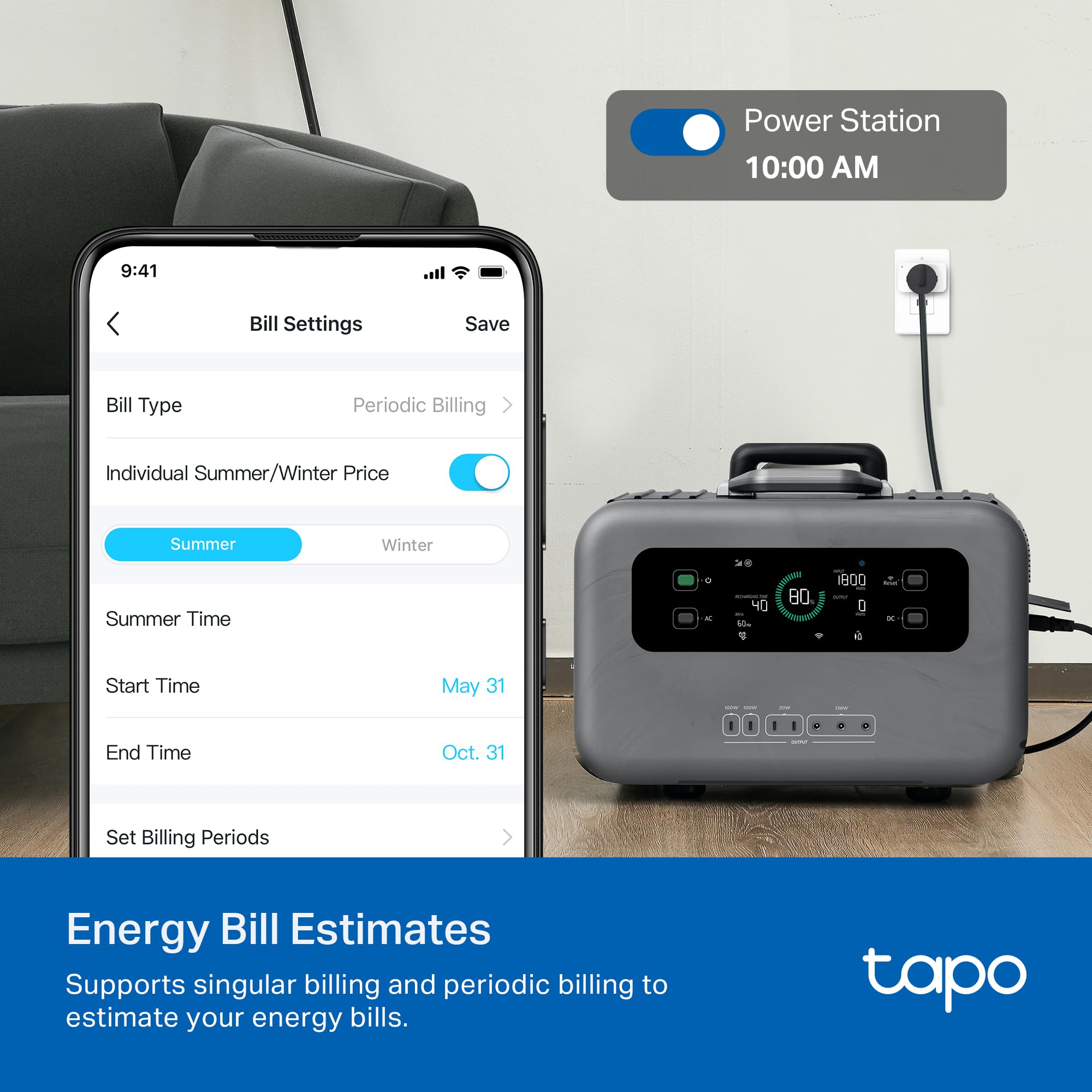
⚡ Plug into smarter living — control, save, and protect with ease!
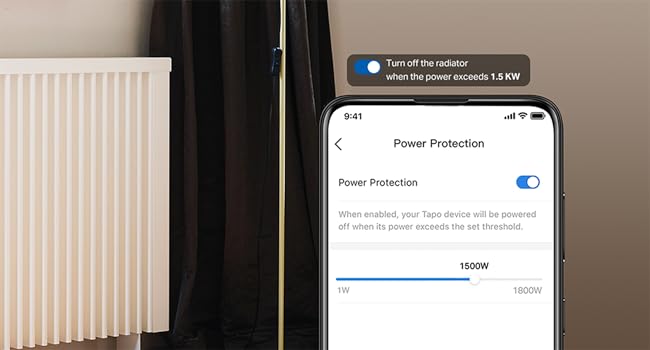
The TP-Link Tapo Smart Plug Mini (4-Pack) is a UL-certified, Matter-compatible smart plug supporting 15A load and 2.4G Wi-Fi. It offers real-time energy monitoring, cost estimation, and automated scheduling to optimize power usage. Compatible with major smart home platforms and voice assistants, it ensures seamless control and enhanced device protection through overcharge prevention.




| Operation Mode | AUTOMATIC |
| Contact Type | Normally Open |
| Connector Type | Plug In |
| Brand | Tapo |
| Terminal | Plug in |
| Circuit Type | 1-way |
| Contact Material | Copper |
| Number of Positions | 4 |
| Specification Met | FCC, UL, RoHS |
| Connectivity Protocol | Matter, Wi-Fi |
| Color | White |
| Wattage | 1800 watts |
| Unit Count | 4.0 Count |
| Number of Items | 4 |
| Manufacturer | TP-Link |
| UPC | 810142821834 |
| Part Number | Tapo P110M(4-Pack) |
| Item Weight | 11.6 ounces |
| Package Dimensions | 5.51 x 3.78 x 2.6 inches |
| Country of Origin | Vietnam |
| Item model number | Tapo P110M(4-Pack) |
| Size | 4-Pack |
| Style | Matter Compatible |
| Item Package Quantity | 1 |
| Included Components | 4 x Tapo P110M; Quick Installation Guide |
| Batteries Required? | No |
B**.
Reliable Smart Plugs with Great Usability and Energy Monitoring!
5 stars. These Tapo smart plugs are excellent quality and work flawlessly with Alexa, Google Home, and SmartThings. Setup was quick and easy, showing great usability and compatibility. The compact design offers strong portability and doesn’t block adjacent outlets, which adds practicality. I love the functionality—energy monitoring is a great feature for tracking usage, and the Matter support ensures long-term interoperability. The build feels solid, giving confidence in durability and reliability, and the UL certification adds extra peace of mind. Overall, these plugs combine quality, efficiency, and versatility perfectly. Highly recommend for anyone looking to upgrade their smart home setup!
A**R
Power monitoring _and_ control, Matter and HomeAssistant compatible
I was looking to identify the power consumption and on-off duty cycle of a few appliances in the home, all of which plug in to a 120V outlet. Side note: I'd like to find something similar for 240V, but there are so many 240V outlet configurations... Why these - I thought briefly about buying one of the self-contained power monitors (plugs into an outlet, provides an outlet, has its own display, etc.), but what I really wanted was to monitor the power over time, and for some use-cases compare that with other activity in the house. For this I needed to integrate the data (logging) into Home Assistant (HA) - an open-source smart home application I use. This combination brought me to choose the TP-Link Tapo Smart Plug Mini. Out of the boxing - The pair were well protected in the box on arrival, and easy to install. I did install the Tapo app. And connectivity was easy - joining them to the home network, where I next tested out the Tapo features. Control of them was easy, and I could name each one to clearly know what I'm looking at and controlling. Combined with the Tapo app, there is quite a bit of functionality in these things that I need to explore further. Because of their physical size, it is possible to put plug two of them over/under each other (in a typical duplex outlet). I didn't have the need to, but they are too wide to plug them in side-by-side (e.g., in a quad outlet). Home Assistant I next found it was easy to integrate them into Home Assistant, which was easily done using the provided QR codes, my phone, and the HA app on my phone. From HA, I could also turn them on and off, set schedules and so forth. Some of this capability overlaps with the TP-Link app, but that was not my specific interest. I wanted them always on, so I could monitor the behavior of the thing plugged in. In HA, it wasn't long before I had interesting data to look at. The pictures show 3 of the screens from the Tapo application, and you can see from one that it matches that from the time-history graph in Home Assistant, except in HA I could overlay other outlets into a single graph for time-history comparison (which wasn't relevant in this specific case). With these outlets, I learned within about a day that the whole-house dehumidifier draws a lot of power _and_ runs at a nearly 50% duty cycle. The power consumption was in the specifications for the dehumidifier, but the high run-time was more unexpected. The overlaid graph shows power of the network center - multiple PoE switches, Pd end-points, two servers, one of which only comes on to support a backup operation. If you do want to check the power of something like a network or computer system, I'd recommend having the equipment on a UPS, and the UPS plugs into the TP-Link outlet (just to avoid an unplanned shutdown). Control of these outlets was easy (by both the TP-Link app and HA), but again, that was not my objective - so I named the devices with a "DO NOT TURN OFF" label as a reminder. Summary The main functionality of interest was the power monitoring and data logging, and these were a great solution at a reasonable price point. I'm likely to buy a few more. Because of the convenience of using these for power monitoring, I do wish there was a convenient way to "lock out" the ability to turn them off.
P**G
Excellent product
This is an excellent product at a lower cost. It does all it advertised for. The power measurability is very convenient and gives the capability to measure the power of your connected equipment. I was able to connect to Google Home, and it works smoothly.
H**A
Awesome product
Good ease of connecting to Apple eco system and easy to use. Could have been little smaller. But works well
T**M
Works well and easy to install to our WiFi
These smart plugs have worked well with Google Home Nest. I've been able to control lamps, Christmas tree lights and displays. Really convenient.
T**B
This is the GO TO smart plug!!
When I heard that WEMO was pulling it's support for their smart plugs in January 2026, I started the search for a replacement. I'm SO GLAD I found the Tapo Smart Plug Mini. Installation and connection was EASY..I mean Super EASY! It connected with my network right away and Google Home picked them up immediately. This is the way smart devices SHOULD work! TP-Link should market these more, and push their speed of connectivity!
V**E
Super Easy to Use. Reliable scheduling.
A great alternative to WEMO (WEMO is removing their app access in Jan 2025). The Tapo is easy to set up, and works beautifully. I can set a schedule and forget it, then when I have a party, the app is easy to use to light up my room. In addition to lights, I use Tapos to run equipment a few hours a day such as my piano dehumidifier, spa filter, and household water pump.
E**C
BEST smart plug I've ever owned, with excellent software
I've been using smart switches, plugs, and outlets for over 10 years and these are THE BEST I've ever used. To get the most value out of them, you need to use the Tapo phone app, which is easy to use and works great. The app can update the firmware on the plugs, which is a must-have for security. The app can also create scheduled routines to turn on and off the plugs, but I use Google Home for that. Overall these hit all the key quality categories like high quality build, easy software setup, and easy to follow instructions for setup and energy monitoring. PRO TIP: plug in only ONE plug at a time and set it up (i.e label it in the app for the location and/or appliance). If you plug them all in at the same time during setup, it will be much more confusing.
Trustpilot
4 days ago
1 month ago